

Are your company newsletters gathering virtual cobwebs by sitting unread in inboxes? You’re not alone. Many internal communications and HR teams struggle to turn important company updates into content employees actually open, read, and act on.
ContactMonkey’s Internal Email Benchmark Report shows that while employee newsletters often achieve solid open rates, far fewer drive meaningful clicks or completed actions. At the same time, there’s a clear shift in 2026 search trends. Internal communicators aren’t looking for generic lists of ideas. They want practical, example-driven guidance they can apply immediately. That is exactly what this guide is designed to provide.
With thousands of emails built and sent with ContactMonkey every month, you could say we know a thing or two about which employee newsletter ideas win. In this guide, you will find 20 proven internal company newsletter ideas grouped by strategic goal. Each one focuses on a specific outcome, whether that is aligning teams around change, strengthening culture, clarifying benefits, or fostering two-way communication. Whether you’re planning next month’s newsletter or trying to improve overall engagement, this guide is meant to help you build something employees will actually read and respond to.
Why are Employee Newsletters So Important?
An employee newsletter is a structured internal communication channel that reinforces alignment, clarifies priorities, and creates visibility across teams. When internal updates are fragmented across emails, chat threads, and meetings, employees spend more time searching for information than acting on it. A consistent internal company newsletter gives organizations a space to communicate what matters most. It reduces noise, improves transparency, and sets expectations around where to find reliable information.
The business impact is measurable. Gallup’s engagement report reveals that organizations that prioritize structured internal communication report 10% higher employee satisfaction and 14% greater productivity. Internal newsletter open rates also tend to outperform many external marketing benchmarks, particularly when content is relevant and segmented. The goal isn’t simply to get employees to open a message, but to help them understand what has changed, what requires action, and how their work connects to broader objectives.
For distributed or frontline environments, the stakes are even higher. Things like safety updates, compliance deadlines, and operational changes cannot rely on word of mouth. That’s where a well-designed internal employee newsletter becomes part of your operational infrastructure.
Bottom line: the purpose of an employee newsletter is to provide clarity, consistency, and connection in a format employees recognize and trust.
What Makes a Good Internal Company Newsletter?
There is no shortage of employee newsletter examples online. Many focus on design, themes, or creative ideas, and even fewer explain why certain formats consistently outperform others. A good internal company newsletter does three things well. It respects attention. It makes relevance obvious. And it makes the impact measurable. Below is a practical framework you can apply whether you’re creating a monthly employee newsletter, a company weekly newsletter, or a targeted frontline one.
The “Ultimate Newsletter Mix”
High-performing internal newsletters tend to follow a predictable structure. This way, employees know where to look and what to expect. An effective mix typically includes:
- A clear, specific subject line: Avoid vague headlines. The best employee newsletter subject lines signal relevance and urgency without exaggeration. Internal newsletter open rates improve when subject lines reference concrete outcomes, deadlines, or team impact rather than generic phrases like “Company Update.”
- A short contextual introduction: A strong employee newsletter introduction sets expectations in two or three sentences. It answers: Why should I read this issue? What is different this month? For teams searching for employee newsletter introduction examples, clarity consistently outperforms cleverness.
- One to three priority updates: These are not random company announcements. They are the updates that require awareness or action. In effective internal company newsletter examples, priority updates are framed around impact: what changed, why it matters, and what employees need to do next.
- A people or culture block: Employee recognition newsletter examples and employee spotlight newsletter examples consistently drive engagement because they surface human stories. This might include a team of the month feature, a new employee announcement newsletter, or values in action recognition.
- A practical resource or support section: This could be employee benefits newsletter content, a wellness reminder, a training opportunity, or a policy clarification. Strong employee newsletter content ideas balance strategic updates with practical support.
- An interactive element: Employee newsletter surveys, polls, or an Ask Me Anything section create two way communication. Engagement increases when employees see that responses are acknowledged and followed up on.
- A clear call to action: Whether it is completing a benefits enrollment, registering for training, or submitting recognition nominations, each issue should have at least one measurable action.
Why format matters as much as content
Even the best employee newsletter ideas fail if they are difficult to read or irrelevant to the audience. So the most engaging ones have these key layout aspects:
- Scannable design: Internal newsletter design should prioritize hierarchy and readability. Short paragraphs, clear section headers, and consistent formatting improve completion rates. Many high-performing employee email newsletter examples follow a simple, modular layout rather than a dense corporate newsletter format.
- Relevance through segmentation: A frontline employee newsletter should not look identical to a WFH-focused update. Internal newsletter tools that allow targeting by role, location, or department consistently outperform one size fits all approach. Content that feels specific to the reader drives higher click-through rates and stronger follow-through.
- Consistency of format: Employees are more likely to engage when the internal communications newsletter follows a predictable pattern. Monthly employee newsletter examples that maintain a consistent structure build familiarity and trust. Changing themes is fine, but changing the structure every month isn’t ideal.
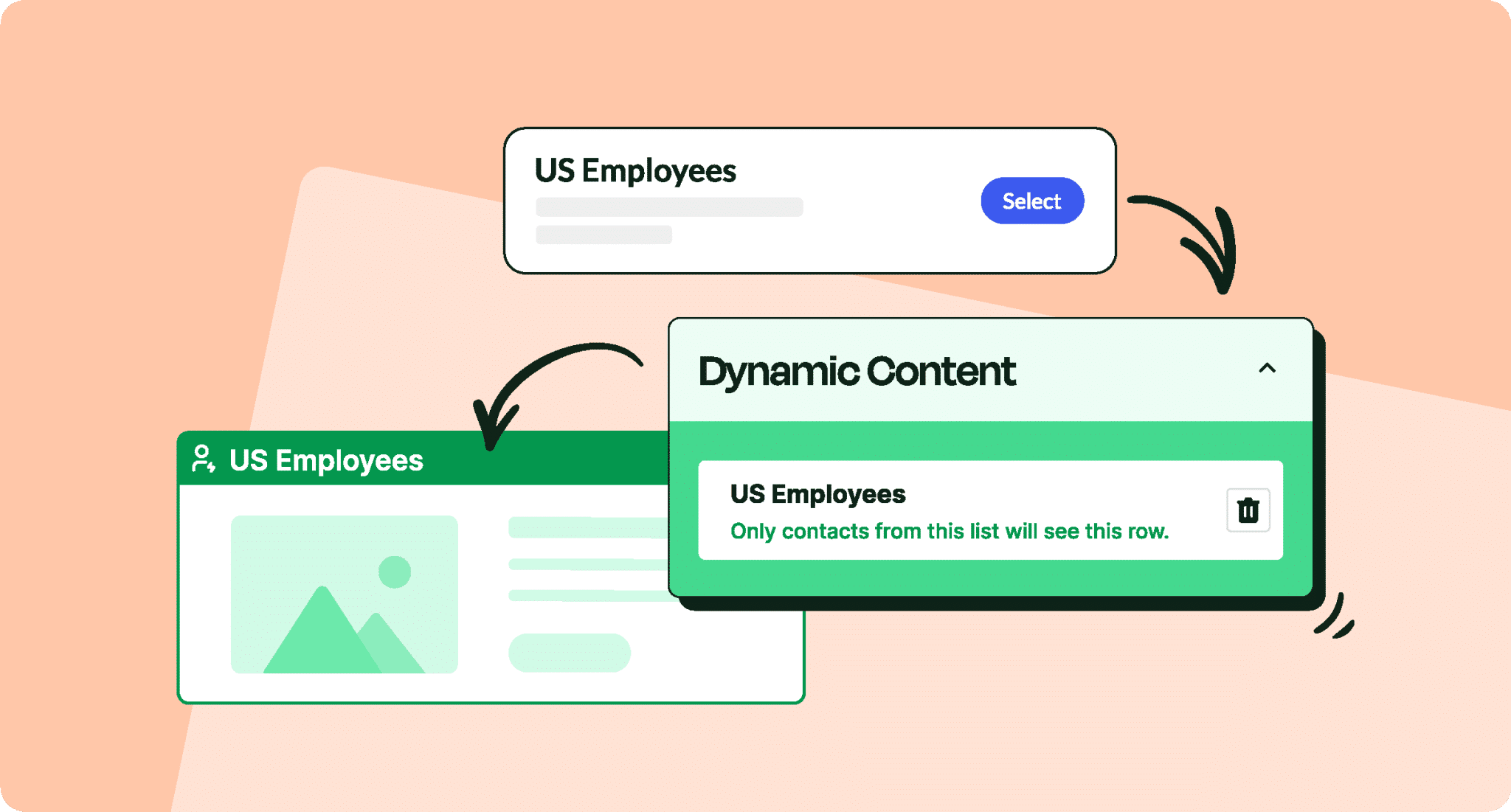
- Dynamic content where appropriate: For larger organizations, dynamic content blocks allow different groups to see tailored sections within the same send. This is especially useful for hospital employee newsletter environments or multi-location companies.
Build modern employee newsletters without a designer
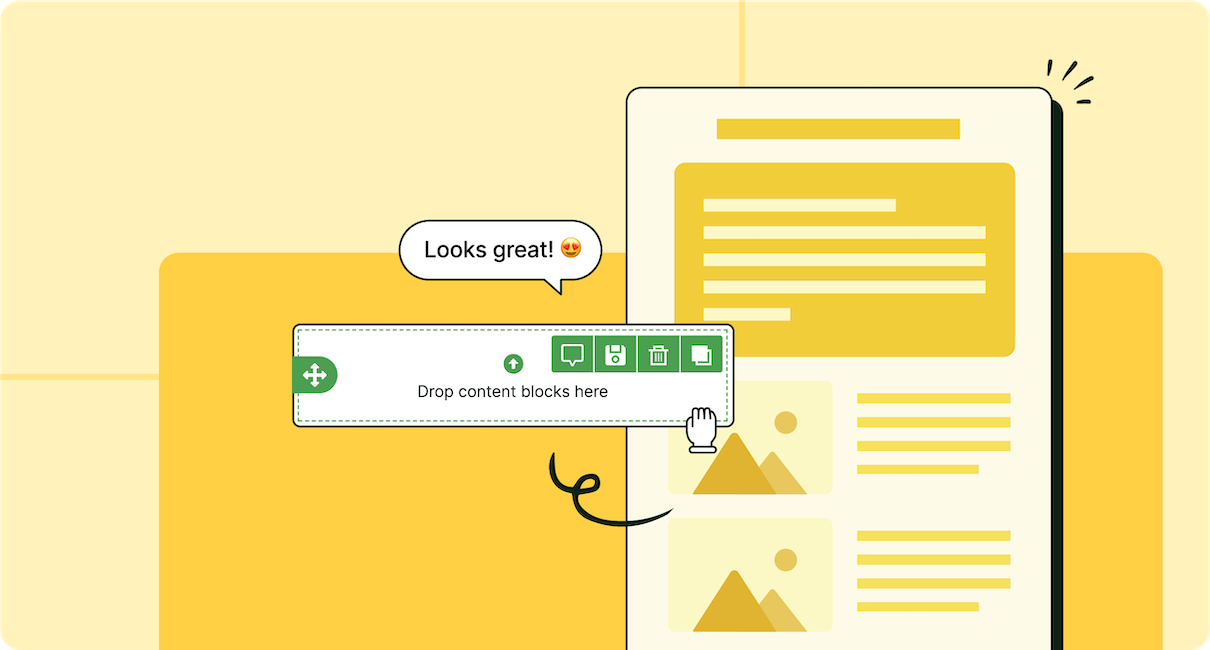
Build interactive and engaging newsletters quickly and easily using our drag-and-drop template builder. No tech expertise required.
Explore newsletter features

One step further: where engagement becomes measurable
Many guides stop at creative ideas. But a good internal newsletter goes further and addresses sustainability. It’s measurable and operationally realistic. When they are treated as a strategic channel, they become a measurable lever for employee engagement. That’s the difference between a corporate email newsletter that just sits in inboxes and an internal company newsletter employees actually rely on.
- Track the right metrics: Open rates are only the starting point. Click-through rates, completion of required actions, and engagement by department provide more meaningful insight. Internal newsletter open rates vary by industry, but improvement over baseline is more important than chasing a universal benchmark.
- Test send time and cadence: There is no universal best time to send an employee newsletter. Testing by audience segment produces more reliable results than copying external marketing benchmarks.
- Create a simple editorial system: Understaffed IC teams benefit from repeatable templates and a predictable content calendar. Internal newsletter templates and a defined intake process reduce last-minute scrambles.
- Protect the signal-to-noise ratio: One of the fastest ways to reduce engagement is to overload a company newsletter with low-priority content. Clear criteria for what qualifies as “newsletter worthy” protect credibility over time.24 Employee Newsletter Ideas That Employees Actually Read
24 Employee Newsletter Ideas With Real Examples
Below are 24 proven employee newsletter ideas based on what consistently performs in internal communications. Each idea is tied to a clear objective and includes practical guidance on how to use it, adapt it to your audience, and measure whether it is working.
A. Company updates employees actually care about
1. “What changed this month (and what to do next)”
You need to keep employees in the loop. Folks from sales may have no idea what improvements the product team made this month. The marketing team may not know what issues support is seeing most often. Operations may not understand why leadership shifted priorities. When everyone understands what is happening across the company and what it means for them, work gets easier. Decisions move faster. Fewer questions bounce around Slack. Teams correct earlier instead of later. Instead of scattering company updates across separate announcements, combine them into one structured monthly update block: ‘What Changed This Month and What To Do Next’. This becomes the anchor of your internal company newsletter.
This matters in 2026 because most internal communication challenges aren’t caused by a lack of information. ContactMonkey’s Global State of Internal Communications Report (GSIC) 2026 data shows that 56% of employees sometimes miss key updates, and 30% say they often or very often miss them. This clearly isn’t an engagement problem, but rather a clarity problem. A structured monthly progress block addresses this problem by aligning teams with company goals, reducing noise, and creating visible follow-through.
A structured “What Changed” block connects:
- Company goals to real progress
- Leadership messaging to operational impact
- Recognition to measurable outcomes
- Announcements to clear next steps
How to implement it: Limit this block to 3 to 5 updates. If everything is important, nothing is. Each update should follow the same structure:
- What changed: Be specific. Avoid vague language like “we made great progress.”
- Why it matters: Explain the business or team impact.
- What to do next: State the action clearly. If no action is required, say so.
- One clear CTA: Use a button, not a buried link.
Below are some ready-to-use examples you can adapt for your monthly employee newsletter:
| Update Type | What Changed This Month | Why It Matters | What To Do Next | CTA |
| Process Change | Support tickets are now routed through the new triage system as of March 1 | This reduces duplicate tickets and improves response time | All support agents must complete the 10-minute walkthrough by Friday | Watch walkthrough |
| Strategy Shift | We are prioritizing customer retention over new logo acquisition in Q2 | Sales incentives and marketing campaigns will shift accordingly | Sales leads should review updated comp structure | Review comp update |
| Policy Update | Travel approvals now require VP sign-off for international trips | Budget tightening in response to market conditions | Submit travel requests 2 weeks in advance | View updated policy |
| Technology Rollout | New HRIS portal is live and payroll access has moved | Old portal will be deactivated next week | Log in and verify your payroll information | Access new portal |
| Customer Feedback Insight | 38% of churned customers cited onboarding delays | Onboarding speed is now a top cross-functional metric | Customer success teams adopt revised onboarding checklist | View checklist |
2. Leadership Q&A
While monthly leadership messages are common, a structured Leadership Q&A is more effective. Instead of a one-directional note “from the top,” dedicate a recurring section of your internal company newsletter to answering real employee questions. This is how we make honest dialogue a practice in the workplace. When done well, it strengthens trust, improves clarity, and reduces speculation. GSIC 2026 reports that 39% of employees say they’re only somewhat comfortable sharing feedback upward, and just 17% report being very or extremely comfortable. That gap highlights how difficult it can be for employees to raise concerns, even when those concerns are about clarity or alignment rather than criticism. At the same time, leadership visibility and trust remain top priorities for internal communications teams. So we get it… It can be hard to balance those two. That’s why a Leadership Q&A creates a structured, low-friction way for employees to ask questions and see transparent answers. It:
- Normalizes curiosity
- Reduces rumor cycles
- Clarifies strategic decisions
- Signals that questions are welcome
- Gives leadership a consistent channel to explain the “why” behind decisions, not just the decision itself
Implementing this idea isn’t hard. This does not have to be every month, but rather when it’s relevant and needed. And usually, as IC professionals, we can tell when it’s needed. But remember that consistency matters more than volume. Even one well-answered question per month builds credibility over time. Keep the format tight. Avoid turning it into a long essay.
You can collect questions in multiple low-friction ways, depending on what fits your culture. An anonymous form makes it easier for employees to speak up honestly, while a simple one-click survey embedded right in your internal newsletter makes it fast to respond without leaving the inbox. You can also include a recurring “Ask Leadership” link in each issue, so employees know exactly where to submit questions at any time, and then host a quarterly live AMA where the most common themes are addressed and summarized in the following newsletter. With ContactMonkey, you can add these feedback elements directly into your newsletter using a drag-and-drop template builder that works inside Outlook or Gmail. This makes it simple to create engaging, measurable internal communications without relying on separate tools. You’re just embedding questions where employees are already reading.
Tip: Rotate the leadership voice depending on the topic. The CEO might address major strategic shifts, the CFO can step in during budget cycles, and the CHRO can clarify policy changes, while product or operations leaders speak to launches or frontline updates. It keeps the section fresh and signals that leadership visibility is shared, not concentrated in one office.
With ContactMonkey, you can create engaging, on-brand employee emails faster using a simple drag-and-drop builder, a ready-to-use template gallery, and reusable content that keeps everything easy to manage:

3. Strategy-to-team translation (“here’s what this means for you”)
Strategy updates are often clear at the leadership level and abstract everywhere else. Employees hear phrases like “margin protection,” “operational efficiency,” or “customer centricity”. What does this even mean? They’re left to interpret what that actually means for their role. When strategy is not translated into day-to-day impact, alignment stalls. People continue working the way they did before. This section of your internal company newsletter solves that gap. Instead of announcing strategy shifts at a high level, dedicate a block to answering one question: What does this mean for you and your team right now?
Why this matters: GSIC 2026 shows that most organizations rate alignment as moderate rather than high. That pattern suggests employees are aware of strategic priorities, but not fully aligned in execution. Internal communications campaigns often raise awareness, but behaviour change is inconsistent. And that is usually a translation problem.
Strategy-to-Team Translation forces clarity. It connects:
- Company priorities to departmental focus
- Business pressures to workflow changes
- Leadership decisions to employee expectations
To implement this, choose one strategic theme per issue. Don’t try to translate everything at once. Start with the original strategic message in one sentence. Then break it down into three layers:
- 1. What this means at the company level
- 2. What this means for specific teams
- 3. What, if anything, changes in behaviour or priorities
4. Customer win story (and the team behind it)
Customer wins are often announced as headlines: new contract signed, major client renewed, milestone achieved. But what is missing is the story behind it. A Customer Win Story section takes a business result and connects it to the team that made it happen. It reinforces performance, culture, and collaboration in one block. Instead of saying “We closed a $2M deal,” you explain how and who.
Why this matters: Who doesn’t want to be recognized for work that made a real difference? Most organizations already understand this. GSIC 2026 shows that 73% report having a formal employee recognition system, and 95% do collect employee feedback. At the same time, topics related to employee recognition continue to rank highly at 29%, which shows persistent challenges around inclusion, visibility, and voice. In other words, recognition exists. But it does not always feel visible or connected to meaningful outcomes. A Customer Win Story closes that gap.
When employees see the impact of their work, they understand how their day-to-day responsibilities contribute to company success. It also reinforces behaviour. If you consistently spotlight the actions that lead to wins, you quietly shape what “good” looks like in your organization. When employees see that effort leads to visible acknowledgment and measurable results, recognition becomes credible. And credibility drives engagement far more than applause alone.
To implement this, keep it focused. One customer story per issue is enough. Structure the section around four elements:
- 1. The Win: What happened? Be specific.
- 2. The Challenge: What made this difficult or significant?
- 3. The Team Behind It: Which departments were involved?
- 4. The Impact: How does this move the company forward?
Tip for structuring a strong customer story:
- Start with the win. Be specific about what happened. Was it a renewal, a major launch, a turnaround, or a service recovery?
- Explain the challenge. What made this situation complex? Time pressure, customer dissatisfaction, cross-functional coordination?
- Name the team behind it. Highlight departments involved and clarify how they contributed. Avoid vague “thanks to everyone” language.
- Connect it to impact. Did it protect revenue, reduce churn, improve efficiency, or strengthen a strategic priority?
- Include one insight or quote. A short comment from a team member about what changed or what they learned adds credibility and makes the story relatable.
- Rotate visibility. Do not always spotlight revenue-driving teams. Operations, IT, HR, and frontline roles often play critical roles in customer outcomes.
B. Building culture and belonging through your internal newsletter
5. Employee spotlight
An Employee Spotlight section gives visibility to individuals across your organization beyond performance metrics. Not just for what they achieved this month, but for who they are and how they contribute over time. It helps employees understand who their colleagues are, what they do, and how they contribute to the organization. In remote, hybrid, or frontline-heavy environments, this matters more than ever. Employees may collaborate daily without ever understanding each other’s roles or backgrounds. This is where your internal newsletter can really become a structured space for connection, a place where employees learn about the humans behind the job titles, whether they are in the same office or miles apart.
An Employee Spotlight allows you to:
- Highlight behind-the-scenes roles
- Surface diverse career paths
- Reinforce company values through lived examples
- Humanize departments that may otherwise feel distant
This is especially valuable in larger organizations where employees rarely interact cross-functionally. Also, while highlighting new employees is important, featuring long-term team members is just as valuable. Tenured employees often model company values, and quietly influence culture. Yet their contributions can go unseen outside their immediate teams.
How to structure it: A simple Q&A format keeps this section consistent and easy to produce. Feature one employee per issue and rotate across roles, seniority levels, and departments. Keep it focused and human:
- What does your role involve day to day?
- What is one project you are proud of?
- What is something most people do not realize about your work?
- How does your work connect to the company’s goals?
- What is something outside of work that people might not know about you?
You can also add a light interactive element to increase participation. For example, a short “Two Truths and a Lie” prompt lets readers guess which statement is false. Interactive email templates make it easy to embed a quick poll or response option directly in the newsletter, so participation feels seamless rather than forced.
6. New hire introduction
Most companies handle a new hire announcement in the same way: name, title, previous role. That is technically just an introduction that checks a box rather than build a connection. A structured New Hire “Fast Facts” introduction turns your internal newsletter into an onboarding tool. Instead of simply informing employees that someone joined, you help the organization understand how to work with them. In remote and hybrid environments, especially where informal office introductions are rare, this kind of visibility makes a measurable difference.
A strong employee newsletter introduction example does more than share background. It clarifies role, focus, and personality in a way that reduces friction. When colleagues know what a new hire was brought in to solve, what their priorities are, and how they prefer to collaborate, cross-functional alignment happens faster. This is important because many organizations invest heavily in onboarding content but tend to overlook internal visibility, and so your employee newsletter can close that gap.
Tip: There is also a smarter way to operationalize this. And this is where your employee newsletter becomes strategic. Make it part of onboarding for new hires to create their own introduction email using a structured internal newsletter template. Instead of HR drafting every new employee bio for newsletters, give the new hire editorial control. This does two things at once:
- 1. It gives them ownership of how they introduce themselves.
- 2. It helps them explore your internal email platform from day one.
With ContactMonkey’s employee newsletter software, this process is easy. You can create a reusable “New Hire Spotlight” template directly inside Outlook using branded layouts that match your internal company newsletter design. Drag-and-drop content blocks make it simple for new hires to structure their professional background, priorities, and fast facts without starting from scratch. Because ContactMonkey supports embedded pulse surveys and interactive elements, new hires can add a one-click poll, such as “Coffee or tea?” or “Morning person or night owl?” or even end it with a simple “How did I do?” They can also include a simple “Ask me a question” prompt to invite conversation. This way, participation happens directly within the email to make engagement seamless. Built-in analytics will also show the new hire how many employees opened, clicked, or interacted with the email. It’s a great way to make new friends as well!
With ContactMonkey, pulse surveys are easy to send and even easier to act on, helping you capture honest employee feedback through built-in surveys, reactions, and comments so you can understand how your people really feel and turn insights into meaningful change:

7. Team of the month or project spotlight
Most organizations have some version of “team recognition”, but fewer use it strategically. While a Team of the Month or Project Spotlight section in your internal employee newsletter celebrates effort, what it really does is clarify what great execution looks like inside your company. When done well, this becomes one of the most powerful employee recognition newsletter examples you can implement because it reinforces standards.
Recognition often defaults to individuals. That can unintentionally overlook the reality of how work gets done. And truth is, the most meaningful outcomes in modern organizations are cross-functional. For example, the product team depends on marketing. Sales depends on support. Operations depends on IT. So, highlighting teams rather than just individuals does three things:
- It reinforces collaboration as the norm
- It surfaces behind-the-scenes roles that rarely get visibility
- It turns abstract company values into observable behaviours
But wait… what makes this different from a Customer Win story?
A Customer Win Story focuses on external impact and measurable business outcomes. A Team or Project Spotlight can include customer wins, but it doesn’t have to. This makes it flexible and highly relevant across industries, including hospital employee newsletter environments and distributed operations. It can highlight:
- A successful system migration
- A cross-department process improvement
- A safety initiative in a frontline environment
- A complex internal rollout that reduced friction
Meet the unsung heroes: One common mistake in employee newsletter examples is over-indexing on revenue-driving or office-based teams. Sales, marketing, and product often dominate internal company newsletter coverage, while operations, IT, facilities, compliance, logistics, and frontline teams remain largely invisible. Over time, this can feel like some roles get the spotlight while others just keep things running in the background.
So be intentional about who gets featured. In a hospital employee newsletter, that might mean spotlighting nursing units, infection control teams, or scheduling coordinators. In manufacturing, it could be maintenance crews or safety teams. In distributed organizations, it may be regional operations or field support staff. For IC teams, this also aligns with a broader objective: delivering complete, example-rich content that reflects the reality of the workforce. In practice, this means building rotation into your editorial calendar. If your last spotlight featured product, the next might highlight facilities. Using a structured internal newsletter template inside ContactMonkey makes this easier to manage. You can create a reusable Team Spotlight block and plan rotations in advance, ensuring your employee newsletter reflects the full organization.
C. Employee recognition that reinforces performance
8. Peer-to-peer kudos wall
Most recognition in company newsletters is curated. We already talked about teams, individuals, and projects getting spotlighted or featured. A Peer-to-Peer Kudos Wall is about bottom-up recognition. It’s really about shifting recognition from top-down to employee-driven. It’s more about everyday impact rather than major wins.
Instead of waiting for formal awards or monthly spotlights, employees can nominate colleagues for small but meaningful contributions. For example, a quick assist on a project, stepping in during a crunch, or living a company value in a quiet way. Recognition does not always need to be formal to be effective. While milestone celebrations like promotions, anniversaries, and project completions are important, day-to-day appreciation builds culture faster.
A structured kudos system inside your internal employee newsletter:
- Encourages appreciation across departments
- Increases visibility for behind-the-scenes contributions
- Reinforces company values in real time
- Gives employees voice in who gets recognized
How to structure it: Instead of manually collecting shout-outs in Slack and copying them into your newsletter, create a simple nomination system. For example:
- A recurring “Submit a Kudos” button inside your internal newsletter
- A short form asking: Who are you recognizing? What did they do? Which value did they demonstrate?
- A rotating block that features 5 to 10 short shout-outs each issue
- Keep entries short and specific. For example: “Shout-out to Priya for stepping in to help finalize the client deck with 24 hours’ notice. She made sure we hit the deadline.”
This format works especially well when paired with embedded forms or pulse surveys. If you are using ContactMonkey, you can include a nomination link directly in your employee newsletter template and track participation over time. The key distinction is this: Team Spotlights highlight outcomes. Employee Spotlights highlight people. A Peer-to-Peer Kudos Wall highlights everyday contributions. It’s lighter in tone, but powerful in volume.
9. Values-in-action recognition
Most organizations publish their company values, but employees rarely see clear examples of how those values show up in everyday decisions. A Values-in-Action section in your internal employee newsletter brings those principles to life by highlighting a specific moment where someone demonstrated a core value in a real situation. Rather than offering general praise, describe what happened, the choice that was made, and the outcome that followed. If “Customer First” is a priority, for example, you might spotlight a frontline employee who identified a recurring service issue, worked across teams to address it, and improved response times as a result. If “Ownership” is emphasized, share a situation where someone stepped in to resolve a problem outside their formal responsibilities.
By tying recognition directly to behaviour and impact, you make values concrete and easier to replicate. Over time, this reinforces cultural standards in a practical way and ensures your internal company newsletter reflects how work actually gets done.
15 employee templates to recognize your team’s hard work
Show your team they matter with these sample appreciation emails.
Get templates

10. Manager micro-recognition toolkit
Recognition programs often live at the company level, but engagement lives at the team level. In practice, the manager is the single biggest influence on whether someone feels seen. When recognition only appears in a monthly employee newsletter or formal award program, it can feel distant from daily work. A Manager Micro-Recognition Toolkit equips managers with a simple, repeatable way to recognize contributions in real time. This matters because many organizations struggle with follow-through between communication and behaviour change. Recognition is part of that gap. If managers aren’t reinforcing what good looks like, company values and priorities lose clarity.
The toolkit doesn’t need to be complex. Give managers a short formula they can reuse: what the person did, why it mattered, and what behaviour it reinforces. That structure keeps recognition specific instead of generic. For example, instead of “Great job,” a manager might write, “You flagged the reporting issue before it escalated, which saved the team several hours. That level of ownership keeps projects on track.” Clear, actionable, repeatable.
You can support this through your internal newsletter platform. With ContactMonkey, IC teams can create a reusable “Manager Shout-Out” block inside a template, complete with prompts that guide specificity. Managers can submit short recognition notes through a simple form, which can then be featured in a team-specific internal newsletter or segmented company send. Built-in analytics help you see whether these sections are being read and engaged with, so recognition becomes measurable.
D. Benefits and HR comms employees actually understand
10. “One Benefit, Three Ways to Use It”
Employee benefits are some of the highest-investment line items in any organization. And yet, it’s often the least understood. Many companies offer strong healthcare coverage, wellness stipends, learning budgets, mental health support, or retirement matching, but when employees don’t understand how to use what is available, the perceived value drops. It’s all too familiar: benefits communication often spikes during enrollment season and then disappears the rest of the year. This is where your employee newsletter becomes high-ROI content.
Instead of listing all benefits at once during open enrollment, dedicate a recurring block in your internal employee newsletter to one benefit at a time. The format is simple: highlight one benefit and explain three practical ways employees can actually use it.
For example:
- If you are spotlighting a professional development stipend, the section might outline how to use it for certification courses, conference attendance, or online learning platforms.
- If your organization offers a wellness spending account, make it timely. In the summer, show employees how they can use it right now. You might highlight that the stipend can be used for fitness classes, recreational sports leagues, running shoes, bike maintenance, swimming lessons, or even outdoor equipment rentals. This kind of seasonal employee wellness newsletter example increases benefit usage and makes the content actually feel relevant. Rather than sending a generic reminder, you anchor it in real summer activities employees are already thinking about.
This approach works because instead of overwhelming employees with a full benefits guide, you break it into manageable, actionable pieces. Over time, your monthly employee newsletter becomes a practical resource. You can also address common concerns directly. Embed a simple question box or pulse survey in your internal newsletter asking, “What benefits are unclear?” or “What would you like explained next?” If you are using ContactMonkey, you can embed that feedback mechanism directly inside Outlook or Gmail, making it easy for employees to submit questions without leaving the email. You can also segment by region or employment type to ensure benefits information is relevant to the right audience. Track which questions are being asked the most and answer them in your next newsletter.
12. Deadline reminder with one clear action button
When a deadline matters, keep the message focused on one action and one button. Whether it is benefits enrollment, compliance training, performance reviews, or policy acknowledgment, the goal is completion. State the deadline clearly. Explain what is required in one sentence. Then include a single, visible call to action. Avoid multiple links or secondary messages that dilute attention.
For example, instead of listing open enrollment details across several paragraphs, write: “Open enrollment closes Friday at 5 p.m. Review your selections and confirm your benefits.” Then include one button: ‘Review and Confirm Benefits’. When the objective is action, reducing friction is critical. One message. One deadline. One button.
Using a platform like ContactMonkey also allows you to track exactly who clicked and completed the action, so HR teams can follow up with the right segment instead of sending repeated reminders to everyone:

13. Policy updates
Policy updates are necessary. But they’re rarely engaging. When organizations share policy changes in dense, legal language, employees usually skim, misunderstand, or ignore them. A stronger approach is to treat policy communication as translation inside your internal employee newsletter. Instead of pasting policy text, summarize it in plain language:
- What changed
- Why it changed
- Who it affects
- What action is required
- Where to find the full details
From a strategy perspective, this reduces noise and protects credibility. When employees know that policy changes will be delivered clearly and consistently, your internal company newsletter becomes the trusted source of record. Below is an example of a policy update email template created with ContactMonkey. Segmentation inside ContactMonkey also ensures only the relevant audience receives the update, which prevents confusion and unnecessary follow-up questions. Using a structured internal newsletter template like this helps IC teams standardize how policy updates are communicated, rather than reinventing the format each time. Policy communication does not need to be long to be effective. It just needs to be clear, targeted, and easy to act on.
With ContactMonkey, you can easily segment your audience and personalize employee emails by department, seniority, location, or custom lists, then tailor subject lines, visuals, dynamic content, and calls to action so every message feels relevant:

14. FAQ of the month
If IC, HR or managers are answering the same question more than twice, it belongs in your internal employee newsletter. A recurring “FAQ of the Month” section is one of the simplest high-ROI additions you can make in your newsletter. It turns scattered, one-off conversations into shared understanding. Because chances are, if one person has a question, others do as well. Instead of answering the same benefits eligibility question in five Slack threads, you answer it once, clearly, for everyone.
The key is this: only use real questions. Not hypothetical ones written to fill space. Pull from what HR is actually hearing. Questions about benefits enrollment, payroll timing, leave policies, reimbursement rules, performance cycles, and more.
For example:
- “We’ve received several questions about whether part-time employees qualify for the wellness spending account. Here’s how eligibility works, what documentation is required, and where to submit claims.”
- “A number of employees asked how parental leave interacts with short-term disability. Below is a simplified breakdown of how the timelines overlap.”
This approach does three things at once:
- 1. Reduces repetitive administrative work
- 2. Increases transparency
- 3. Signals that employee concerns are being heard
An FAQ section also pairs well with occasional AMA-style features focused specifically on benefits or policy clarity. For example, during open enrollment, you might invite employees to submit questions to the benefits team and publish the top five answers in the next internal company newsletter. That keeps the format focused and practical, rather than turning it into a general leadership forum.
To make it sustainable, embed a simple question box directly in your internal newsletter. Invite employees to submit questions anonymously if needed. Track which topics surface most often and prioritize those in the next issue. Over time, you’ll see patterns and be able to see where policy language is unclear or where expectations need more clarity. From an internal communications perspective, this section strengthens credibility. When employees see their actual questions addressed clearly and consistently, your company newsletter becomes a trusted reference point. And when clarity improves, so does compliance, utilization, and overall confidence in HR communication.
E. Wellness, safety, and frontline-focused newsletter ideas
15. 30-second wellness habit
Wellness content in employee newsletters often swings between two extremes: overly generic advice or long, well-intentioned articles that few people finish. A 30-Second Wellness Habit approach solves both problems. It delivers one small, practical action employees can try immediately.
This works especially well in hybrid and remote environments, where boundaries between work and home get blurred and burnout can build quietly. Instead of publishing “work-life balance” guidance, anchor each issue around a single habit that takes less than a minute to read and a only a few minutes to try. For example, you might suggest a two-minute reset between meetings: stand up, step away from the screen, and write down the single priority for the next hour. Or a simple posture check and screen break after every 90 minutes. Or setting a defined start-of-day routine that signals the beginning of focused work, even if that means walking around the block before logging in.
Tip: To make it more engaging, you can embed a quick one-click pulse survey directly below the tip asking, “Did you try this week’s two-minute reset?” with one-click responses like “Yes”, “No” or “Not yet”. You can then feature one employee-submitted tip in the next issue as well. Wellness habits should differ for frontline vs desk-based employees. With ContactMonkey’s Dynamic Content, you can tailor the tip by role or location so people only receive content relevant to them, all within the same email. That way, hospital staff don’t get WFH tips and vice versa.
From an internal comms strategy perspective, the value is in specificity. “Take regular breaks” is easy to ignore. “Set a 90-minute timer and stand up when it rings” is easier to try. Over time, these small, consistent nudges actually show that the company cares about your well-being, not just output. It’s also adaptable across industries. In a hospital employee newsletter, a 30-second wellness habit might focus on shift transitions or hydration reminders, whereas in a corporate environment, it might be on digital overload. The principle stays the same: one clear, manageable action that supports well-being without overwhelming employees.
16. Safety moment
For frontline, healthcare, manufacturing, and field-based teams, safety communication is operational. Yet in many organizations, you’ll only see safety updates after an incident or during mandatory training cycles. That’s why this recurring “Safety Moment” in your internal employee newsletter keeps awareness proactive.
This section should be short, specific, and relevant to the environment employees are working in right now. In a hospital employee newsletter, that might mean a reminder about proper PPE usage during seasonal spikes or a quick refresher on patient transfer protocols. In a warehouse or manufacturing setting, it could focus on equipment checks before shift start or a recent near-miss that led to a process adjustment. The goal is to highlight one timely action or insight employees can apply immediately.
You can also use this section to encourage participation. For example, include a short note encouraging employees to volunteer for a company safety committee that meets monthly to review incidents and improvement opportunities. Sharing brief updates from that committee in future issues will also reinforce transparency and demonstrate that safety concerns lead to visible action.
If you are using ContactMonkey, you can segment Safety Moment content by location or role so only relevant teams receive specific updates. You can also embed a quick pulse survey in your internal newsletter asking, “Have you noticed any safety risks this month?” with an optional link to submit details.
17. Industry updates and operational reality checks
In 2026, employees expect context. This idea provides that context in a way that is practical, timely, and grounded in real work. Frontline and operational teams are often the first to feel changes in the market, regulations, supply chain, staffing, or customer expectations. Yet it’s rare that internal newsletters address these external pressures. This section closes that gap.
For each newsletter, include one short update about something happening outside the organization and one clear explanation of how it affects internal teams. This might be a regulatory shift, a change in reimbursement policy, a supply chain disruption, a new competitor move, seasonal demand changes, or evolving AI or compliance standards.
For example:
- In a hospital employee newsletter, you might note a new reporting requirement introduced at the state level and clarify how documentation processes will adjust.
- In a retail or manufacturing environment, you might reference increased shipping delays due to port congestion and explain how inventory planning will change.
- In a corporate setting, you could highlight a data privacy enforcement trend and outline what teams should double-check in their workflows.
From an IC standpoint, this strengthens alignment across functions. It connects frontline realities with executive priorities and makes your internal company newsletter feel current and informed rather than reactive. The key is translation. Not just “Here is what happened,” but “Here is what this means for us.” You can structure it simply: What changed in the industry, why it matters internally, and what to watch/adjust this month. This type of content builds credibility. It shows that leadership and internal communications are not operating in a vacuum.
If you are using ContactMonkey, you can segment this section by location or role so teams receive updates relevant to their environment. Analytics can also show which industry topics generate the most engagement, giving you insight into where uncertainty or curiosity is highest.
18. Burnout prevention resources
Burnout rarely announces itself. It shows up as missed deadlines, short responses, increased sick days, or disengagement that feels hard to name. A recurring burnout prevention section in your internal employee newsletter allows you to address sustainability before it becomes a performance issue. It gives you a structured way to address workload and sustainability without waiting for a crisis, and in 2026, this isn’t optional.
What makes this section effective is splitting it into two short versions. One for employees and one for managers:
- For employees, focus on practical resources and small resets. That might include reminders about mental health benefits, employee assistance programs, wellness stipends, or workload planning tools. Instead of saying “Take care of yourself,” provide something actionable, such as a link to book a confidential counseling session, a guide to using PTO before year-end, or a short checklist for resetting priorities with a manager.
- For managers, shift the lens slightly. Offer one concrete leadership behavior that reduces burnout risk. For example, clarifying weekly priorities instead of adding to them midweek, reviewing workloads before assigning stretch projects, or encouraging real time off rather than performative availability. You can also include a short prompt like, “Have you asked each team member what feels overloaded right now?” That moves burnout prevention from HR messaging into day-to-day management.
What most organizations miss is that burnout risk varies by role. And prevention requires shared responsibility between employees, managers, and IC. From an IC strategy perspective, this section reinforces that performance and sustainability are connected. When your internal company newsletter consistently acknowledges workload realities and provides specific support pathways, it builds trust. A simple format that works well is pairing audience-specific signals with one clear support action:
| Audience | Early Burnout Signal | What IC Can Surface | What Managers Should Reinforce | How to Track It |
| Remote / Hybrid | Back-to-back meetings, after-hours activity | Focus-time guidance, PTO reminders, digital boundary norms | Weekly priority resets and no-meeting blocks | Pulse survey: “Is your workload manageable?” |
| Frontline / Shift-Based | Overtime spikes, reduced recovery time | Shift swap policy clarity, recovery resources | Schedule audits and equitable shift rotation | Absenteeism trends or shift change data |
| Managers | Decision fatigue, role overload | Delegation frameworks, expectation clarity | Redistribution of stretch work | Engagement pulse by team |
If you are using ContactMonkey, you can tailor this section using dynamic content so frontline teams see recovery-related guidance while desk-based employees see digital fatigue resources. You can also embed a short, confidential pulse survey asking, “How manageable does your workload feel this month?” to surface early warning signs without launching a full engagement survey.
F. Two-way communication and employee engagement ideas
19. Poll of the week
If you want your internal newsletter to feel like a channel, start with one simple habit: ask a question and close the loop. A recurring Poll of the Week turns your newsletter into a lightweight employee feedback mechanism. It lowers the barrier to participation and gives employees a visible way to shape communication.
What makes a poll effective? Keep it focused and relevant to real decisions. Avoid vague engagement questions like “Are you happy at work?” Instead, tie polls to specific themes already discussed in the newsletter. The key is consistency. One short question per issue. No more than three to five options per poll. Results shared in the next edition. Remember, GSIC 2026 data revealed that feedback lacks visible follow-through. So publish the results and make them visible. When employees see their responses acknowledged and summarized, participation increases over time.
Good poll categories can include:
- Priority clarity: “Which update needs more clarification?”
- Benefits communication: “Which benefit should we explain next?”
- Workload sentiment: “How manageable does your workload feel this month?”
- Culture feedback: “Which value do you see demonstrated most often?”
Ready-to-copy example:
Headline: Quick Pulse Check
Question: Which topic should we cover in more detail next month?
Options:
Benefits and open enrollment
AI tools and workflows
Workload expectations
Career growth paths
Closing line: Results will be shared in next week’s newsletter.
If you’re using ContactMonkey, embed the poll directly in the email so employees can respond right away. You can track response rates, compare engagement by department, and identify patterns over time. A 5% response rate tells you something different than a 35% response rate.
Remember that polls shouldn’t replace deeper surveys. They’re more lightweight temperature checks between larger engagement efforts. And when used consistently, a Poll of the Week builds momentum. It turns your internal communications newsletter into a two-way channel, strengthens transparency, and provides real-time data you can act on.
Create and send employee surveys for feedback
Engage staff with pulse surveys, eNPS surveys, reusable surveys, custom polls, and more. Ready to send modern emails?
Explore survey features

20. Make internal mobility visible and actionable
Most organizations say they support career growth. But if employees don’t see examples of people moving across teams, functions, or levels, that growth feels theoretical. They believe it when they can see it. Internal mobility isn’t just about posting open roles. It is about showing that advancement is real, structured, and attainable. And in 2026, when retention is tightly linked to development, your internal employee newsletter is one of the most practical places to showcase real career paths. It’s one of the most effective spots to make mobility visible.
Start with internal job postings, but add context. Instead of listing titles and links, briefly explain what the role owns, what skills matter most, and why the position exists. That helps employees assess fit.
For example:
Open Role: Senior Operations Analyst
Team: Supply Chain
What You’ll Own: Process optimization across three regional warehouses
Why It Matters: This role will directly impact fulfillment speed during peak season
Apply By: March 15
Include a clear Apply Now CTA and link directly to the internal posting. Then go one step further. Pair open roles with an internal mobility spotlight that shows how someone successfully moved internally. Break down what enabled the move. What skills did they build? Did they complete a certification? Did they take on a stretch project? Was it lateral before it was upward?
This level of detail is what most IC teams miss. Growth is built through exposure, skill development, and manager support. And when you show the mechanics behind mobility, not just the outcome, employees can picture their own path. It answers the real question employees have: How do I move from where I am to where I want to be?
Tip: With ContactMonkey’s Employee Net Promoter Score (eNPS) tool, you can measure how likely employees are to recommend internal job openings to others. When employees share job postings, you save time and resources on recruitment.
Case Study: How Total Education Solutions Built a Data-Driven Employee Newsletter
When the pandemic increased the pace and urgency of internal communication, Total Education Solutions needed more than just more emails. They needed a consistent, reliable employee newsletter that employees would actually read. Before ContactMonkey, Morgan’s team had limited visibility into whether staff were reading key announcements, including critical updates like benefits enrollment and HR changes. As newsletter frequency increased, so did the need for insight and consistency.
“In the last two years, we’ve needed to communicate more, and to communicate more strategically. Employees needed to hear from us more often about important updates,”
– Morgan Medina, Director of Communications
With ContactMonkey, TES built a structured, branded internal newsletter template inside Outlook that they now use for regular company updates. The drag-and-drop builder made it easier to design professional, repeatable newsletters without starting from scratch each time. More importantly, built-in analytics showed exactly who opened, clicked, and engaged with each section.
“Our newsletters have made a big difference for people—we’re constantly keeping employees updated on what’s going on, especially from an HR perspective and especially with COVID—they’ve kept us accountable and consistent. [ContactMonkey] is really easy to use from a design standpoint. But the analytics I think are even more important. We get to see who’s reading, when they are opening it, what they are clicking on, and [whether] they care about this at all.
Today, TES uses data to refine subject lines, adjust content blocks, and ensure important HR and operational updates are not missed. What started as a need to communicate more frequently evolved into a measurable, consistent employee newsletter strategy that keeps more than 600 employees informed and aligned.
How ContactMonkey Turns Employee Newsletters into Action
Great employee newsletter ideas only work when they’re delivered consistently and backed by real insight. Across the examples in this guide, a few patterns stand out. The most effective internal company newsletters are intentional in how they are structured and what they prioritize. They connect company updates to clear next steps, make recognition visible in meaningful ways, clarify benefits and policies without jargon, and reflect the realities of frontline and hybrid teams. They also create space for feedback and close the loop so employees can see that their input leads to action.
A strong internal company newsletter is about sending the right content, in the right format, with visibility into what’s working. ContactMonkey helps IC and HR teams bring this to life. Using a drag-and-drop template builder inside Outlook or Gmail, teams can create consistent, branded employee newsletters without rebuilding layouts each month. Dynamic Content allows messages to be tailored by role, department, or location within a single send. Embedded pulse surveys and feedback forms make it easy to gather real-time input directly in the inbox. Built-in analytics provide clear visibility into open rates, click-through rates, and engagement trends so decisions are based on data rather than assumptions.
For small IC teams especially, having repeatable templates, segmentation, and measurable insights reduces manual work and increases confidence in what is resonating . With the right structure and tools in place, your employee newsletter becomes a consistent driver of engagement across the organization.
If you’re ready to turn your employee newsletter into a measurable, high-impact internal communications channel, book a demo and see how ContactMonkey can support your team.