Plenty of internal communications teams start with Mailchimp for a good reason. Someone in marketing already has a login, the templates look polished, and it beats sending another plain text email to the all-staff list. Then an employee unsubscribes from the company newsletter, IT asks why your emails are coming from an outside server, or a leader wants to know which sites actually read last week’s update and you have no way to tell them.
If Mailchimp is the only email platform you’ve ever used, you’re in good company. It’s one of the best-known names in email, and a lot of comms teams inherit it from marketing without anyone asking whether it fits. You might not even know there are dedicated internal communications platforms built to solve the exact problems you’re dealing with, from employees unsubscribing to lists you rebuild by hand every month. Mailchimp is an external marketing platform, designed to sell to customers who opted in. Your employees need something built for them.
This guide covers the most popular Mailchimp alternatives for internal communications, with an honest view of where each one fits.
What Is Mailchimp?
Mailchimp is an external email marketing platform that businesses use to send newsletters, promotional campaigns and automated emails to customers and subscribers. It was founded in Atlanta in 2001, and Intuit acquired Mailchimp in November 2021, positioning it as a customer engagement and marketing platform for small and mid-market businesses.
Mailchimp’s whole toolset is organized around marketing. You build audiences of subscribers, collect them through signup forms, design campaigns and automations, and measure opens, clicks and conversions. That setup works well for reaching customers, and it’s also why internal communicators tend to run into friction when the audience is their own employees.
Can You Use Mailchimp for Internal Communications?
You can use Mailchimp for internal communications, and plenty of teams do for a while. For a small company sending one update a month, it can be enough. Once internal email becomes the channel for leadership updates, change announcements and policy reminders, problems start to surface, usually in a week that’s already full. The reason is simple.
Internal communicators work with their own requirements around reach, security and day-to-day workflow, and those rarely fit neatly into a platform designed for external audiences. Many ContactMonkey customers came to us from external email marketing tools after running into exactly these limits, and these are the ones they mention most.
Mailchimp is an external marketing platform built for customers
Everything in Mailchimp assumes a subscriber who chose to hear from a brand, from the signup forms to the compliance rules to the way reports are framed around conversions. Your employees didn’t subscribe to the company newsletter. They need it to do their jobs, which changes what the platform has to guarantee.
Employees can unsubscribe from required updates
Mailchimp requires an unsubscribe link in every campaign, because its rules are written for marketing lists and anti-spam law. Each employee who clicks it drops out of your newsletter for good, and you usually find out when someone says they never heard about the benefits deadline or the new safety procedure. Internal comms platforms let you send without an opt-out, since required workplace communication is part of the job.
Your emails come from outside your company’s servers
Mailchimp sends from its own servers, so your message reaches Microsoft 365 or Google Workspace as outside bulk email using your company’s name. Corporate filters treat that pattern with suspicion, IT often has to allowlist Mailchimp before anything arrives reliably, and newsletters that look like marketing tend to land in Other or Promotions folders. For an all-staff message, that’s a reach problem you can’t see from the campaign report.
Employee data ends up on a marketing platform
To send through Mailchimp, you upload employee names and addresses into an external contact list, and Mailchimp creates an archived web page for every campaign you send, with a link that can be shared outside your organization. For organizations with strict privacy or data residency rules, including many public sector bodies, universities and healthcare systems, that setup often doesn’t survive an IT security review. It’s one of the most common reasons comms teams are asked to move off Mailchimp.
Distribution lists have to be rebuilt by hand
Mailchimp can’t send to the Outlook or Google distribution lists IT already maintains. Someone has to export employees, clean the file and re-upload it every time people join, move or leave. Comms teams who’ve done this for a while know how it ends, with new hires missing from the list and former employees still on it.
Reporting stops at the campaign
Mailchimp shows opens and clicks per send, without the department, location or read time detail communicators need to answer leadership’s questions. That detail matters because reading habits are uneven. According to ContactMonkey’s Global State of Internal Communications Report 2026 (GSIC), 42% of communicators say employees read internal emails only 26% to 50% of the time, and 86% say employees miss key updates at least sometimes. Without employee-level data, you can’t see who those employees are or plan a follow-up for them.
You have to build outside the inbox your organization runs on
Mailchimp means drafting in one tool, testing in another and sending from a login separate from your work email. For a team of one or two, those extra steps add up to hours every week. Internal comms platforms that work inside Outlook or Gmail let you build, send and track from the inbox you’re already in.
What to Look for in a Mailchimp Alternative for Internal Communications
Choosing the right Mailchimp alternative comes down to what happens underneath the design layer, since almost every email platform offers templates and a drag-and-drop editor. These six factors are where the real differences between marketing email tools and internal communications platforms show up.
1. Sending from your own Outlook or Gmail
The first question to settle is how the platform sends. Marketing tools like Mailchimp route every email through their own servers, which affects deliverability, security review and how employees recognize the message. A platform that sends through your own Outlook or Gmail keeps email traffic inside your existing environment and arrives from a sender employees already trust. For organizations where IT has a say in the evaluation, this tends to be the deciding factor.
2. Guaranteed reach with no unsubscribe link
Required workplace communication should reach every employee. Look for internal email software that lets you send without an opt-out link, so a benefits deadline or a safety update can’t be filtered out by one click months earlier.
3. Audience lists that sync with your HR data
Personalization is only as good as the employee data behind it. Mailchimp asks you to export, upload and clean contact lists by hand, and manual lists compound errors over time. Look for a platform that sends to your existing distribution lists and syncs automatically with your HRIS, so your audience reflects the organization on the day you send.
4. Employee-level analytics and feedback inside the email
Campaign totals tell you an email performed. Communicators need to know which departments, locations or regions read it, how long they spent with it, and how employees felt about it. Embedded pulse surveys, eNPS questions and emoji reactions add that last piece. In the Internal Email Benchmark Report 2026, embedded eNPS surveys averaged an 11% click rate against a 9% overall average.
5. Checks that work before you hit send
Every communicator knows the anxiety before a high-visibility send. Look for pre-send quality checks, approval workflows and a way to preview how different groups will receive the message. According to GSIC 2026, 86% of teams had to resend or correct an internal email in the past year, and each correction costs time and credibility.
6. Pricing and support built for internal comms
Marketing platforms usually price by contact count, which climbs quickly once you add a whole workforce, and support often depends on your plan tier. Internal comms platforms tend to price around your organization and team instead. It’s also worth asking whether you get a named customer success manager who understands IC benchmarks and goals, or a shared support queue.
Comparing Mailchimp? See how ContactMonkey stacks up
Side-by-side features, pricing approach and switching support.
See the comparison
The 6 Most Popular Mailchimp Alternatives and Competitors for Internal Communications
Most lists of Mailchimp competitors are written for marketers, so they compare platforms on ecommerce features and ad integrations that don’t matter to an internal comms team. We looked at the options communicators most often shortlist when they need an alternative to Mailchimp for employee email. ContactMonkey is the one built specifically for internal communications. The other five are external marketing platforms that come up in almost every evaluation, usually because they’re the best-known Mailchimp competitors, with an honest note on where each fits for employee communication.
Want to skip ahead? Click any of the Mailchimp alternatives below to jump to that section.
- ContactMonkey
- Brevo
- MailerLite
- Campaign Monitor
- Constant Contact
- HubSpot
1. ContactMonkey, the best overall Mailchimp alternative for internal communications
ContactMonkey is an internal communications platform built natively into Outlook and Gmail, with a web app for teams that prefer browser-based sending. As an alternative to Mailchimp, it keeps the parts teams liked, the polished templates and easy editor, and moves sending, lists and reporting into the inbox employees already trust. With more than 15 years focused on internal comms, it’s built for teams whose newsletter has grown into a core channel that leadership expects to see results from.

The biggest difference from Mailchimp is how emails are sent. ContactMonkey sends through your own Outlook or Gmail environment, to the distribution lists you already manage, with no unsubscribe link. For teams that need high-volume sending, a SendGrid option is also available. Either way, IT isn’t asked to approve an outside marketing server.
The second difference is where AI fits in the workflow. CoAuthor generates a full, mobile-ready email draft, including layout and copy, from a simple prompt. ConfidenceCheck reviews every email before it goes out for broken links, accessibility issues, typos and your own custom rules, and Audience Preview shows how different employee segments are likely to receive the message before you send it.

Pros
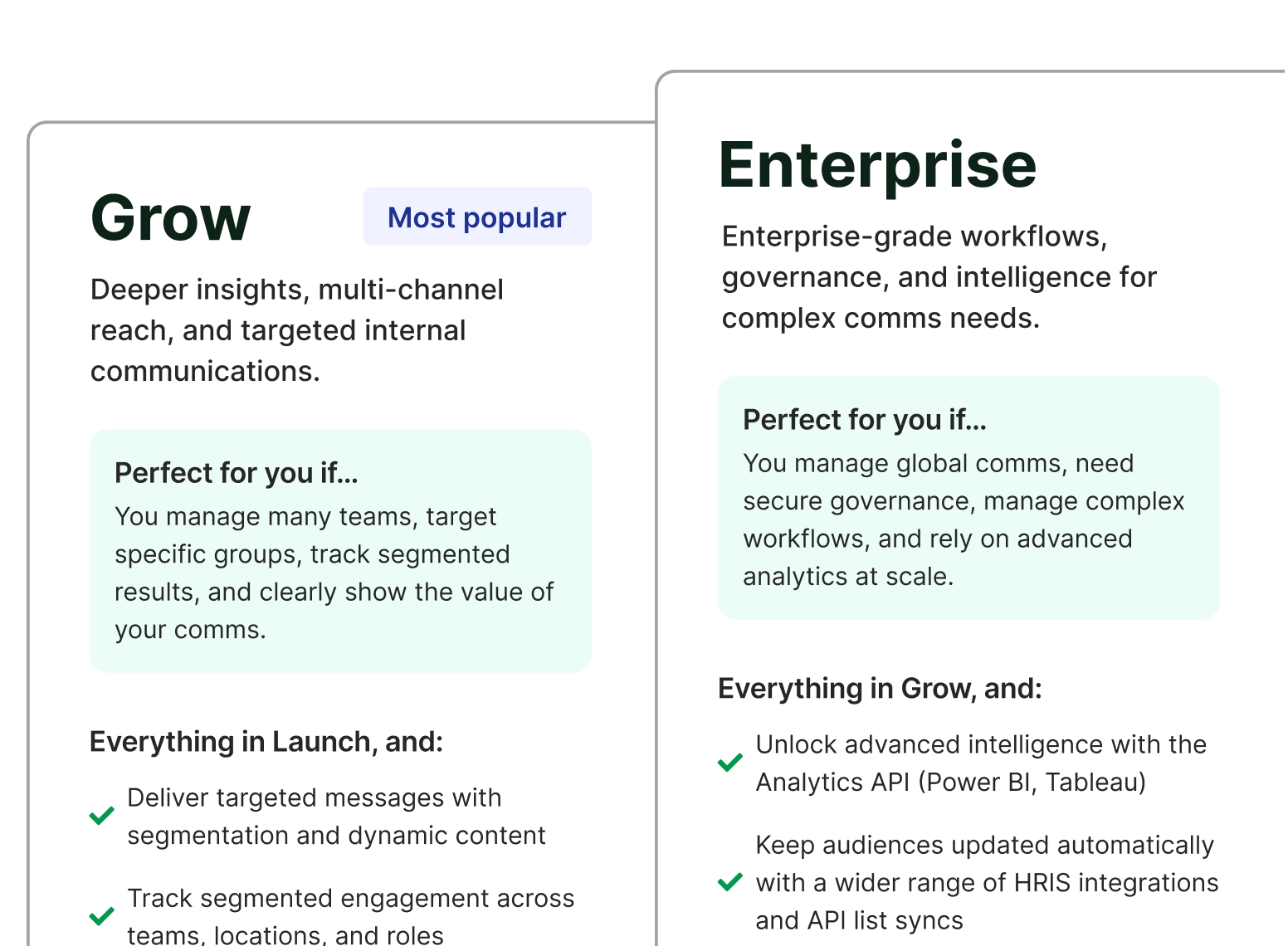
You send from Outlook or Gmail through your own infrastructure, with no external server and no opt-out link. CoAuthor, ConfidenceCheck and Audience Preview cover the work before the send, and approval workflows handle sign-off without a chain of forwarded drafts. More than 80 HRIS integrations, including Workday and BambooHR, keep lists accurate automatically, while dynamic content and multi-language emails let one send speak to many audiences. Individual-level email analytics segment by any HRIS attribute, and Insights Assistant answers questions about your data in plain language. Every account has a named CSM, and the platform is SOC 2 compliant.
Cons
ContactMonkey usually costs more upfront than a free or entry-level Mailchimp plan, though the difference shrinks once you count the hours spent managing lists and pulling reports by hand. It delivers the most value when teams actively use the analytics to shape their strategy. It is also an email-first platform and works best alongside an intranet like SharePoint or Appspace.
Best for internal comms and HR teams of any size whose employees live in Outlook or Gmail and who need employee-level analytics, AI that works before the send, and guaranteed reach without an unsubscribe link.

2. Brevo
Brevo, formerly Sendinblue, is an external marketing platform that combines email, SMS and WhatsApp, and it’s one of the most common Mailchimp competitors for teams with large lists. It prices by emails sent each month instead of contacts stored, and its free plan allows up to 300 emails a day. For internal comms, that daily cap matters fast, since a single all-staff newsletter to 1,000 employees would already be over the limit.
Pros: Volume-based pricing suits large employee lists that receive only a few emails a month, and email and SMS sit in one account.
Cons: Brevo is designed around opted-in subscribers, so the unsubscribe link, outside sending servers and campaign-level reporting all come with it. The free plan’s daily cap rules out an all-staff send for most organizations.
Best for teams that want lower costs for occasional sends to a large list and don’t need employee-level reporting.
3. MailerLite
MailerLite is an external marketing platform known for its clean drag-and-drop editor and a free plan, which makes it one of the most searched free alternatives to Mailchimp. Pricing is based on subscriber count, and the free plan has shrunk with MailerLite’s 2026 pricing changes, so today it suits only very small lists.
Pros: The editor is intuitive, a visual automation builder is available on every plan, and setup takes minutes.
Cons: You still manage a separate subscriber list, keep the unsubscribe link and work without employee-level reporting or in-email feedback. The free plan is too small for most workforces.
Best for very small organizations that want a low-cost way to send a monthly staff newsletter.
4. Campaign Monitor
Campaign Monitor is an external marketing platform with polished templates and a straightforward editor, popular with agencies and design-focused marketing teams. Its Lite, Essentials and Premier plans are priced by contact count, and the entry-level plan caps how many emails you can send. Teams already comparing Campaign Monitor alternatives usually run into the same issues they had with Mailchimp.
Pros: Templates are well designed, the editor is easy to learn, and it’s a strong choice when branded design matters most.
Cons: It brings the same external marketing trade-offs as Mailchimp, and contact-based pricing climbs quickly once you add your whole workforce. The Lite plan’s send cap can also limit frequent internal updates.
Best for teams that care most about template design and send occasional staff updates.
5. Constant Contact
Constant Contact is one of the most common Mailchimp alternatives, an external marketing platform with list tagging, a large template library and solid deliverability for customer email. Teams usually look at it because it feels familiar. For employee communication, that familiarity includes most of what they were trying to leave behind.
Pros: It’s easy to use, has plenty of templates, and handles list tagging well for small audiences.
Cons: As an external marketing platform, it brings the same trade-offs as Mailchimp. Every email sent through Constant Contact includes an unsubscribe link in the footer, employees live in a separate contact list, and emails send from Constant Contact’s servers instead of your own.
Best for small businesses that send occasional staff updates alongside customer email.
6. HubSpot
HubSpot’s email marketing sits inside a broader CRM and marketing suite, with strong automation and contact management. It tends to come up when marketing already runs on HubSpot and the internal newsletter needs a home quickly, which makes it a workable stopgap more than a long-term IC solution.
Pros: HubSpot offers powerful automation, solid templates, and a single login for teams already in the platform.
Cons: Contacts you email through HubSpot’s marketing tools count toward your marketing contact tier, so adding your whole workforce can push you into a higher bill. Every send is treated as marketing email, and reporting is built around leads and customers, so you won’t see engagement by department or location.
Best for companies already paying for HubSpot that need a short-term option for internal sends.
Design tools like Stripo, Chamaileon and Canva also show up in many Mailchimp alternatives lists because they make good-looking templates. They build the email and leave sending, lists and analytics to something else, so they work best paired with a sending platform. ContactMonkey connects with Canva and imports HTML, so designs made elsewhere can still go out from your inbox.
ContactMonkey vs Mailchimp Feature Comparison
ContactMonkey and Mailchimp both send good-looking email, and that’s where the overlap ends. Mailchimp is built to reach customers who opted in, while ContactMonkey is built to reach every employee from the inbox they already trust. Here’s how the two compare on the features that matter most to internal communicators.
| Feature | ContactMonkey | Mailchimp |
| Built for | Internal communicators sending to employees | Marketers sending to customers and subscribers |
| Where you build and send | Inside Outlook and Gmail, plus a web app | Mailchimp’s own web app |
| Sending infrastructure | Your own Outlook or Gmail environment, with a SendGrid option for high-volume sends | Mailchimp’s servers |
| Unsubscribe link | Not required for employee sends | Required in every campaign |
| Audience lists | Existing distribution lists plus 80+ HRIS integrations with nightly sync | Contacts uploaded into a Mailchimp audience |
| Web version of each email | Optional, through Pages | Archived web page created for every campaign |
| Analytics | Opens, clicks, read time and device by department, location or any HRIS attribute | Campaign-level opens and clicks |
| Pulse surveys, eNPS and emoji reactions | Built into the email | Separate survey forms |
| Pre-send review | ConfidenceCheck checks links, accessibility, typos and your custom rules | Basic pre-send checklist |
| Audience Preview before sending | Yes | No |
| Approval workflows | Built in | Not designed for internal sign-off |
| Pricing model | Based on your organization and team | Based on number of contacts, including unsubscribed |
| Support | Named CSM and 24/5 live chat | Varies by plan |
Where Mailchimp holds up well is campaign design and customer marketing automation. Where it’s limited for internal comms is everything that happens after you hit send, from guaranteed reach to knowing which teams actually read the update.
Why Teams Switch from Mailchimp to ContactMonkey
Teams usually switch the week something goes wrong in a way Mailchimp can’t fix. A leader asks who read the restructuring update, an all-staff email lands in Promotions, or someone realizes half of last month’s new hires never made it onto the list. At that point, sending from the inbox, knowing who read what and keeping lists accurate matter far more than template variety.
Every employee gets the message, from a sender they trust
ContactMonkey sends through your own Outlook or Gmail setup, so newsletters land like any other internal message, with no allowlisting request to IT and no unsubscribe link. Your existing distribution lists carry over as well. For organizations on Microsoft 365, this is usually what IT expects, and it removes the deliverability guesswork that comes with routing employee email through a marketing server.
Analytics that answer leadership’s questions
Mailchimp tells you how a campaign performed. ContactMonkey shows individual and segment-level engagement for every send, broken down by department, location, role or any HRIS attribute, with read time showing whether people read or skimmed. You can add dynamic content blocks for specific groups and measure how each group engaged with its version. When leadership asks whether the all-hands recap was read, or which teams are consistently disengaged, you have a specific answer, and the Analytics API connects that data to Power BI and Tableau.

“ContactMonkey really does allow our teams to be creative, but also provides the analytics to make sure we’re doing the right things.”
Jeremy Roberts, Sr. Manager of Communications, Go-To-Market & Incentives, Freedom
Freedom’s team saw 15% higher open rates and a 40% increase in read rate after putting ContactMonkey’s analytics in place.
Employee lists that stay accurate on their own
ContactMonkey integrates with 80+ HRIS platforms, including Workday, ADP, UKG, SAP and Azure AD, with nightly automatic sync. New hires are included from their first week and leavers drop off without anyone exporting a CSV. Compared with maintaining a Mailchimp audience by hand, that alone gives a small team hours back every month.
AI that works before the send
Most of the risk in internal email sits before you hit send, and that’s where ContactMonkey’s AI focuses. CoAuthor drafts and designs the email from a prompt, ConfidenceCheck reviews it for errors, accessibility issues and your organization’s own rules, and Audience Preview shows how different employee groups are likely to read it. Journeys handles the recurring automation Mailchimp users rely on, turning an onboarding sequence or benefits campaign into one schedule you set up once. For more ways to fold AI into your process, the AI prompt library has ready-made prompts for internal comms.
Security built for employee data
ContactMonkey has focused on internal communications for more than 15 years and is SOC 2 compliant. Email stays inside your own tenant when you send through Outlook, and there’s no automatic public web version of every campaign. When a message needs a home outside the inbox, Pages turns it into a web page you control. For regulated industries like healthcare and financial services, that combination is often what gets a platform through security review.
A customer success manager who knows internal comms
Every ContactMonkey account has a named CSM, with 24/5 live chat and response times typically under five minutes. Switching usually takes a few weeks, most of it spent reconnecting lists and importing the HTML templates you built in Mailchimp, and your CSM helps set a baseline from your first sends against the internal email benchmarks of a 76% open rate and a 9% click rate.


Real Switch Story: How Mettler Toledo Moved Its Employee Newsletter Off Mailchimp
Mettler Toledo is a global manufacturer of precision instruments for laboratory, industrial and food retail use. Kate Kraley, a Marketing Communications Specialist, owns internal communications for the company’s North American marketing organization, connecting more than 15,000 employees to the business and to each other. When she took on the role, email was clearly the channel that mattered most, but getting employees to engage with it was hard, and the platform her team relied on was Mailchimp.
What wasn’t working with Mailchimp
The problems Kate’s team ran into will sound familiar to anyone who has run an employee newsletter through a marketing tool.
- Leaving Outlook for every send. The team worked in Outlook all day, but every newsletter had to be built and sent from a separate Mailchimp login.
- Double the list work. Distribution lists had to be maintained in both Outlook and Mailchimp, so every hire, move or departure meant updating two systems and hoping they matched.
- More than 8 hours a week on production. Building internal emails in a platform designed for marketing campaigns took a full working day every week.
- Almost no visibility into what employees read. Tracking was so cumbersome that the team only measured the eNews, which left every other internal email without data and no way to know whether employees were reading them.
“We faced challenges with Mailchimp. Since we had to leave Outlook to use Mailchimp, we found it was double the work to maintain distribution lists in both Outlook and Mailchimp.”
Kate Kraley, Marketing Communications Specialist, Mettler Toledo
Why ContactMonkey was a better fit
Moving to ContactMonkey put the whole workflow back inside Outlook. Kate’s team builds and sends from the inbox they already use, to the distribution lists IT already maintains, so there’s one set of lists to keep current instead of two. The drag-and-drop template builder gave them room to get creative and design emails employees actually wanted to open, without a designer or any code. Most importantly, every internal email now comes with analytics, so the team can see what employees read and compare one type of message against another.
The results
That data changed the conversation with leadership. Once the team could compare the eNews against ad hoc emails, they saw the newsletter consistently earned higher open rates, and they used that evidence to convince leaders to route more updates through it.
“Using Mailchimp was such a pain that we only tracked eNews. Once we started using ContactMonkey and analyzed the data, we could convince our leaders we needed to use more eNews rather than ad-hoc emails because open rates for eNews were higher. ContactMonkey has helped us understand what employees are interested in!”
Kate Kraley, Marketing Communications Specialist, Mettler Toledo
The time savings added up too. Kate’s team saves 4 hours a week, or about 25 working days a year, which now goes back into internal communications strategy instead of list maintenance and production.
Finding the Right Fit for Your Internal Comms
Choosing a Mailchimp alternative comes down to what your internal comms program needs today and where it’s heading. Mailchimp and the marketing platforms like it can carry a simple monthly newsletter for a small company. Once communications become more segmented, more high-stakes and more closely tied to leadership reporting, teams start looking for Outlook-native sending, guaranteed reach and analytics that map to how the organization is structured.
If you’re looking at dedicated internal communications software more broadly, we’ve put together an internal communications software buying guide with all the resources you need based on where you are in the process. Whether you’re still researching, ready to compare platforms side by side, or building a business case for leadership, we have you covered.
That’s usually where ContactMonkey enters the conversation. It’s built for internal communicators who need to send from the inbox employees trust, keep audiences in sync with real HR data, and catch problems before a message reaches thousands of people. If you need to make the case internally, the Build Your Business Case calculator estimates the hours your team gets back, and the CoAuthor free trial lets you create your first three emails with no commitment.
Ready to move your newsletter off Mailchimp? Book a demo to see how ContactMonkey helps your team send from Outlook or Gmail with confidence and measure what matters.
1. Can you use Mailchimp for internal communications?
You can use Mailchimp for internal communications, but it treats employees as marketing subscribers. Every email needs an unsubscribe link, employees sit in a separate contact list, and messages send from Mailchimp’s servers, which can trigger corporate spam filters. Internal communications platforms like ContactMonkey send from Outlook or Gmail instead, with no opt-out and employee-level analytics.
2. What is the best alternative to Mailchimp for internal newsletters?
ContactMonkey is the best alternative to Mailchimp for internal newsletters. It lets you build branded newsletters with drag-and-drop templates and AI drafting, send to existing distribution lists without an unsubscribe link, and track opens, clicks and read time by department or location. Popular Mailchimp competitors like Brevo, MailerLite, Campaign Monitor, Constant Contact and HubSpot are external marketing platforms, so they share most of Mailchimp’s limits for employee communication.
3. What’s the best Mailchimp alternative for Outlook users?
ContactMonkey is the best Mailchimp alternative for Outlook users. It works natively inside Outlook, sends through your own Microsoft 365 environment, uses your existing distribution lists, and doesn’t require IT to allowlist an external sending platform. It also works in Gmail for organizations that use both.
4. Can employees unsubscribe from internal emails?
Employees can unsubscribe from internal emails sent through Mailchimp and other marketing platforms, because those platforms require an opt-out link in every campaign. Internal email software such as ContactMonkey sends without an unsubscribe link, since required workplace communication is part of the job, which keeps every employee on your list.
5. What is the difference between internal newsletter software and email marketing software?
Email marketing software like Mailchimp is built to send promotional email to opted-in customers, with unsubscribe links, contact-based pricing and campaign-level analytics. Internal newsletter software is built for employees, sending from your company inbox to synced distribution lists, without opt-outs, and reporting engagement by team, location and read time.