ContactMonkey vs POLITEMAIL
The PoliteMail alternative for teams who need more than Outlook measurement
Both platforms send from Outlook, so the difference comes down to what surrounds the send. PoliteMail caps communicator licences by headcount, lists SharePoint and Teams integrations as still on the way, and points multilingual teams to a free Microsoft add-in. ContactMonkey let’s you send in-app too, covers a range of channels, and has AI assistance embedded across your workflow.
Internal comms teams that need easy IT approval choose ContactMonkey

Michelle Geib
Manager of Internal Communications, Chamberlain Group
“The actual migration to ContactMonkey took a week, maybe less. Two or three training sessions: one for the account admins, one for the full group of primary users. IT needed to grant plugin permissions and review the FAQ. After that, they were satisfied. The platform worked through Outlook, which the IT team already understood, and there were no red flags in the security review.”
Lists sync from your HRIS, not a CSV
Templates import, branding stays intact
First campaign sends within weeks
Your CSM reviews results through Q1
Moving from PoliteMail takes less work than you expect
Whether you are communicating with two hundred employees or two hundred thousand, ContactMonkey prices by the size of your audience. Book a demo and we will give you a range in the first conversation, then a specific quote once we understand your list size and program needs.
Why switch to ContactMonkeyContactMonkey vs. PoliteMail, feature by feature
ContactMonkey

PoliteMail

Gmail sending
Gmail sending is supported alongside Outlook.
Microsoft only. No Gmail sending.
Who on your team can send
Every communicator who needs access, without per sender licence counting.
User licences are metered. PoliteMail includes roughly one communicator licence per 1,000 employees, with more available to purchase and an unlimited user option offered separately.
Teams and SharePoint
Available today, alongside email.
Not yet available. PoliteMail states these integrations are still in progress.
Multi-channel comms
Email, SMS, Pages and Teams from one platform.
Employee email. Design services and list management are sold as separate products, PageWorthy and SyncroNym.
Integrations and HRIS sync
100+ integrations and 80+ HRIS syncs including Workday, ADP, UKG and SAP SuccessFactors.
HRIS sync runs through the SyncroNym add-on, covering Workday, Oracle PeopleSoft, SAP SuccessFactors, ADP and UKG. Lists can otherwise be imported from Excel or a CSV export.
Multi-language
Proof and edit every language inside the draft, with per language reporting.
PoliteMail documentation directs users to the free Microsoft Translator for Outlook add-in, which recipients apply to a message in their own inbox after it arrives.
Pre-send quality control
ConfidenceCheck automatically reviews links, placeholder text, accessibility and custom checks you add.
A manual pre and post-send checklist, published as guidance rather than built into the send.
Audience testing before sending
Audience Preview simulates how different groups will receive your message.
AI predictive analytics for subject lines. No published simulation of how a group will read a draft.
AI in the workflow
CoAuthor drafts inside the email builder, Insights Assistant answers questions about your data in plain language, and Audience Preview lets you sense check messaging.
AI predictive subject line analytics. PoliteMail positions its API and ODATA connection as the way to feed your own AI projects, and states it does not share data with third party AI tools.
Analytics and reporting
Customizable dashboards, click maps, per language reporting, and an Analytics API for Power BI and Tableau. Insights Assistant answers questions without building a report.
Reach, readership and engagement metrics with read time, campaign and sender level reporting, industry sector benchmarks, and export to PDF, Excel or Word. Power BI and Tableau through the API and ODATA key.
Deployment and hosting
Cloud only. Nothing for your team to host.
SaaS, or bring your own cloud, or on premise. PoliteMail states the latter two require your IT team to manage and host the application services, and that cloud or on premise pricing requires additional engineering support.
Time to launch
Fully live in an average of 10 business days.
14 to 30 days for most new customers, with about four hours of IT work for the Microsoft integration.
Pricing
Three published plans, priced by the size of your audience.
Quote only, billed annually, with a three year option. Priced by audience size plus additional user licences.
Support
24/7 help centre, chat and email on every plan, a dedicated CSM, support in four regions, and five custom templates.
Onboarding, training, ongoing support and maintenance included, with a dedicated Customer Success Manager and technical support engineers.
Why internal communicators choose ContactMonkey vs PoliteMail
Every communicator who needs to send, without counting licences
PoliteMail limits user licenses. When sending is spread across regional leads, HR business partners and internal communicators, that math decides who gets access. ContactMonkey lets the people who need to communicate do it without a seat negotiation.
See plans and pricing

Teams and SharePoint today, not on the roadmap
PoliteMail’s publishes that SharePoint and Microsoft Teams integrations are on the way. If your comms plan already spans the inbox, Teams and the intranet, ContactMonkey lets you leverage all channels, already (+ SMS).
See integrationsReach a multilingual workforce inside the draft
PoliteMail documentation points to the free Microsoft Translator for Outlook add-in, which each recipient applies to the message after it lands in their inbox. ContactMonkey proofs and edits every language inside the draft before it sends, and reports per language on opens, clicks and read time, so you can see which language versions are working.
See multi-language email

Draft test resonance and send with confidence
CoAuthor turns a prompt into a full draft in your brand template, audience preview sense checks your messaging, and ConfidenceCheck flags what needs attention before you send.
See ConfidenceCheckLists that sync themselves, every night
PoliteMail routes HR system syncing through SyncroNym, a separate add-on, and otherwise supports importing lists from Excel or a CSV export. ContactMonkey includes 80+ HRIS syncs with nightly updates, so audience data is kept up-to-date from your HRIS without a file transfer.
See HRIS syncs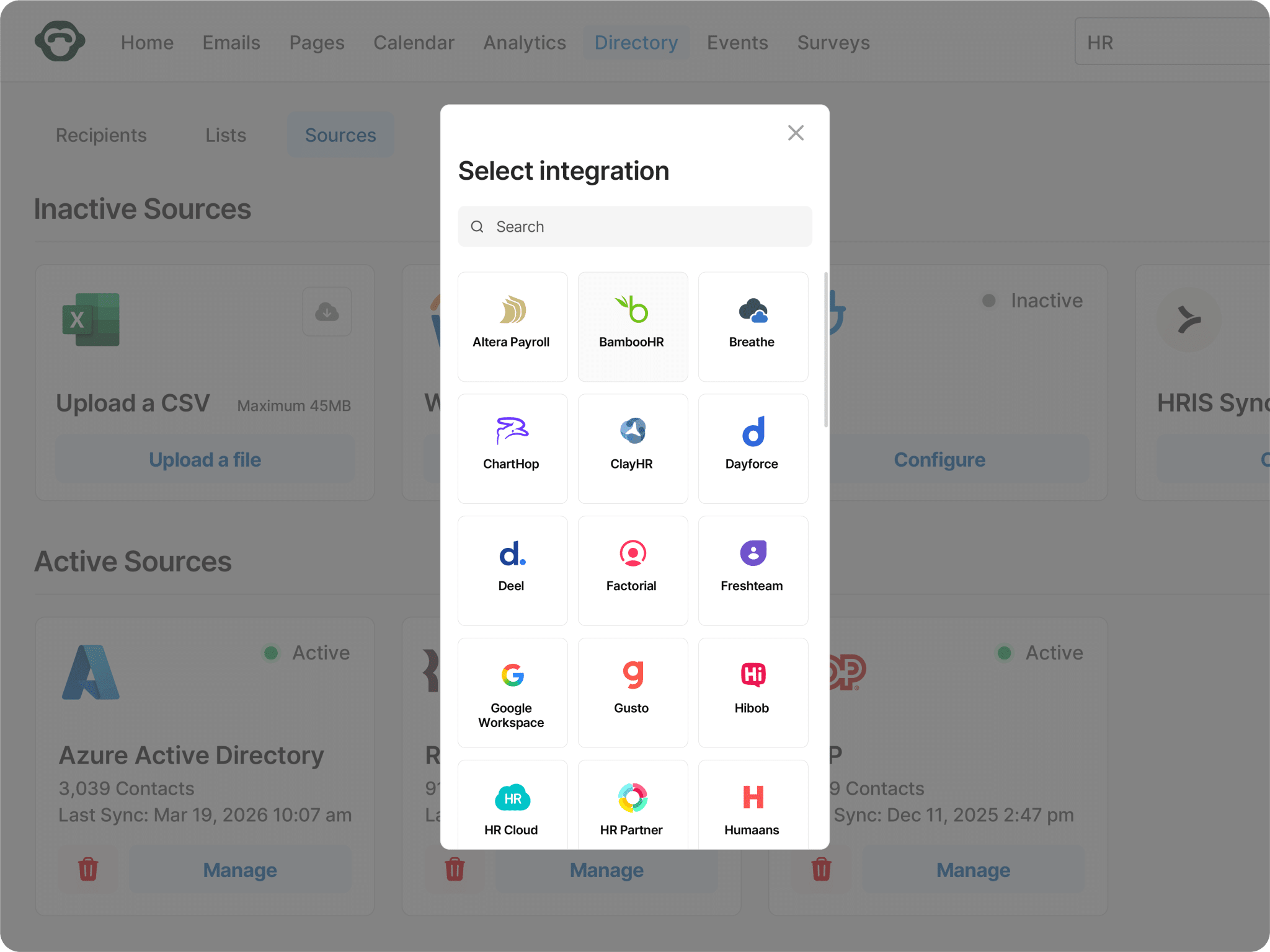

One platform, nothing for IT to host
PoliteMail offers bring your own cloud and on premise options, and states that each requires your IT team to manage and host the application services, with additional engineering support priced separately. ContactMonkey is cloud only, so there is no server for your team to run.
Why ContactMonkeyDraft, preview, send with confidence
CoAuthor turns a prompt into a full draft in your brand template, audience preview shows exactly what each segment receives, and ConfidenceCheck flags what needs attention before you send.
Content that outlives the send
Publish policy updates, benefits guides and campaign hubs as hosted pages, then link to them from your emails so the detail sits somewhere permanent and the email stays short.
A record of who approved what
Every review, comment and approval is logged against the send, so when someone asks months later who cleared a piece of wording, the answer is already on file.
Pricing that scales with your employee count, not your seat count
ContactMonkey prices by the size of your audience, whether that is two hundred employees or two hundred thousand. Book a demo and we will give you a range in the first conversation.
Book a demoEnterprise
Enterprise-grade workflows, governance, and intelligence for complex comms needs.
Grow
Deeper insights, multi-channel reach, and targeted internal communications.
Launch
Easy, on-brand internal comms with simple analytics.

See inside ContactMonkey
A short walkthrough of the drag and drop builder inside Outlook, HRIS-powered list building, ConfidenceCheck before a send, and the dashboard your leadership team sees.
Watch the tourQuestions IC professionals ask before committing
Both send employee email from Outlook, and both keep delivery inside your own mail environment. The difference is scope. PoliteMail is an email measurement and design platform for Microsoft environments, with SharePoint and Teams integrations that it publishes as still on the way. ContactMonkey covers email, SMS, Pages, Teams and SharePoint, supports Gmail as well as Outlook, and includes HRIS syncing without a separate add-on.
Teams usually revisit the decision when the comms program outgrows the inbox, when the number of people who need to send exceeds the licences included, when a multilingual workforce needs translation handled in the draft rather than by a recipient side add-in, or when Teams and SharePoint move from nice to have into the plan.
No. PoliteMail runs on the Microsoft technology stack and integrates with Microsoft 365, Azure Active Directory and Exchange. ContactMonkey supports both Outlook and Gmail, which matters for organizations running a mixed estate after an acquisition.
Access is not metered per thousand employees. For comparison, PoliteMail publishes an inclusion of roughly one communicator licence per thousand employees, with additional licences and an unlimited user option available to purchase.
Opens, clicks, read time, device type and click maps, segmented by any attribute in your HRIS. Tracking can be individual or anonymous, Insights Assistant answers questions in plain language, and Enterprise syncs to Power BI and Tableau.
SOC 2 Type II and GDPR, with encryption on AWS, SSO and SCIM. Employee data syncs through the Secure List Management API rather than external file transfers.



