ContactMonkey vs Workshop
The Workshop alternative that lets you send from Outlook, Gmail or the app
Workshop sends only from its web platform. ContactMonkey lets you decide per campaign whether to send from Outlook, from Gmail, or from the web app. Every send reports into the same analytics.
Internal comms teams that need easy IT approval choose ContactMonkey

Michelle Geib
Manager of Internal Communications, Chamberlain Group
“The actual migration to ContactMonkey took a week, maybe less. Two or three training sessions: one for the account admins, one for the full group of primary users. IT needed to grant plugin permissions and review the FAQ. After that, they were satisfied. The platform worked through Outlook, which the IT team already understood, and there were no red flags in the security review.”
Lists sync from your HRIS, not a CSV
Templates import, branding stays intact
First campaign sends within weeks
Your CSM reviews results through Q1
Moving from Workshop takes less work than you expect
Whether you are communicating with two hundred employees or two hundred thousand, ContactMonkey prices by the size of your audience. Book a demo and we will give you a range in the first conversation, then a specific quote once we understand your list size and program needs.
Why switch to ContactMonkeyContactMonkey vs. Workshop, feature by feature
ContactMonkey

Workshop

Where email sends from
Native to Outlook, with a web based platform available too. Campaigns send through your existing environment and render as designed, or you can choose to send from the web platform – whichever suits your workflow.
Web based platform. Reviewers report that Outlook does not always match the design built in Workshop.
Integrations and HRIS sync
100+ integrations and 80+ HRIS syncs including Workday, BambooHR, Dayforce and Lattice, plus Entra ID, Google Identity, Canva, Teams, SharePoint and Appspace.
Six HRIS syncs. Several integration paths involve file based transfer.
List management
Secure list management API with nightly automated sync. No external file transfers required.
A few integrations use SFTP-based list transfer.
Analytics and reporting
Customizable dashboards, individual and anonymous tracking, click maps, segmented statistics, and an Analytics API for Power BI and Tableau.
Click maps, channel level metrics, AI performance summaries and an available API.
Ask your data questions
Insights Assistant answers questions about your campaign data in plain language.
Cici generates written performance summaries.
Pre-send quality control
ConfidenceCheck reviews links, placeholder text, accessibility and custom checks you add before send.
Cici includes pre-send review capability as of May 2026 without custom checks (this means you can’t run a QA on what’s important to YOUR specific organization).
Audience testing before send
Audience Preview simulates how different groups will receive your messages.
No published equivalent.
Multi-language
Proof and edit every language inside the draft. Per language reporting on opens, clicks, read time and device.
AI translation delivered through a web version of the email. Documentation states individual level metrics are not recorded in that view.
Audience segmentation & dynamic content
Up to 10 audience segments per content block, with preview of every audience version before send.
Multiple lists can be assigned to a block. Preview is documented at the individual recipient level.
Pages
Any email becomes a branded page in one click, sharing a single workflow and a single analytics view within the email.
Standalone landing page builder.
Support and services
24/7 help centre, chat and email on every plan, a dedicated CSM with ongoing goal reviews, support across North America, UK, Europe and Australia, plus up to five custom templates designed for your team.
Live chat, CSMs, onboarding support, and support teams in the US and Europe.
Why internal communicators choose ContactMonkey vs Workshop
Send through Outlook, Gmail or the app, whichever fits the campaign
ContactMonkey lets you send each campaign natively through Outlook or Gmail, or from the web app when your team works outside a mailbox. Workshop offers one path, and its G2 reviewers have said that Outlook doesn’t always perfectly mimic how emails are designed in Workshop.
See the Outlook integration

Measurement deep enough to defend your budget
Both platforms report opens and clicks, so the difference shows up when leadership asks a harder question. ContactMonkey gives you dashboards you customize around your own reporting structure and an Analytics API feeding Power BI and Tableau. Workshop sells its API as an add-on.
Explore email analyticsSee how the message lands before it’s sent
Audience Preview builds AI generated personas from your own employee segments and reports how each group is likely to read the tone and clarity of your draft. That leaves you time to rewrite the paragraph causing confusion before 10,000 employees have formed an opinion.
See how Audience Preview works
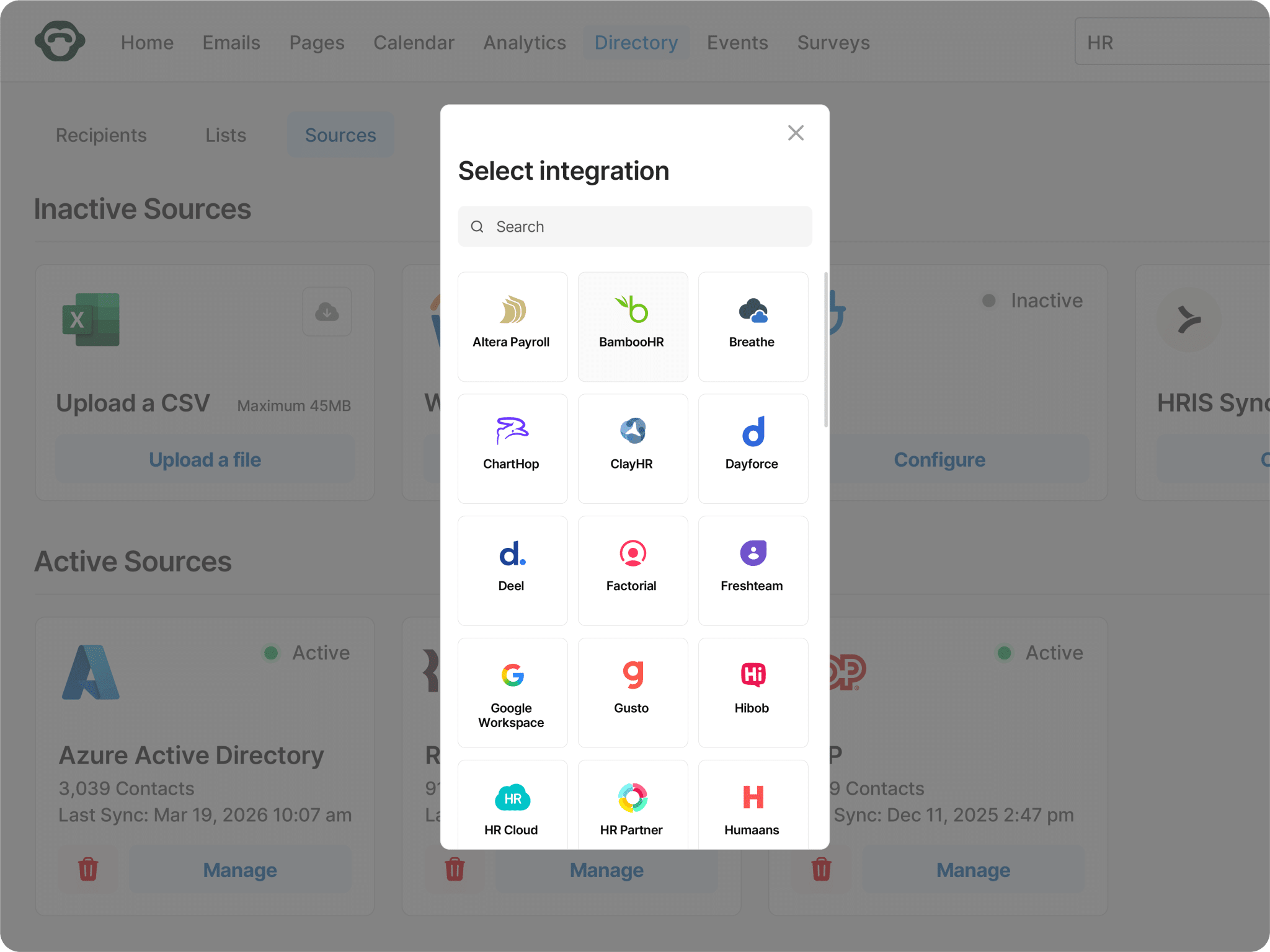
Your org chart changes frequently, so your comms platform should update automatically
ContactMonkey syncs with more than 80 HRIS platforms including Workday, BambooHR and Dayforce, so your lists rebuild overnight without anyone filing a ticket first. Workshop publishes roughly six syncs and still documents CSV directory import as a supported path for list management.
Browse integrationsEvery language gets proofed before it goes out for true localization
Workshop delivers translations through a web version of the email, and its documentation states that individual level metrics cannot be recorded there. ContactMonkey lets you proof every language inside the draft and reports per language on opens, clicks, read time and device type.
See multi-language email

AI assistants for every stage of the workflow, and you choose when each one runs
ContactMonkey gives you a different agent for each stage of the work. CoAuthor drafts inside the editor, Audience Preview tests how the message lands, ConfidenceCheck reviews it before send, and Insights Assistant reads the results. Workshop asks one assistant to cover all of it.
See AI featuresSend from the inbox IT already approved
Campaigns travel through your own Outlook environment, so they render as designed and security review moves faster. Workshop sends from its web platform only.
See how it lands before you send it
Audience Preview builds AI personas from your own employee segments and shows how each group is likely to read your draft. Workshop has no equivalent capability.
More than 80 HRIS integrations, syncing overnight
Workday, BambooHR, Dayforce, Lattice and more than 80 others sync overnight, so your lists stay accurate without a ticket. Workshop publishes roughly six HRIS syncs.
Pricing that scales with your employee count, not your channel count
Whether you are communicating with two hundred employees or two hundred thousand, ContactMonkey prices by the size of your audience. Book a demo and we will give you a range in the first conversation, then a specific quote once we understand your list size and program needs.
Book a demoEnterprise
Enterprise-grade workflows, governance, and intelligence for complex comms needs.
Grow
Deeper insights, multi-channel reach, and targeted internal communications.
Launch
Easy, on-brand internal comms with simple analytics.

See inside ContactMonkey
This short walkthrough shows the drag and drop email builder inside Outlook, HRIS-powered list building, ConfidenceCheck running before a send, and the analytics dashboard your leadership team will see.
Watch the tourQuestions IC professionals ask before committing
ContactMonkey is an internal communications platform that gives internal communicators optionality – it works inside Outlook, Gmail and through an app. Communicators build, personalize, send and measure employee email from the client they already use, which removes the deliverability and rendering risk that comes with sending from an external platform and keeps IT in familiar territory.
ContactMonkey connects to more than 100 tools, including over 80 HRIS platforms such as Workday, BambooHR and Dayforce, plus Entra ID, Google Identity, Microsoft Teams, SharePoint and Canva. Employee lists sync automatically from your source of truth, so your audiences stay current without manual imports.
Yes. ContactMonkey supports SMS for employees without regular inbox access, and Pages lets you publish any email as a branded page that can be shared through a link or a QR code on a break room poster. You can also share your emails via Teams and SharePoint.
Opens, clicks, read time, device type and click maps, segmented by department, location, role or any attribute in your HRIS. Engagement can be tracked at the individual level or anonymously depending on your policy, dashboards are customizable, and Insights Assistant answers questions about the data in plain language. You can also sync ContactMonkey to Tableau or Power BI to connect your internal comms performance to overall business outcomes.
ContactMonkey is SOC 2 Type II certified, and complies with GDPR. Employee data syncs through the Secure List Management API rather than external file transfers, which is the detail most IT reviewers ask about first.



