EVENT MANAGEMENT
Create, Send, and Track Company Event Invites all From Outlook
Build excitement for your next company event with interactive email invitations that employees actually read, click, and RSVP to.
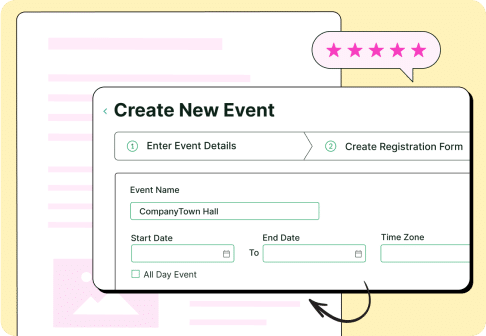
Why choose ContactMonkey for internal event management
Drive higher participation
Create event invitation and reminder emails that employees don’t miss.
Save time
Use ready-to-go event email templates and automate reminder sends.
See who’s coming
Track RSVP responses directly in Outlook.
Prove engagement
Analyze which events drive the most clicks, signups, and excitement.
Stay consistent
Manage event branding and templates across teams for polished, professional invites.
How event management works
1
Plan your event
Quickly build your company event email using drag-and-drop templates, no design help needed.
Add event details, images, call-to-action buttons, or even surveys to gauge interest.
2
Send with confidence
Send personalized invitations from Outlook or Gmail.
Segment your audience lists (all staff, department, or location) and send at the best time for event emails using performance analytics.
3
Engage employees
Boost attendance with built-in event reminder email templates and follow-up options.
Track opens, clicks, and RSVPs in real time to understand which events generate the most buzz.
4
Measure results
Compare performance across events.
See participation trends, identify top-performing subject lines, and share reports with leadership.
Event management feature highlights
Features
What it does
Why it matters
Event invitation templates
Pre-built, customizable layouts for all-hands, team building, and corporate events.
Save time and ensure every event email looks polished and consistent.
RSVP & tracking
Add interactive RSVP buttons and view who’s attending.
Know exactly who’s coming, no manual tracking.
Event reminder automations
Schedule reminder and follow-up emails.
Boost attendance without extra work.
Analytics dashboard
View open rates, clicks, and RSVP metrics.
Measure engagement and prove event success.
Segmentation & lists
Send invites to specific departments or locations.
Ensure employees only get relevant event emails.
Survey & feedback tools
Collect post-event feedback directly from your email.
Continuously improve future events.
“Before Contact Monkey, we had nothing. We had no benchmark. We had no idea what messaging was getting to our employees, how they were best receiving it. We had very limited two-way feedback loops.”
Jerilyn Hall
Employee Communications Manager
40–50%
of deskless workforce now reached

Watch video
“[ContactMonkey] really does allow our teams to be creative, but also provides the analytics to make sure we’re doing the right things.”
Jeremy Roberts
Sr. Manager of Communications, Go-To-Market & Incentives
40%
read rate boost
15%
higher open rates

Watch video
“ContactMonkey’s Dynamic Content tool saves me hours. I no longer need to copy, paste, or duplicate emails. It saves time, brain space, and prevents duplication errors.”
Emily-Rose Carr
Internal Communications Specialist
~60%
open rates
~19%
click rates

Watch video
With dynamic content, I can build one email with multiple blocks, with each block tailored to a group. I’m not duplicating emails or copy/pasting. It saves time and reduces mistakes.
James Maiden
Sr. Manager of Communications, Go-To-Market & Incentives
5x
faster email creation

Watch video
“Data helps drive informed decision-making. With appropriate feedback, we’re now able to analyze and change our strategy.”
Lindsey Champagne
Director of Communications and PR
13%
average click rate


“Our team’s efficiency was slowed down by the lack of sophistication of our previous tool. And we knew employees weren’t getting the information—they were flagging it as phishing.”
Tamara Palmer
Employee Engagement & Internal Communications Lead

Frequently asked questions
Yes! Add RSVP buttons directly into your email and view responses in your dashboard instantly.
No. ContactMonkey integrates seamlessly with Outlook and Gmail—no extra logins or IT help needed.
Absolutely. Create and schedule reminder or post-event emails right within the same workflow.
Yes. Your analytics dashboard shows open rates, click rates, and attendance trends across all your events.



