

Internal communication emails are often poorly designed, rushed, unclear, and easy to ignore, leading to missed messages, disengaged employees, and wasted time. When every update is competing for attention, important internal communications must stand out intentionally in crowded inboxes.
The challenge isn’t just quality, it’s capacity. According to ContactMonkey’s Global State of Internal Communications (GSIC) Report 2026, 78% of internal communicators say creating content and templates takes up most of their time. Internal email remains the backbone of employee communication at scale, yet it often operates without the infrastructure needed to support it.
That’s why using professional employee email templates helps you cut through noise without starting from scratch every time. With the right structure and language, your internal emails become clear, consistent, and engaging, while saving hours of drafting time and reducing pesky errors. This guide delivers 10 internal communication email templates and real-world examples, organized by use case and purpose, along with expert tips to help you drive engagement and improve outcomes with every send.
Why Email Still Matters in Internal Communication
It’s unlikely that email will disappear from internal communication anytime soon. While it may not always be the most effective channel for every audience, it remains a foundational part of modern internal comms and, for most organizations, the backbone of employee communication. But in many companies, email still lacks the systems and structure needed to support it properly. Internal communications teams end up spending large portions of their time building, fixing, and resending emails, and that workload only increases as organizations grow.
GSIC 2026 data backs this up. On average, a single internal communicator spends roughly 240 hours per year creating and sending emails, translating to more than $10,000 annually in execution time alone. Without repeatable systems and structured templates, email quickly becomes resource-intensive rather than strategic. So yes, email still matters. But inaction has a price.
Email vs. Chat vs. Intranet: What Drives Results?
Internal email remains a foundational channel because it exists in nearly every organization, with or without a dedicated internal comms email platform. Of course, there are some exceptions. Email doesn’t always work best for reaching frontline workers. However, email can reliably reach most employees and is especially useful for structured, narrative-driven messages that people can reference on their own time, particularly in desk-based settings.
In contrast, chat tools like Slack and Microsoft Teams are best suited to real-time messaging rather than deeper storytelling. The pace of these channels is much faster than email, so new messages typically bury important ones quickly. While intranets centralize information, they require employees to seek it out, which means less control over timing and reach. Some organizations, especially startups and smaller ones, might not have an intranet at all.
Email as a Scalable Engagement Channel
Email is one of the few channels that truly scales across roles, locations, and time zones. With internal email templates, communicators can reduce cognitive load, make messages scannable, and promote message clarity, regardless of audience size. Standardized designs help employees quickly recognize patterns, find what they need, and take action. When paired with the right internal email platform, this channel unlocks richer measurement than chat or the intranet alone, providing opportunities for continuous improvement.
Why Use Modern Internal Communication Email Platforms and Templates
Modern internal communication email platforms and templates offer benefits for employees who read them, internal communicators who write and prepare them, and leaders who sign them.
The Limitations of Plain-Text Outlook Emails
Microsoft never designed traditional plain-text Outlook emails for modern internal communication. They work well for basic correspondence, but lack many of the features that make internal communications a meaningful practice.
Plain-text emails lack visual hierarchy, making scanning difficult. Without consistent branding, every email looks different, placing the cognitive load on employees to decide what matters. They also limit engagement tracking and personalization, so communicators can’t see what’s working or tailor content to be more relevant. Finally, these emails reinforce a one-way, top-down broadcast model rather than treating communication as a two-way process.
How Dynamic Templates Improve Engagement and Efficiency
With modular building blocks, IC teams can create polished, on-brand emails in minutes without relying on designers or developers. This significantly reduces production time while creating a familiar structure that helps employees quickly understand what they’re looking at and where to focus. Templates also introduce a layer of predictability that improves comprehension and signals intent before reading, while offering far more flexibility and customization than a one-size-fits-all email format.
Leveraging Internal Email Platforms for Measurement and Optimization
Modern internal email platforms turn email from a static channel into a measurable, optimizable system. Tools like ContactMonkey combine an intuitive drag-and-drop builder with built-in analytics and audience segmentation, so internal communicators can design great emails and immediately see how they perform across different groups. Instead of guessing what lands, you can track opens, clicks, and engagement by team, location, or role. Then, you can refine the subject lines, content, and layout. It’s the difference between merely sending emails for the sake of it and using every email as data to inform your internal communications strategy.
Get powerful email analytics and reporting features
Know exactly who is opening and engaging with your employee communications and company newsletters.
Explore analytics & reporting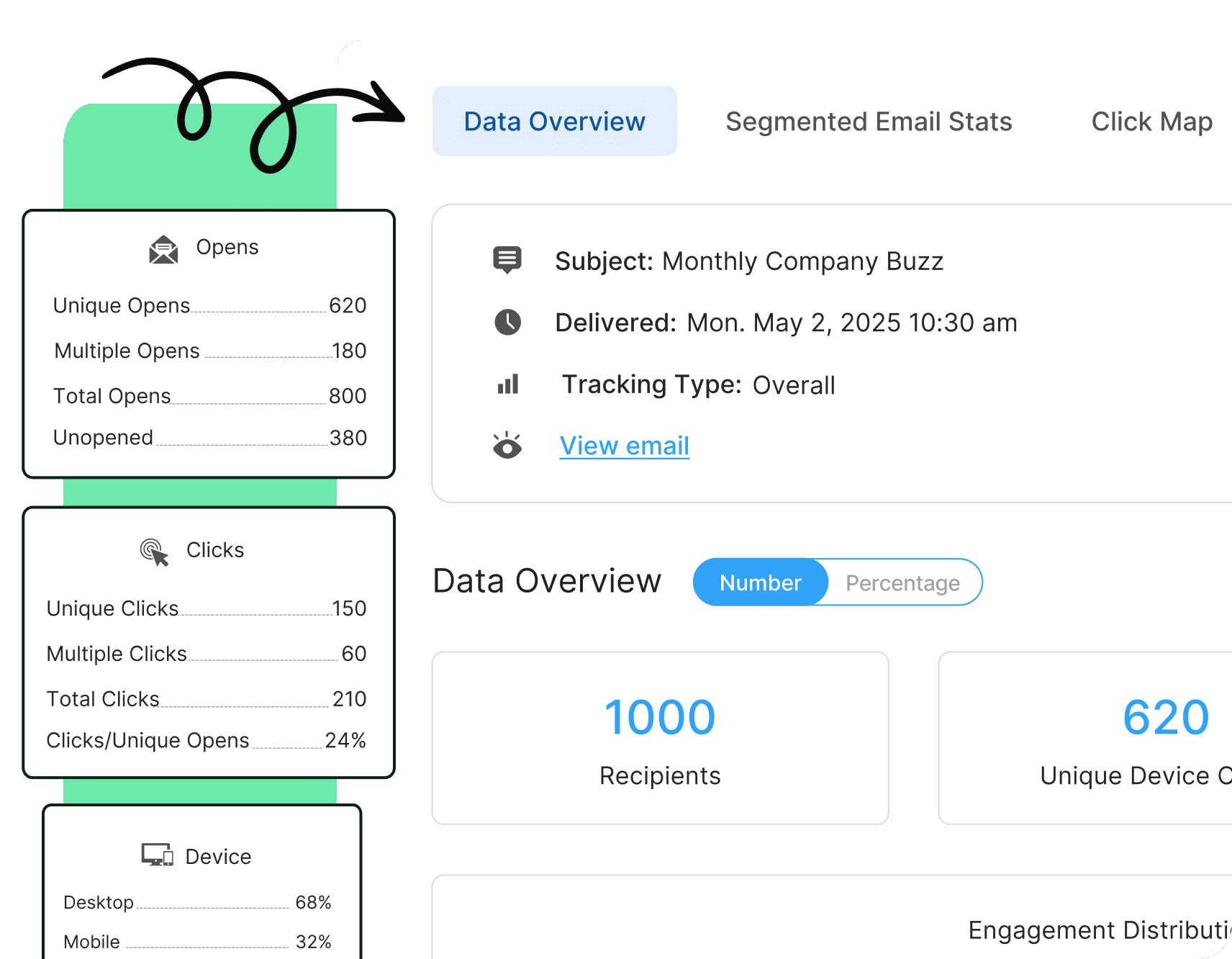

Best Practices for Designing High-Impact Internal Communication Email Templates
Well-designed internal communication email templates with high impact result from a combination of reader-first design, reduced cognitive load, intentional structure, and respect for the reader’s time.
Layout and Structure: How to Design Internal Email Templates for Clarity and Flow
The strongest internal email templates start with a clear layout and structure, recognizing that not all content carries equal weight. A top-down hierarchy emphasizes the most important message and action first, followed by additional details and secondary information.
To create an effective top-down hierarchy:
- Prioritize what needs to be above the fold
- Group related content into distinct sections with clear headings and logical flow
- Incorporate white space between sections
- Craft concise copy to support scanning; link to additional context for deep reading
In internal email design, assume skimming is the norm, not the exception.
Visual Elements: Using Branding, Headers, and CTAs Effectively in Employee Emails
Visuals in internal emails should serve a purpose, such as providing navigation support or supplemental context, rather than merely decorating. Use visuals to guide readers through the content, support different learning styles, and explain concepts when words fall short.
Consistent branding, including colors, typography, logo placement, and project-specific visuals, ties individual emails back to broader messaging or campaigns so nothing feels ad hoc. They orient readers in seas of noise. Clear, descriptive headers make it easy to skim and decide what to read in depth. And finally, limiting CTAs to one or two actions that truly matter is imperative in helping employees understand what they need to do next.
Mobile Optimization: Making Internal Email Templates Readable on Every Device
For many, the days of reading only work emails on computers at the office are gone. That means internal email templates need to work just as well on a phone as on a computer. Keeping paragraphs short and focused enables skimming on smaller screens for better readability. Using collapsible sections or clear section breaks helps prevent endless scrolling. Using buttons for links and placing them prominently among copy makes it easier for readers to take action. When emails are mobile-friendly, employees are far more likely to read, understand, and act on them when accessing them on a mobile device.
Template Flexibility: Designing Employee Emails for Reuse Across Teams and Campaigns
Flexible templates make it easier to support different teams, programs, and internal communication campaigns without starting from scratch each time. By building emails from modular sections, you can mix and match components to fit the message while preserving consistency. Consider the template as an initial guideline; then, use your judgment and data to tailor the content, order, and emphasis for each audience.

Common Internal Communication Email Templates by Use Case / Category
Below are some of the common internal communication emails we see today. All of these examples were built using ContactMonkey to help teams create engaging, trackable internal emails.
Company Announcements
Company announcements share important organizational news and changes while clearly explaining why they matter to employees. These emails reduce uncertainty, create shared awareness, and help people orient around what’s happening and what it means.

Policy Updates
Policy updates communicate new or revised policies in clear, respectful language so employees understand expectations and implications. These messages reduce ambiguity, support compliance, and encourage the right behaviors without feeling punitive or overly legalistic.

Leadership Messages
Messages from leaders provide a consistent way to share priorities, context, and decisions in a human, relatable voice. These emails build trust and alignment by connecting high-level strategy to day-to-day work and closing the perceived gap between leadership and employees.

Event Invitations
Invitations promote internal events by quickly conveying what the event is, why it’s valuable, and what to expect. These emails should increase motivation to attend, make it easy to say yes, and drive participation without pressuring employees.

HR Updates and Reminders
HR updates and reminders provide timely information and nudges on people-related processes such as benefits, performance cycles, and deadlines without overwhelming teams. These emails reduce confusion and anxiety by clearly outlining what employees need to do and by when.

Team Recognition and Celebrations
Recognition emails highlight wins, milestones, and individual or team contributions to reinforce culture and values. These messages make employees feel seen, foster a sense of belonging, and reiterate that their work and effort matter.

Save time with our pre-built email templates
Check our our library of helpful sample emails and internal comms templates today.
Get templates

Employee Engagement Email Examples That Work
Internal emails also support employee engagement. In particular:
Modern Responsive/HTML Emails (vs basic text)
Responsive HTML emails make content easier to scan and act on. Clear visual hierarchies, scannable content blocks, and focused CTAs help employees quickly see what’s important, understand the context, and take the right next step with minimal effort.
Interactive Emails with Employee Pulse Surveys
Internal emails that include pulse surveys capture real-time sentiment and reveal issues early. With one simple question (or a small set) and in-email response options, they make providing feedback feel quick, safe, and worthwhile, especially when you communicate how and when you’ll follow up.
Interactive Emails with Employee eNPS Surveys
Internal emails with employee eNPS surveys measure advocacy and trust over time, offering a simple way to gauge overall employee sentiment. It’s essential to explain what eNPS is, why it matters, and how the scale works, then follow up by sharing results and planned actions.
Interactive Emails with Multimedia (photos/videos)
Multimedia emails use photos and videos to bring stories, people, and outcomes to life. By adding visual context and human moments, they deepen understanding and emotional connection, helping employees feel closer to the work and making messages more memorable.
Two-Way Communication Emails
Two-way communication emails shift internal comms from broadcast to dialogue. Features such as custom polls, emoji reactions, star ratings, comments, and anonymous feedback give employees accessible ways to respond, share their perspectives, and feel that their voices genuinely influence decisions. (Just don’t ignore all of their feedback!)
Create and send employee surveys for feedback
Engage staff with pulse surveys, eNPS surveys, reusable surveys, custom polls, and more. Ready to send modern emails?
Explore survey features

10 Real-World Internal Email Templates Companies Can Use
Below are 10 real-world internal email templates you can customize and use in your organization today across common themes like change, leadership announcements, and culture. You’ll notice that these templates include personalized fields, such as [First Name]. ContactMonkey can help you send personalized emails without the extra fuss.
As always, use these as a starting point and customize them to your specific needs and context.
Looking for a specific internal email template? Read on for the most commonly used for internal comms.
Change Management Email Templates
Email 1: “What’s Changing and Why” Updates
It’s no secret that internal communicators are responsible for sharing more changes than ever before. This template supports the introduction of organizational change, whether it’s a new process, a structural shift, an AI-powered tool, or a policy update.
Use it when you need to inform employees about a change to build awareness and understanding. It’s most effective when you send it early in the change, before rumors spark.
Subject: [Change] coming soon — here’s what you need to know
[HEADER: Company logo + change initiative branded graphic]
Hi [First Name],
I’m reaching out to share an important update that will affect how we [do a specific thing].
What’s changing:
Starting [date], we’re [brief description of change]. This means [concrete impact in simple terms].
Why we’re making this change:
We’ve heard from many of you about [challenge or opportunity]. This change will help us [benefit 1] and [benefit 2], while supporting our company’s goal to [strategic objective].
What to expect next:
Here’s what to expect as we work through these changes together:
- [Date]: [Milestone]
- [Date]: [Milestone]
- [Date]: [Milestone]
I know change can feel uncertain. Your [manager/team lead] and I are here to answer questions and listen to your feedback. We’re committed to sharing new information throughout this process—visit [FAQ resource link] for more information about [change].
In the meantime, if you have questions for senior leadership, please submit them using this [form], and we’ll address as many as we can [via communication channel] on [date].
[Sign Off]
[Sender Name and Title]
Why this template works:
- It leads with context before details, answering the “why” behind the change
- Acknowledges the impact of change
- Provides clear next steps and timelines to reduce uncertainty
How to use it effectively:
- Time it strategically, after leadership alignment, but before whispers about the change spread
- Don’t stop here; follow up with more detailed communications in subsequent weeks
- Pair with post-email team meetings or 1:1 conversations
Metrics to track:
- Open and click-through rates (to gauge initial reach and information-seeking actions)
- Read time (for engagement depth)
- Question submissions or reply rate (to measure two-way engagement and identify areas where information may have been unclear)
- Pulse surveys (to gather information about understanding and sentiment)
Email 2: Ongoing Change Reinforcement
Communicating change often requires sending a series of messages that build on one another over an extended period. Employees may need regular reminders without feeling nagged, or updates on how things are progressing, especially as new information emerges.
Use this template to share updates, reinforce new behaviors, or address questions without starting from scratch each time.
Subject: [Initiative Name] update: We’re [X]% there! Here’s what’s working
[HEADER: Initiative badge + “Progress Update”]
[PROGRESS BAR: Visual showing milestone completion]
Hi [First Name],
We’re [timeframe] into [initiative name]. Here’s a look at where we are and what’s working.
Our progress, thanks to you:
[X]% of [teams, employees] are now using [new process, tool], and we’re seeing [positive outcome]. Your willingness to adapt and shift your ways of working isn’t going unnoticed. We couldn’t do this without you!
Common themes coming up:
Many of you have shared [common feedback theme]. Based on your feedback, we’ve [adjusted or added a resource]. Your feedback shapes how we move forward, so keep it coming!
One thing to try this week:
[Actionable tip or micro-behavior that supports adoption.]
Spotlight: Give it up for [Name/Team]:
[Brief 1-2 sentence story of someone using the change effectively and seeing results. Use small photos and/or quotes from employees to bring these stories to life.]
Want to be featured next?
[CTA BUTTON: Share your success story!]
Thank you for walking this change journey with us.
[Sign Off]
[Sender Name and Title]
Why this template works:
- Provides fresh information and addresses feedback about the change
- Reinforces the “why” through actual examples and proof
- Celebrates team members, ensuring they feel recognized for their contributions
How to use it effectively:
- Send at a predetermined cadence throughout the change process
- Keep it short and value-packed
- Use consistent visual branding so employees tie it back to previous messages
- Segment by smaller groups as relevant (departments, teams, etc.)
Metrics to track:
- Open and click-through rates (to gauge initial reach and information-seeking actions; watch for declining open rates, which could signal fatigue)
- Engagement metrics by departments or teams (to understand where late adopters might be in the organization)
- Success story submissions or reply rate (measures two-way engagement)
- Pulse surveys (to gather information about understanding and sentiment)
Leadership & Trust Internal Email Templates
Email 3: Context-Setting from Senior Leader(s)
Employees want to hear from and connect with leadership, and not just during significant, flashy moments. Sending a context-setting internal communication can be helpful after board meetings, at the start of a new quarter, following major decisions, and when there’s a glaring disconnect between leadership strategy and employee execution.
Use this template to bridge contextual gaps between senior leadership and employees.
Subject: A note on [board meeting, quarterly focus, major decision]
Hi [First Name],
Based on [board meeting, quarterly focus, major decision], we’re adjusting our path slightly.
We’re at a point where [describe current reality or inflection point]. That means we need to be clear about where we’re focusing, and just as importantly, what we’re choosing not to prioritize.
Here’s where we are focusing:
- Our top priority is [Priority 1]. This matters because [reason connected to mission or customer impact]. You’ll see this show up in [concrete example of how it affects work].
- We’re also investing in [Priority 2], which I know has felt [acknowledge tension or challenge]. The reason we’re doing this now is [strategic rationale]. It’s not easy, but it positions us for [future benefit].
Your managers will speak with your team more about what these priorities mean for your daily work.
Here’s where we are not focusing right now:
What we’re not doing right now is [thing we are deprioritizing]. That’s intentional. [Brief explanation of trade-off].
I’m grateful for how you’re showing up, and I’m committed to making sure we focus on what matters most.
If you have questions or want to talk through any of this, reply to this email. I read every response.
[Sign Off]
[Sender Name and Title with Photo]
Why this template works:
- Humanizes leadership through plain language and transparency
- Provides strategic context that managers can reiterate to their teams
- Builds trust by acknowledging priorities and trade-offs
- Takes accountability for the current direction and focus of the organization
How to use it effectively:
- Send at a regular cadence or during significant strategic shifts to reduce confusion
- Write in the leader’s authentic voice (or have them talk through priorities aloud to capture natural voice)
- Keep it short and focused (ideally, only 2-3 priorities), but share reasoning behind decision-making to support the priorities
- Pair it with a manager FAQ guide with additional details and context for managers
Metrics to track:
- Open rates (to gauge initial reach)
- Read time (to understand whether employees are spending time with the content)
- Reply rate (for a quick gut check around psychological safety and engagement with this leader)
- Pulse surveys (to gather information about understanding and sentiment)
- Post-team meeting surveys (to understand whether managers reviewed and reiterated this information as described)
Email 4: Leadership Response to Employee Feedback
One of the biggest mistakes today’s organizations make? They ask for employee feedback and never follow up on it. This template is for closing the feedback loop after gathering employee input, whether through engagement surveys, pulse checks, town halls, AMAs, or listening tours.
Use this template to follow up on feedback collection within a reasonable timeframe (ideally 2-4 weeks after gathering and analyzing feedback) to show that leadership is paying attention. It’s a trust-building email for two-way dialogue.
Subject: What we heard from you and what happens next
Hi [First Name],
Thank you for sharing your thoughts in [recent feedback opportunity]. [X]% of you took part, and we appreciate your time, ideas, and suggestions.
The big picture:
The strongest themes were [theme 1], [theme 2], and [theme 3]. Many of you also raised [specific concern or question]. I want to address these directly.
First, here’s how we plan to approach each of the big three themes:
- [Theme 1]: We’re [specific action] starting [date]. [Owner] is leading this.
- [Theme 2]: We’re [specific action], and you’ll see [tangible outcome] by [timeframe].
- [Theme 3]: We’re exploring [action], and I’ll share an update by [date].
What we can’t change right now and why:
Some of you asked about [topic]. I want to be transparent: we can’t [action] because [honest constraint]. I know that’s frustrating. We’re committed to [alternative or future consideration].
Your feedback matters. We’ll share progress on these commitments in [timeframe], and in the meantime, you can follow along below:
[CTA BUTTON: View Full Action Plan]
Thank you for helping make [Company] a better workplace!
[Sign Off]
[Sender Name and Title]
Why this template works:
- Demonstrates active listening by acknowledging what leaders heard
- Builds trust by acknowledging what will and won’t change (and why)
- Validates employee feedback, increasing the likelihood of sharing future feedback
- Provides concrete next steps for accountability
How to use it effectively:
- Send it shortly after feedback collection with a planned cadence for additional follow-ups
- Be honest about themes and try to avoid polishing the language
- Share specific actions with owners and timelines
- Consider segmenting by department if relevant
Metrics to track:
- Open and click-through rates (to gauge initial reach and information-seeking actions)
- Read time (to understand whether employees are spending time with the content)
- Reply rate (for a quick gut check around psychological safety and engagement with this leader)
- Pulse surveys (to gather information about understanding and sentiment)
- Impact on participation in the next feedback cycle (more or less feedback?)
Enablement and Adoption Email Templates
Email 5: New Tool or AI Capability Introduction
Introducing new technologies, tools, and AI capabilities is a common practice in modern work environments. Employees need to understand what these tools mean for their work more than the technology’s features. They need to know how to use these tools and how their work should change.
Use this template when launching new software, rolling out AI features, migrating platforms, or introducing automation.
Subject: Introducing [Tool Name]: A simpler way to [key benefit]
[HEADER: Tool logo + “Now Available”]
Hi [First Name],
Starting [date], you’ll have access to [Tool Name]: a new [tool type] designed to make [specific work task] [specific benefits beyond “faster,” “easier,” and “efficient”].
Instead of the [old manual process], you can now use the [new streamlined process]. This means less time on [tedious task] and more time for [clearly defined higher-value work that supports organizational priorities].
Here’s how teams from our pilot group are already using it:
- [Use case 1]: [Specific example with outcome]
- [Use case 2]: [Specific example with outcome]
- [Use case 3]: [Specific example with outcome]
The easiest way to start is [simple first action]. It takes about [time estimate], and there’s a [quick guide/video] to walk you through it.
[CTA BUTTON: Read quick guide/watch video]
We know learning new tools takes time. We’re building [training/support resources] you can access anytime, and [champion name/team] is available for hands-on assistance during [timeframe].
[Sign Off]
[Sender Name and Title]
Resources: [Quick Start Guide] | [Video Tutorials] | [FAQs] | [Get Support]
Why this template works:
- Leads with benefits and relevant use cases
- Connects the new tool to familiar workflows through practical examples
- Provides a clear onboarding pathway to reduce friction and confusion
- Acknowledges that learning takes time while building confidence and offering support
How to use it effectively:
- Avoid technical jargon and vague benefits
- Address common concerns related to the tool as relevant, such as accuracy, privacy, or job impact
- Create a follow-up communication plan with tutorials, office hours, and tailored support
Metrics to track:
- Open and click-through rates (to gauge initial reach and information-seeking actions)
- Read time (to understand whether employees are spending time with the content)
- Tool activation rate over time (correlation between email sends and usage)
- Questions and support requests (to gauge where communication is unclear)
Email 6: Enablement Email for Daily Work
Internal communicators play a critical role in bridging the gap between strategy and execution, helping leaders translate abstract concepts into daily behaviors and impact. This template serves as a follow-up to the introduction of new tools and initiatives, once the novelty of the announcement has worn off and employees are building new habits.
Use this template to reinforce an initiative and show what employees actually need to do differently.
Subject: How [Initiative/Tool] fits into your day + 3 ways to start
Hi [First Name],
Now that [initiative/tool] is live, here’s what using this tool can actually look like in your day-to-day work.
Here are some ways you can incorporate this [initiative/tool] into your workflows:
1. [Morning/Start of day]: [Specific behavior]
Instead of [old habit], try [new behavior]. Takes about [time], and helps you [outcome].
Example: [Concrete scenario showing what this looks like]
2. [Midday/During key activity]: [Specific behavior]
When you’re in a [common situation], [action to take], this is the [benefit].
Example: [Concrete scenario]
3. [End of day/Wrap-up]: [Specific behavior]
Before you [existing routine], spend [time] to [action]. You’ll see [outcome].
Example: [Concrete scenario]
If you have questions, we’re here to support you throughout this process. Submit your questions through this [form] or check out our [resource center links].
[Sign Off]
[Sender Name and Title]
Why this template works:
- Demonstrates and describes actual behaviors
- Uses time-based framing to offer context and create mental anchors around the tool/initiative usage
- Identifies small, achievable actions to make adoption less burdensome
How to use it effectively:
- Focus on 3-5 behaviors rather than a long list of detailed examples
- Segment your audience and use role-specific examples
- Include time estimates and clear benefits, so employees understand exactly what to expect
- Follow up with manager talking points so they can reinforce and help their reports create additional use cases
Metrics to track:
- Open and click-through rates (to gauge initial reach and information-seeking actions)
- Read time (to understand whether employees are spending time with the content)
- Behavioral adoption metrics (work to understand specific behaviors mentioned in the email)
- Performance improvement as relevant (to show correlation between email communication and outcomes)
Action and Participation Email Templates
Email 7: Clear Action Required
Clarity matters when organizations need employees to complete a specific action by a deadline. This is not for general announcements or FYI communications for employees to read at their leisure. This template is for situations where you need to cut through inbox noise, so use it sparingly.
Use this template for time-sensitive tasks with critical deadlines, such as enrollment windows, benefit selections, system updates, and on-site crises.
Subject: Action required by [Date]: [Specific action in X minutes or less]
Hi [First Name],
[Specific action in clear, simple language] by [date and time]. [One sentence explaining consequence or benefit]
What to do: [Single, clear instruction with time estimate]
[CTA BUTTON: Complete [Action] Now]
Questions? [Link to FAQ, reply to this email]
[Sign Off]
[Sender Name and Title]
Why this template works:
- One single, clear call to action
- Uses brevity to front-load critical information without excess
- Creates urgency without inciting panic (doesn’t use the word “URGENT”)
- Makes action-taking easy
How to use it effectively:
- Don’t overuse it (only use it when truly necessary)
- State consequences of inaction clearly and ensure relevance to the reader
- Make the action one-click if possible to reduce friction
Metrics to track:
- Open and click-through rates (to gauge initial reach and action completion)
- Completion rate within 24-48 hours (to gauge effectiveness and immediate action-taking)
- Overall completion by deadline
Email 8: Reminder (Limiting Fatigue)
Email reminders are helpful, but only when they don’t nag or create unnecessary fatigue. This email is a follow-up to action-required emails as deadlines approach. It’s not for repeated reminders, so use it reasonably to limit email fatigue.
Use this template 2-3 days before a deadline when completion rates are low, or as a last reminder for time-sensitive actions with potentially severe consequences. It works best if you can send it only to people who have not completed the action.
Subject: Quick Reminder: [Action] due [Day/Time]
[HEADER: Time remaining or countdown graphic]
Hi [First Name],
Quick reminder: [Action] is due [day/time]. It takes about [time estimate], and you can do it right now.
[CTA BUTTON: Complete Now]
Questions? [Link to FAQ, reply to this email]
[Sign Off]
[Sender Name and Title]
Why this template works:
- Makes action frictionless with direct links and time estimates
- Keeps it brief to respect attention and reduce annoyance
How to use it effectively:
- Send 2-3 days before the deadline, or when 24-48 hours remain
- Only send to those who haven’t completed the action (critical for reducing fatigue)
- Reference the original communication briefly, but don’t repeat all context
- Keep it even shorter than the original action email
Metrics to track:
- Open and click-through rates (to gauge initial reach and action completion)
- Incremental completion rate (to understand how much this email drove additional completions)
- Overall completion by deadline
Culture and Connection Email Templates
Email 9: Recognition and Momentum-Building
By celebrating progress, recognizing contributions, and reinforcing organizational values, we can support employee engagement and company cultural practices. This template is a strategic culture-building tool that highlights specific behaviors the organization wants to see more of.
Use this template after major milestones, at the end of successful initiatives, and during moments of collective achievement.
Subject: Let’s celebrate! [Achievement/Milestone] and the people who made it happen
[HEADER: Celebratory graphic + milestone/achievement name]
Hi [First Name],
Today, let’s recognize something worth celebrating: [specific achievement or milestone].
This happened because of people like [Name/Team], who [specific action or contribution]. [His/Her/Their] work exemplifies [organizational value], and it made a real difference—[specific impact].
[PHOTO /QUOTE of Name/Team]
Across the company, we’re seeing [broader trend or collective achievement]. [Specific metric or example]. That’s the result of [quality: resilience, collaboration, innovation] from all of you.
Thank you for [specific behavior or effort]. This is what [company value or mission] looks like in action.
Know someone doing great work?
[CTA BUTTON: Nomination form]
[Sign Off]
[Sender Name and Title]
Why this template works:
- Provides specific recognition that feels authentic, not generic
- Reinforces desired behaviors and values through storytelling
- Builds collective identity and shared purpose
How to use it effectively:
- Use it during challenging periods to acknowledge effort and resilience
- Feature real names and specific contributions (with permission)
- Ensure all involved individuals are recognized (focus on teams when necessary to avoid leaving anyone out)
Metrics to track:
- Open and click-through rates (to gauge initial reach and action completion)
- Nomination or story submissions
- Informal chatter via chat tools, workplace conversations, etc.
Email 10: Team Milestone Celebration
Celebrating team milestones, including project completions, team formation anniversaries, change adoption success rates, and other achievements, reinforces belonging and shows the organization notices and values teams for their work. These emails go deeper than the broader recognition emails, focusing on specific details about the team.
Use this template to strengthen team bonds and acknowledge specific team-level work.
Subject: [Team’s] Achievement: We see you!
[HEADER: Celebratory graphic + milestone badge]
[PHOTO: Team photo]
Hi [First Name],
Today marks a special milestone: We’re celebrating your team’s [achievement/milestone]!
Your team [accomplished X], and it’s because of how you [specific behavior: collaborate, innovate, support each other]. [Specific example of team strength].
On behalf of the leadership team, we are grateful to each of you. [Provide a reward if relevant.] Thank you for being on [Team Name] with our [Company]!
[Sign Off]
[Sender Name and Title]
Why this template works:
- Builds team cohesion by celebrating collective effort and shared success
- Reinforces collaborative behaviors and team values
- Creates positive team identity and pride in accomplishments
How to use it effectively:
- Keep the tone celebratory
- Send within days of the team achievement while excitement is fresh
- Feature the collective journey: challenges faced, how the team overcame them, what made success possible
Metrics to track:
- Open rates (to gauge initial reach)
- Impact on team engagement (to gauge whether celebrated teams show higher engagement and participation in subsequent activities and surveys)
- Sentiment in team meetings post-email
How to Customize These Templates with ContactMonkey
The templates in this guide are a starting point. The real impact comes from how easily you can adapt them to your brand, audience, and goals without rebuilding from scratch every time. ContactMonkey turns static templates into flexible, repeatable communication frameworks that grow with your organization.
Build on-brand emails faster with a drag-and-drop builder
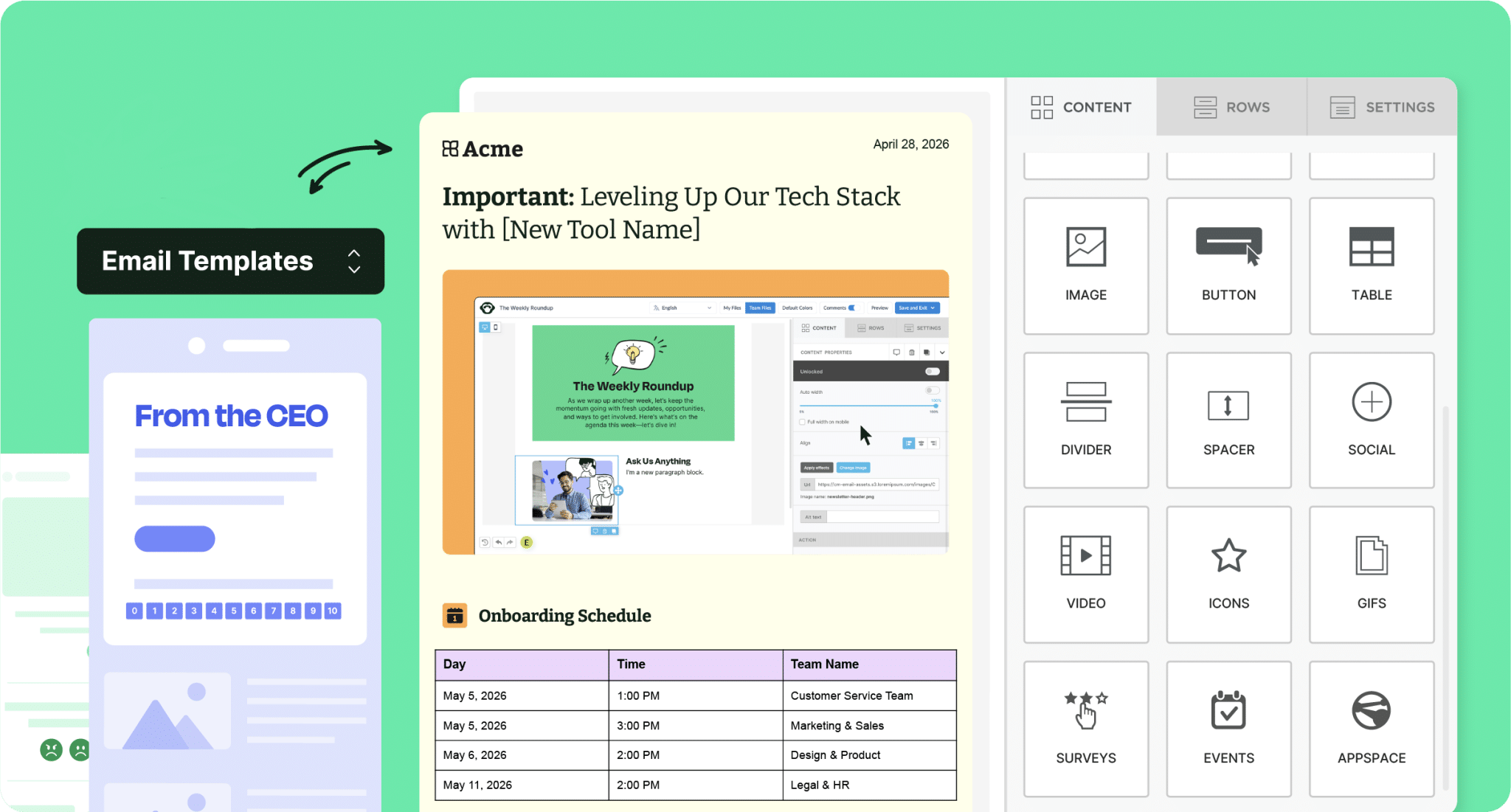
ContactMonkey’s drag-and-drop email builder makes it easy to customize layouts, update content blocks, and apply brand styling without relying on designers or developers. You can save reusable rows, create modular sections for recurring campaigns, and preview emails across desktop and mobile before sending. For teams that want a head start, ContactMonkey also has an email template gallery that you can choose from to help you launch fully branded designs without starting from scratch.
Because ContactMonkey works directly within Outlook and supports Gmail, you can also build and send emails where you already work. There’s no exporting, switching platforms, or copying and pasting HTML.
Personalize at scale with dynamic fields and segmentation
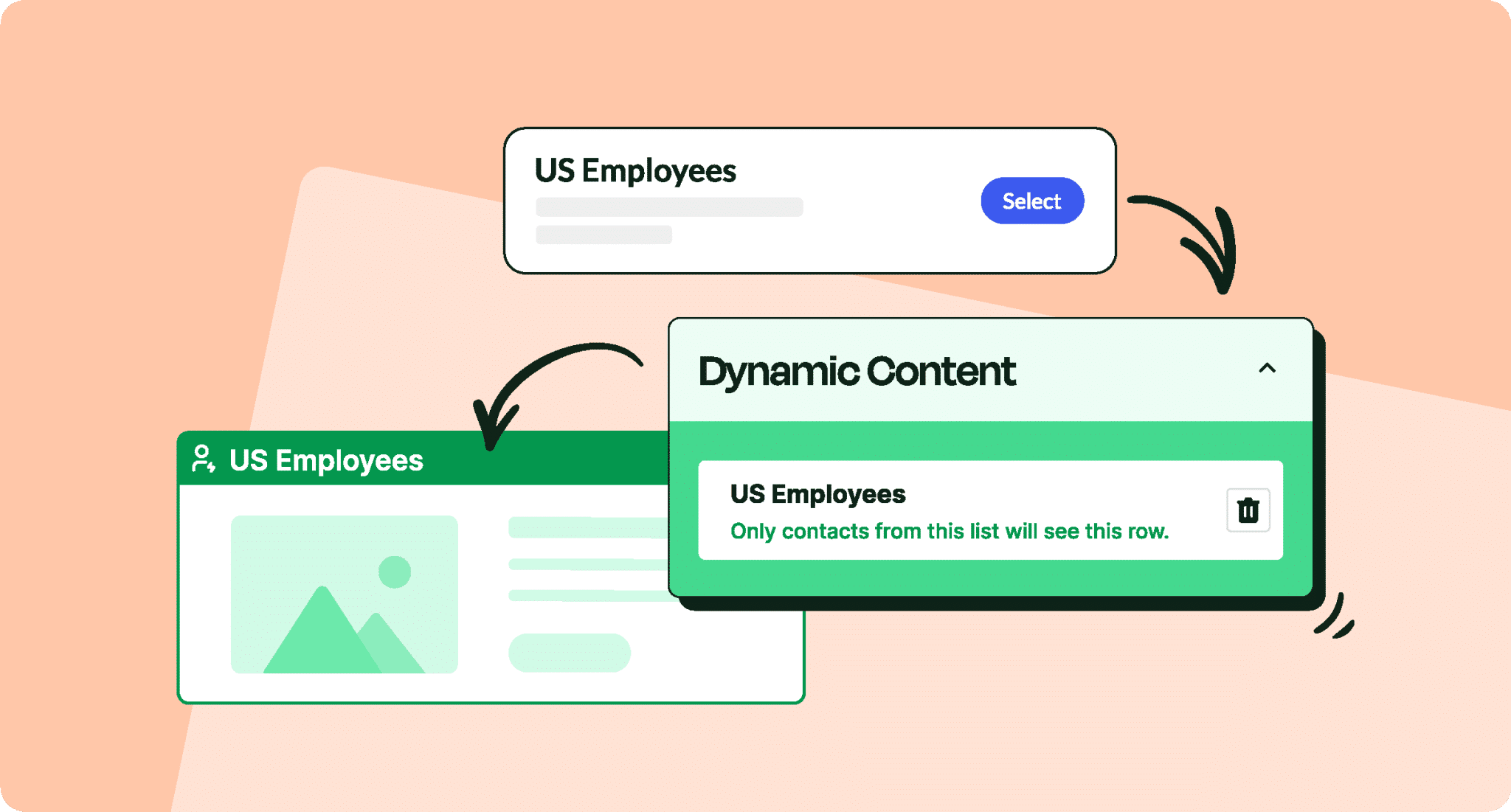
One template rarely fits every employee. With Dynamic Content, you can deliver tailored, relevant messaging that resonates with specific audiences only. Instead of sending one generic email to everyone, you can personalize sections based on department, role, location, language, or data synced directly from your HRIS or directory.
Instead of creating multiple versions of the same message, you can build one adaptable template that personalizes automatically. You can also preview each segment before sending to ensure accuracy and relevance. This makes leadership updates more targeted, HR emails more relevant, and change communications clearer without multiplying your workload.

Add interactivity directly into your templates
ContactMonkey allows you to embed pulse surveys, emoji reactions, and interactive feedback elements directly within your templates. That means your announcement or recognition email can also collect real-time feedback. Over time, these interactive components become part of your standard template structure, helping you build consistent two-way communication instead of one-off surveys.
Optimize and prove results with built-in analytics
Customization doesn’t stop at design. ContactMonkey provides detailed analytics, including open rates, click rates, read-time breakdowns, click maps, and engagement by audience segment. This allows you to test subject lines, refine layouts, adjust content length, and benchmark performance over time. Instead of guessing what resonates, you can evolve your templates based on real engagement data.

From Plain-Text to Internal Emails That Drive Business Outcomes
When you design internal email templates around reader psychology, clarity, accessibility, and measurable intent, your emails move your organization forward and drive real business outcomes. Internal email templates reduce cognitive load, build trust, and push action at scale. They turn reactive sending into strategic messages with a clear intent, and put internal communicators in the driver’s seat.
Ready to turn your internal emails into measurable, high-impact communication? Book a demo today!