Build the sequence once and let every email send on schedule
Journeys turns a series of internal emails into a single schedule you set up one time. You choose the audience, order the emails, and set the timing between them. The sends run on their own, with pause, resume, and cancel available throughout.
The problem: The emails that matter most are the ones you send over and over
Onboarding series, reminder campaigns, and recurring milestone messages all follow the same shape every time they run. The content is settled and the timing is known, and yet each email still has to be built and scheduled by hand, which turns a repeatable program into a standing calendar obligation for whoever owns it.
Every email is scheduled individually
A day 1, day 30, and day 90 onboarding series is three separate builds and three separate schedules, and that work repeats in full every time a new group of employees starts.
Programs that depend on someone remembering
When the schedule lives in a calendar reminder rather than in the platform, a busy week is all it takes for a follow-up to slip or a milestone email to go out late.
No single view of the sequence
Once a series is spread across individual drafts and scheduled sends, there is no one place to check what has gone out, what is still queued, and whether anything failed along the way.
The solution: Automate your recurring email sends and make sure they land when expected
Build the sequence
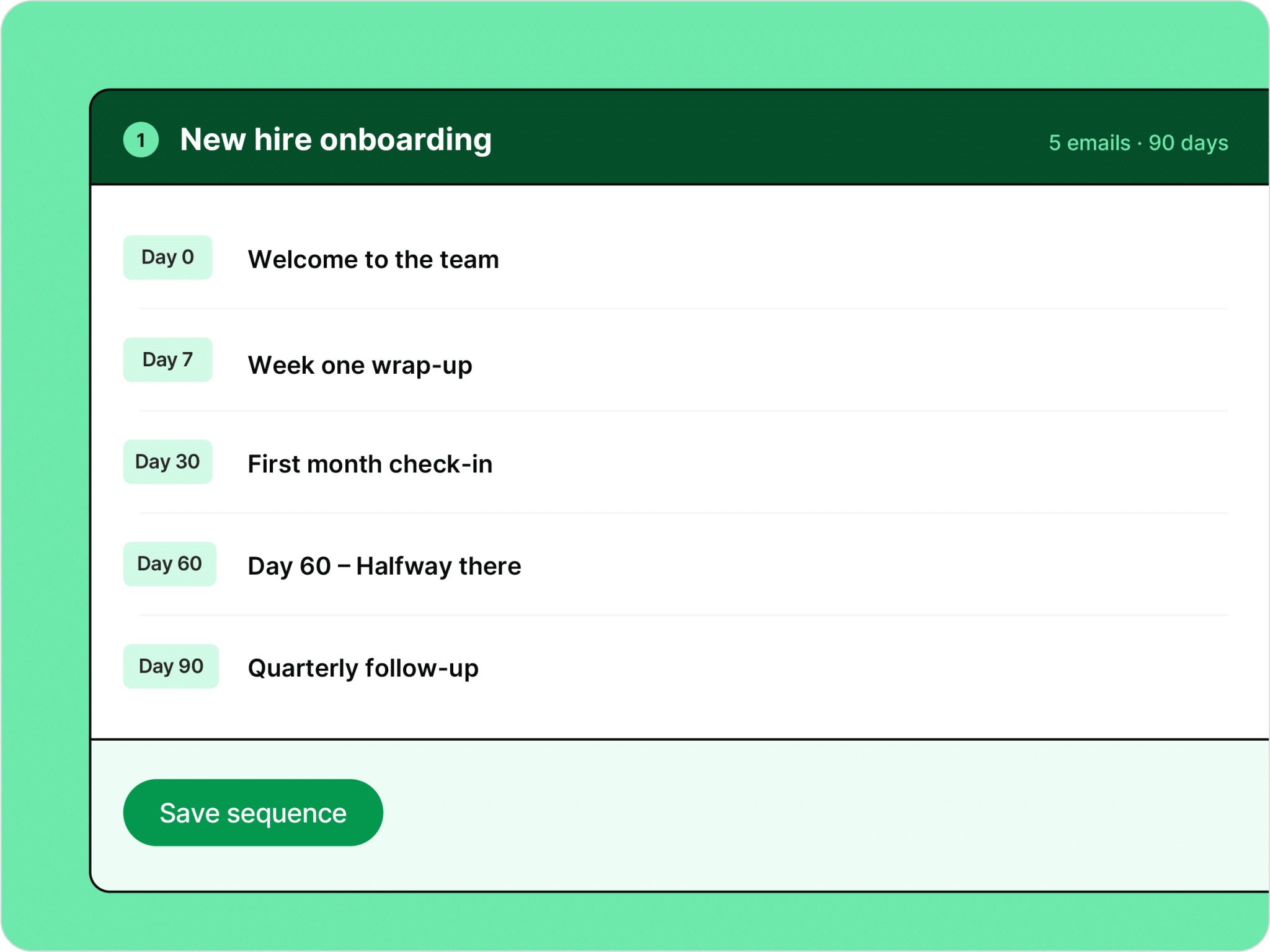
Order your emails and set the timing between them
A Journey is an ordered list of emails with the spacing you choose between each send. You set the first email at day 0 and place the rest relative to it, so a welcome message, a two week check in, and a first quarter follow up all live inside one schedule rather than three unconnected drafts.
- Add emails in the order they should send
- Set timing for each step relative to the start of the sequence
- Use the emails and templates you already build in ContactMonkey
- Adjust the order or the intervals before the Journey starts
Choose your audience
Point the sequence at the audiences you already maintain
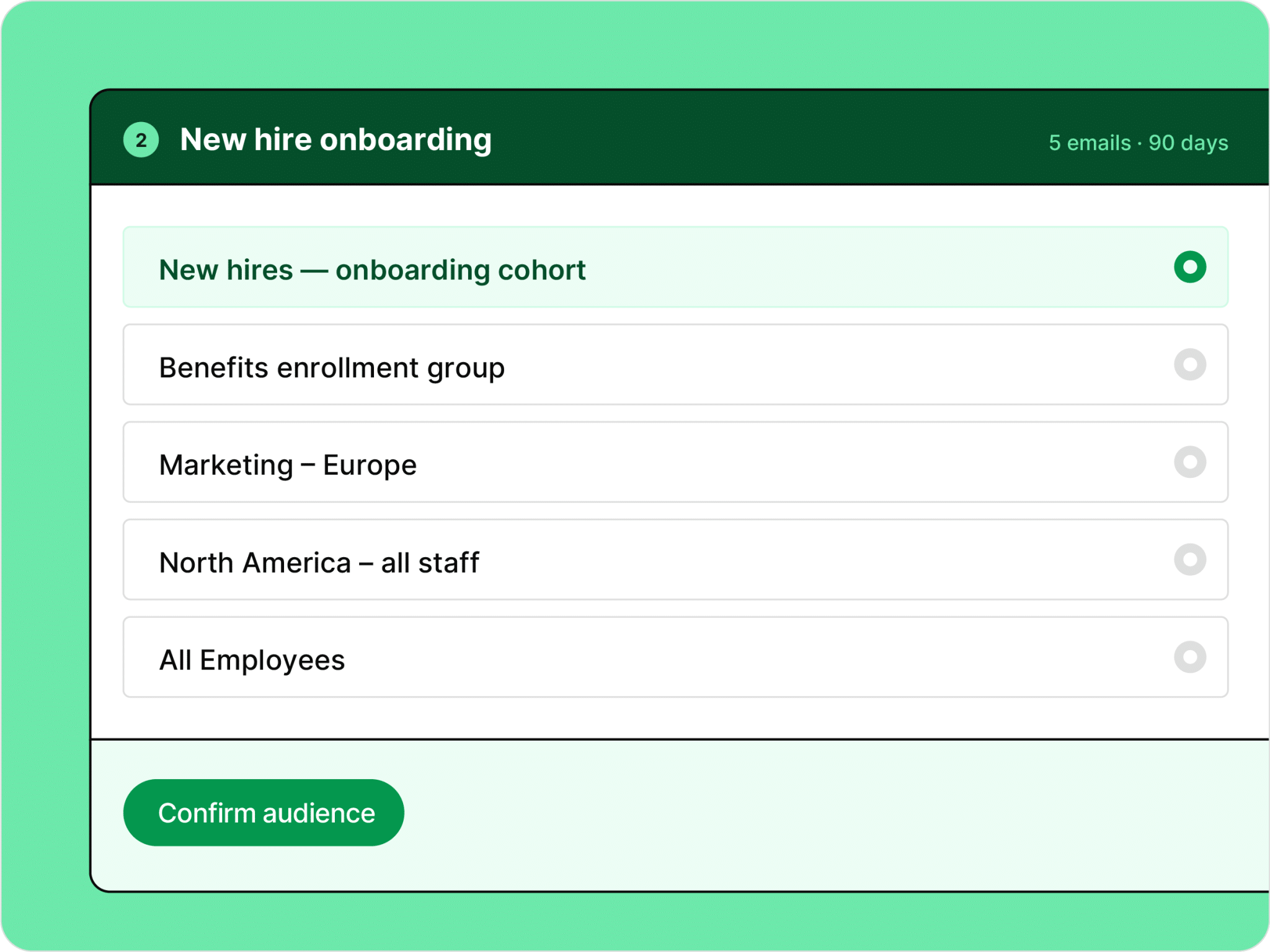
Journeys uses the lists and audiences that already exist in your account, which means the segments you have built by department, location, or role are available the moment you create a sequence. Your onboarding cohort, your benefits enrollment group, and your new manager list all work as the starting point for a Journey without any additional setup.
- Select from your existing lists and audiences
- Segments built from your HRIS data are available immediately
- The full sequence sends to the audience you select at the start
Review and control
See the whole schedule before it starts and stay in control after it does
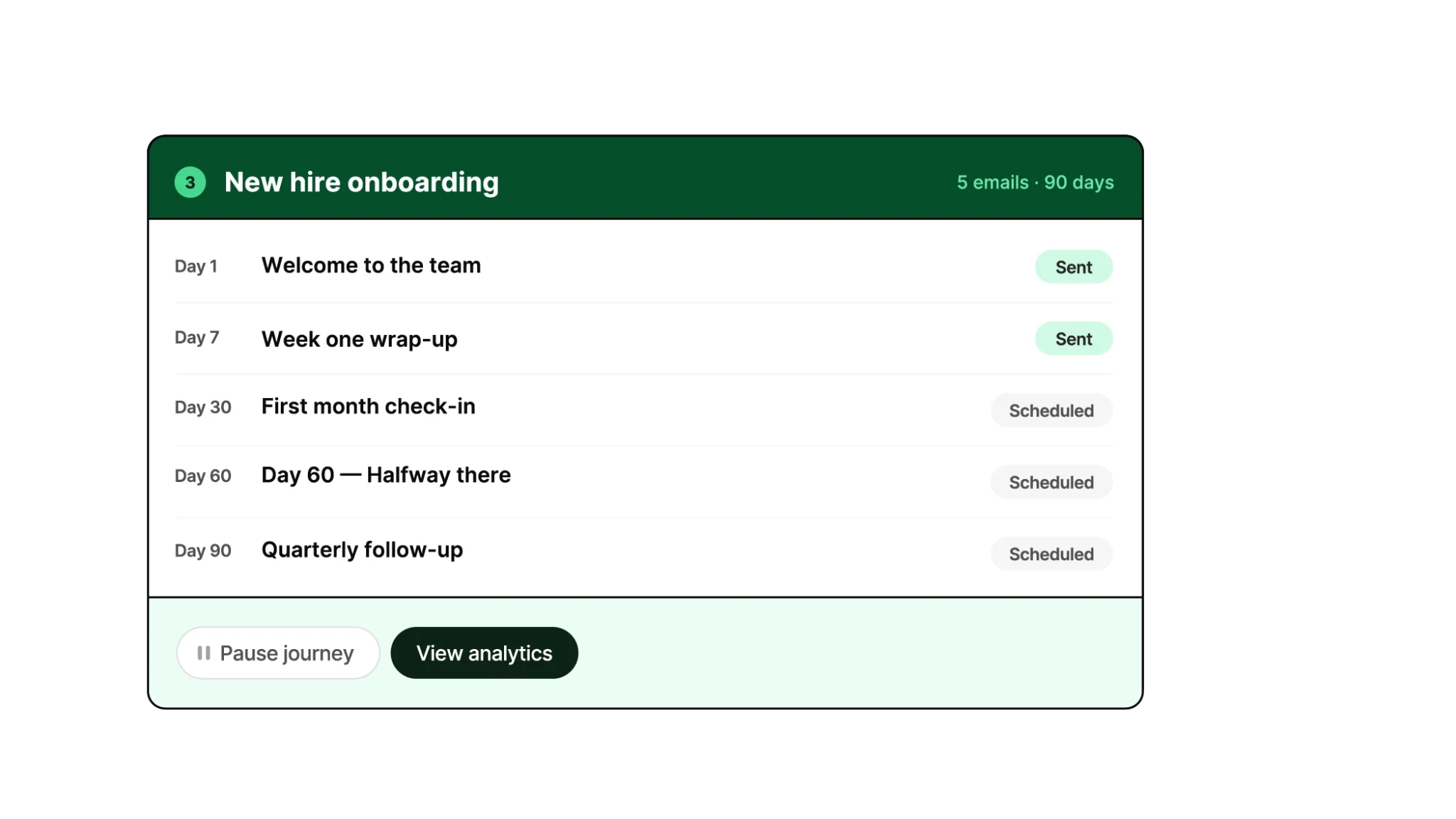
Before a Journey goes live you can see every email in the sequence with its send date laid out in order, which gives you one place to catch a mistimed follow up or a missing step. Once the sequence is running, each email reports its own status so you know what has sent, what is still scheduled, and whether anything failed.
- Review the complete schedule with dates before you launch
- Pause a running Journey and resume it when you are ready
- Cancel a sequence at any point
- Track status on every individual email as scheduled, sent, or failed

How it works: Three steps from a one time setup to an automated series
Build the sequence
Add your emails in order and set how many days should pass between each one.
Select the audience
Choose the list or audience the sequence should send to, using the segments already in your account.
Review and launch
Check the full schedule with dates, then launch. Pause, resume, or cancel whenever you need to.
Works with the rest of ContactMonkey
Automated sequences are one part of a complete internal comms platform
Individual-level reporting
See exactly who opened, clicked, and engaged with every internal email you send.
HRIS integrations
Connect 80+ HRIS platforms so your employee lists stay accurate without manual uploads.
Automatic, customized editorial QA (ConfidenceCheck)
Catch typos, terminology, link, and accessibility errors while there’s still time to fix them.
Employee surveys
Collect real-time feedback inside the email itself, with no separate platform required.
Approval workflows
Get sign-off on internal comms before they send.
Pages
Publish emails and standalone content as branded, trackable web pages.
Frequently asked questions
Any internal email program that runs as a series on a known schedule. The most common use cases are new hire onboarding sequences, drip campaigns to a specific group, and set-and-forget reminders such as benefits deadlines or training follow-ups.
Journeys are built for repeatable internal comms programs like new hire onboarding, benefits enrollment, training rollouts, policy reminders, employee surveys, and 30/60/90-day communication plans.
No. When you build a Journey, you set up the sequence timing in advance using wait steps or intervals relative to the Journey’s start date. Once the Journey is launched, each email sends automatically according to the schedule you defined.
Yes. Journeys will include reporting in the Journey context, so you can compare performance across steps and understand how the sequence is working.



