Based on ContactMonkey’s Global State of Internal Communications (GSIC) 2026 Report, a single internal communicator spends an estimated 240 hours per year creating and sending emails. Internal email remains the backbone of internal communications across organizations, as it’s a channel present in most organizations.
Despite its popularity, internal email presents several hurdles without the right tools and strategies in place, including high send volume, low engagement, and poor measurement. 46% of ICers in the GSIC 2026 Report cited low employee responsiveness as a significant challenge. And 40% struggle to track and measure communications, while 50% agree that demonstrating the function’s impact is difficult.
The good news is that the discipline has never had better tools to fix this. In 2026, internal communicators have access to internal comms email platforms with sophisticated analytics, audience segmentation that makes mass sends feel personally relevant, AI-assisted tools that bring strategy to life, and a growing body of behavioural data to shape smarter internal email strategies.
The 15 internal email best practices that follow cover everything you need to meet that bar: from writing and design, to delivery and targeting, to measurement, and the platforms that make effective internal emails possible.
What Is Internal Email (and Why Best Practices Matter in 2026)
An internal email is a digital message sent within an organization among employees, leaders, teams, and departments. Internal emails share critical company information with the organization’s employees. Internal emails facilitate company-wide announcements, organizational changes, leadership updates, newsletters, policy updates, culture communications, and more.
In 2026, internal emails remain important, but the standard for them is much higher. Key developments shaping internal email include:
- Focusing on outcomes of internal emails, not the total output of how many teams send
- Personalizing content to increase relevance while reducing email fatigue
- Deep analytics that pair quantitative measures with qualitative actions and impact
- AI-assisted writing and scheduling that speeds up planning and production processes
Internal email vs. other internal communication channels
There’s a lot to love about internal emails, but not every message fits the channel well. Knowing when (and when not) to use internal email is a core skill for today’s internal communicators.
Internal email is the right channel when:
- A message requires a broad, universal reach across roles, locations, or platforms
- You need to provide documentation that employees can reference or return to
- A message requires some level of context-building that channels like chat apps cannot provide
- You need a written record of the message shared with employees
Internal email is not always the right channel when:
- A situation requires an immediate, real-time response or needs to reach employees for safety or crisis reasons (in this case, SMS might work better)
- The purpose of the message is to spark discussion or debate (live, real-time events, such as open Q&A sessions during town halls or team meetings, work well for this)
- You need real-time input or a quick decision (a chat thread or team huddle is often quicker)
The organizations that communicate best in 2026 are those that are deliberate about their channel usage and intentional in their internal email strategy, from initial brainstorming and writing to measuring internal email performance to improve. Below are 15 internal email best practices to boost the effectiveness of this channel.
If you’d like, you can jump directly to specific best internal email practices using the quick links below:
- Writing best practices
- Subject line best practices
- Design and template best practices
- Content best practices
- Targeting, segmentation, and delivery best practices
- Measurement and analytics best practices
Use a Modern Internal Email Platform
Designated internal email platforms offer far more capabilities and measurement than standard email tools alone.
1. Ditch Outlook and Gmail (plain text) as your primary tools
Sure, Outlook and Gmail make it possible to send internal emails, but Microsoft and Google didn’t design these tools with the strategic aspects of internal communications in mind. Teams relying on general email clients unintentionally hurt engagement and trust. They often send too many emails, too frequently, eroding the channel’s credibility over time. Without segmentation and targeting features, one-size-fits-all emails signal to employees that no one considered their specific role, location, or context. And to top it all off, without internal email analytics, there’s no data to work with, no feedback loop, and no way to make the case for doing things differently.
Outlook and Gmail don’t offer the same level of email design depth, dynamic content blocks, personalization, or real-time analytics and reporting as modern internal email platforms like ContactMonkey.
Without these features, it’s nearly impossible for internal communicators to:
- Create personalized, easy-to-use email templates
- Personalize emails at scale with dynamic content, all inside one email
- Segment and target internal emails without having to rely on potentially inaccurate distribution lists
- Review and assess what content is working (and what isn’t)
- Use internal email data to lead strategic conversations around internal communications campaigns
Outlook alone isn’t enough for internal comms. By integrating ContactMonkey, a dedicated internal email communications platform, you can turn Gmail and Outlook into fully equipped internal communications tools with better email design, best practices, and performance data.
Integrate your tools with ContactMonkey
Bring your favorite platforms together and save hours of work.
See integrations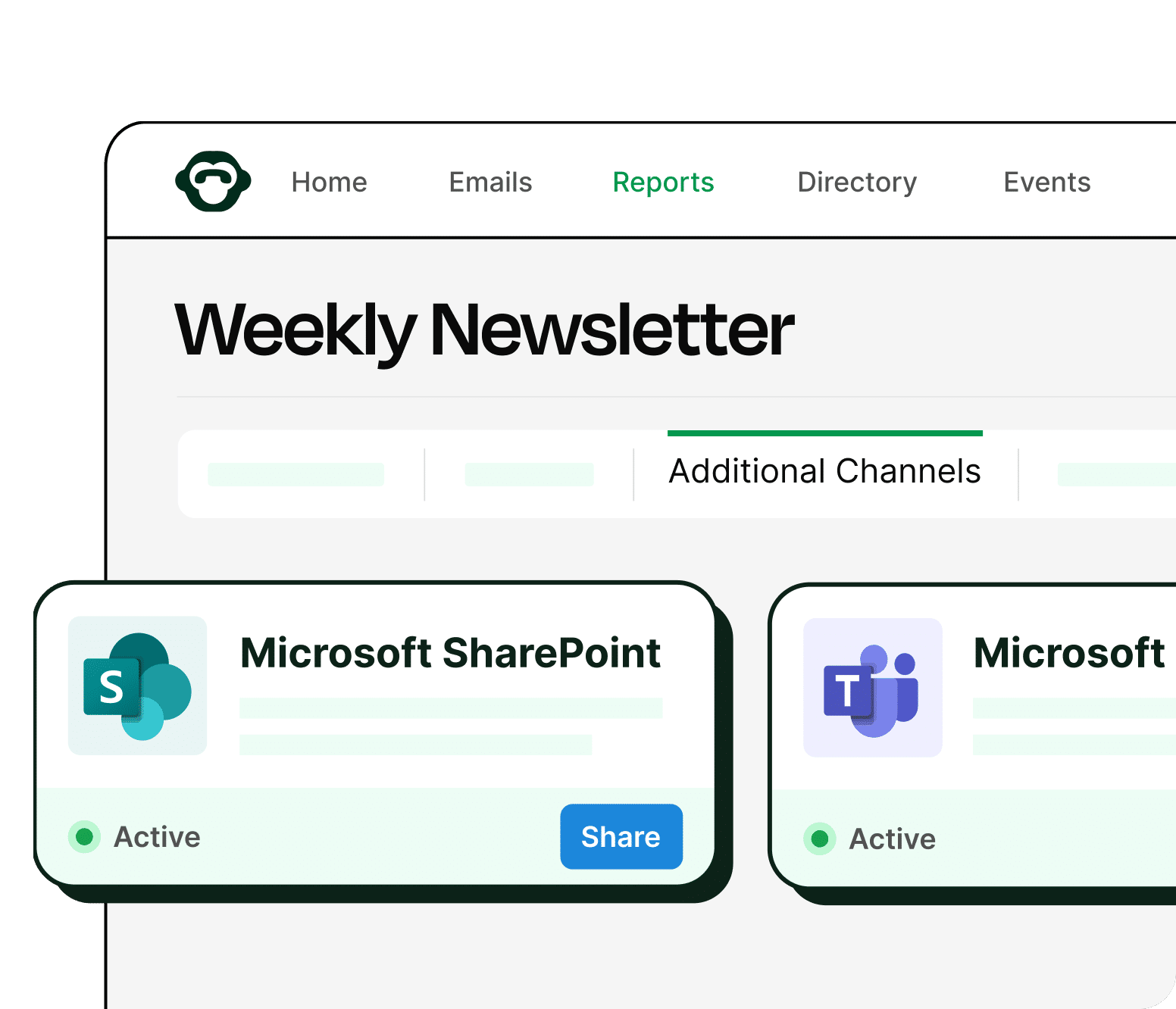

2. Establish internal benchmarks for continuous improvement
Another reason moving away from Outlook and Gmail is imperative for internal communications is that with a modern internal email platform, you can establish and monitor internal benchmarks.
Internal email benchmarks provide directional guardrails to work toward. They give you a pulse on your organization’s current internal email behaviours and performance. And you can use external industry benchmarks as reasonable goalposts. Some internal email benchmarks you might track include:
- Email Open Rate: The percentage of recipients who opened an email out of the total number of recipients.
- Click Rate: The percentage of recipients who clicked on links in the email out of the total number of recipients.
- Click-to-Open Rate: The percentage of recipients who clicked on links in that email out of the total number of recipients who opened the email. (A more accurate measurement of how effectively your email content and design engaged your audience.)
- Read Time: The amount of time a recipient spends reading an email.
- Device Breakdown: The percentage of recipients who viewed an email on a desktop versus a mobile device.
All of these data points, unavailable through plain-text Outlook and Gmail emails alone, feed organizations with tangible information to inform their internal email strategy. Without any internal benchmarks and ongoing measurement, internal communicators leave improvement up to fate and instinct alone.

Writing Best Practices for Internal Emails
Writing is a significant part of the job, but it requires a strategic, intentional mindset beyond filling internal emails with words.
3. Be human, not overly polished (no jargon)
At some point over the years, internal emails acquired a polished, professional tone, laced with corporate jargon and buzzwords that modern employees describe as “marketing spin.” But internal emails are no place for these terms. In fact, according to Preply, more than 1 in 5 people say they dislike corporate buzzwords, and 2 in 5 say they hear buzzwords at least once a day. Common examples of corporate buzzwords include “circle back,” “think outside the box,” and “synergies.”
Jargon and corporate buzzwords are more than annoyances. Taylor Street Communications said corporate jargon hurts connection, causes unnecessary confusion, and weakens trust, as employees assume leaders are hiding the truth. Peter Sokolowski, editor-at-large at Merriam Webster, told Morning Edition on NPR that, “…buzzwords can become a code for a kind of professional language that is ‘substituting for authenticity.’”
There are a few actions you can take to ensure your internal emails feel human and not overly polished, including:
- Recording a leader explaining a topic or message via audio, and then translating it into an internal email. Working through messaging aloud can help capture details and natural voice, removing the spin feel. Pull powerful quotes from the recording and frame them with clarity.
- Acknowledging the hard and uncertain stuff. Optimistic framing isn’t always appropriate, nor do employees buy it. A single sentence like “We know this isn’t the answer everyone was hoping for” or “We don’t have all the details yet” builds trust more than faking excitement.
- Using an editorial assistant like ContactMonkey’s ConfidenceCheck for review. Sometimes, sneaky buzzwords and phrases sneak their way into an internal email, especially during an extensive revision process. Tighten your workflows with a strong editorial review, and lean on tools like ConfidenceCheck to create more inclusive, accessible communication.
4. Lead with important information for clear employee actions and outcomes
Too many internal emails focus on what the message deliverer wants to say and how they want to say it, not on how employees need to receive the information. Effective internal emails must prioritize readers over deliverers, and that includes how you deliver information and where you place it.
Hick’s Law, or the Hick-Hyman Law, is a psychological phenomenon that states that the time it takes to make a decision increases with the number and complexity of available choices. When organizations send lengthy emails with multiple calls-to-action (CTAs) while burying important information, such as key dates and deadlines, it’s no wonder employees struggle to determine what requires their attention.
In the context of writing internal email content and placement, there are some practical applications of Hick’s Law to keep in mind, including:
- Minimize the number of choices when response times are critical. If you are sending an internal email supporting a time-sensitive behaviour, such as completing a form or selecting benefits, don’t include more than one ask or CTA.
- Break complex tasks into smaller steps. Avoid stuffing your internal emails. Too much information causes overwhelm and leads to inaction. For example, if you are supporting a significant change, such as the rollout of a new company-wide tool that requires complex process changes, consider breaking the change and communications into smaller pieces and running an internal email campaign.
- Avoid overwhelm by highlighting recommended options. Lead with and highlight the key information employees need to take action and drive outcomes. Create internal email templates in ContactMonkey with lead-in content blocks you can use at the top of every email to call out what employees need to know and do. Something like, “Your big 3 to-dos,” that explicitly state the action and deadline, and perhaps highlight where employees should click to take the first action, can make a big difference.
Internal Email Subject Line Best Practices
Internal email subject lines carry a lot of weight and can make or break whether an employee opens an internal email.
5. Send with relevance, not urgency
Employees don’t choose to subscribe to internal emails; instead, organizations add them to email lists to share relevant information. Without the ability to choose whether to receive internal emails, internal communicators must ensure the content is relevant and worth their time and attention.
While marketing email campaigns might follow hot trends and lead with a sense of urgency (e.g., “Only 24 hours left for our biggest sale!”), effective internal communications require strategic planning, tailored to the organization, rather than hot, in-the-moment blasts. Not to mention that urgency-driven internal email subject lines, such as “Action Required,” “Don’t Miss This!” and “Important Company Information,” prioritize the sender’s or message owner’s feelings over employees’ needs. Reserve urgency for moments when you actually need it, such as in a real, life-threatening situation.
Instead of asking, “How do I get employees to open this email?” ask, “Why does this information matter to this specific person/group today?” Then use that information to craft your internal email subject lines. For example:
| Urgency-Driven | Relevance-Driven |
| Action Required: Benefits Enrollment | Your benefits window closes Friday — here’s what to do |
| Important Update from Leadership | What our Q3 results mean for your bonus |
| Mandatory: Town Hall Tomorrow | Tomorrow’s town hall: answering your reorg questions |
| Company News: Please Read | We’re opening a new location — what you need to know |
With ContactMonkey, you can test different subject lines and then track your open and click-through rates to understand what internal email subject lines resonate with your employees. And you can use segmentation and audience-targeting features to take this a step further and customize internal email subject lines for different audience groups, making them even more relevant to your readers.
6. Use short, clear, descriptive, and personalized subject lines
The goal is not to stuff the message into the subject line itself. It’s best to keep your email subject lines concise, engaging, and explanatory. As a best practice, a length of 40-60 characters generally works best for readability and conveying your core message. And according to ContactMonkey’s 2025 Internal Email Benchmark Report, limiting subject lines to less than 42 characters works best for mobile optimization. If your employees access their inboxes on mobile devices, keep this in mind.
In addition to short (40-60 characters), clear, and descriptive internal email subject lines, one of the most effective ways to capture your employees’ attention is to demonstrate that an email is relevant to them through personalization. This includes employees’ names, roles, locations, departments, or other regional context that instantly pulls them in. Personalization in internal emails piques curiosity.
It’s not realistic to personalize internal email subject lines without an internal comms platform to handle it. ContactMonkey’s merge fields allow you to personalize your internal email subject line for each recipient in just a few clicks. Adding first names can be a nice, welcome touch.

Design & Template Best Practices
Thoughtful internal email designs (including standard templates) are non-negotiable for today’s employees.
7. Increase predictability through consistent internal email templates and designs
When every internal email format looks different, employees start from zero in understanding what’s most important and why. In other words, when internal emails lack any design or formatting consistency, we unintentionally make it more difficult for readers to determine how best to engage with the information.
Cognitive Load Theory (CLT) is an instructional design framework that explains how the brain processes information in working memory (which comes with limitations). There are three types of cognitive loads we process when engaging with something new:
- Intrinsic cognitive load: How easy or difficult the content presented is to learn.
- Extraneous cognitive load: How easy or difficult it is to learn the content in the environment in which the content is presented.
- Germane cognitive load: The mental resources required to fit the material into our cognitive frameworks or schemas.
These are important to know and understand because poor internal email design, distracting elements, unclear visuals, excessive text, and inconsistency increase extraneous cognitive load, making it more challenging to extract what’s important from the internal email.
That’s where email templates come into play. With ContactMonkey’s drag-and-drop email template builder, you can create branded, responsive internal emails in just a few clicks. You’ll save time and never start an email from scratch again. Your employees will become more familiar with the structure of your organization’s internal emails, reducing cognitive load so they can focus on the email content.
Save time with our pre-built email templates
Check our our library of helpful sample emails and internal comms templates today.
Get templates

8. Design and format with scannability in mind
In internal email design, assume skimming is the norm, not the exception. Our desk-based work environments are rife with constant distractions, including chat pings, email notifications, ad hoc meetings, and more. Human attention span is shrinking, with the average on any screen declining from 2.5 minutes in 2004, to 75 seconds in 2012, to 47 seconds in more recent years, according to Gloria Mark, PhD. On the other hand, deskless and frontline employees often don’t even have that amount of time to dedicate to reading emails, especially while on shift.
The strongest internal email templates start with a clear layout and structure, recognizing that not all content carries equal weight. A top-down hierarchy emphasizes the most important message and action first, followed by additional details and secondary information.
Keeping paragraphs short and focused enables skimming on smaller screens, including mobile devices, improving readability for frontline workers who have only a few moments to open an email on their phones. Using collapsible sections or clear section breaks helps prevent endless scrolling. Using buttons as links and placing them prominently within the copy makes it easier for readers to take action.
Designated internal email templates in ContactMonkey are better suited for scannability than plaintext emails. Plus, ContactMonkey’s email template builder creates responsive, mobile-friendly designs, so your employees can comfortably scan emails on desktop or mobile.
Content Best Practices for Internal Emails
Internal emails aren’t just about pushing content. Providing opportunities to share feedback, serving relevant content, and keeping emails short are considerate practices.
9. Use surveys for two-way communications and employee feedback
One of the greatest shifts in internal communication is the move away from one-way broadcast-style messaging to two-way communications. Given that internal emails remain a key internal communications channel for most organizations and that many employees prefer to receive internal information via email, emails are an excellent channel for fostering two-way communication and employee feedback.
Two-way communication doesn’t necessarily mean asking employees to respond to every email, although that might be helpful in some cases. Instead, for an ongoing source of two-way dialogue and gathering employee feedback, you can use pulse surveys, ratings, and other quick-interaction questions inside your internal emails.
ContactMonkey makes it easy to embed employee surveys directly into internal emails and newsletters so employees can respond without any additional effort or hassle. Launch pulse checks, track sentiment, and gather employee feedback. From employee pulse survey tools to emoji reactions, star ratings, and open comment boxes, you’ll have everything you need to understand how employees feel and what they think.

10. Serve Dynamic Content to increase relevance
One-size-fits-all messaging is out; tailored, audience-specific messaging is in. Relevance is a baseline expectation in a noisy world. But beyond that, it’s the kind thing to do. Workers within the same organization have fundamentally different day-to-day realities, information needs, and communication preferences.
Sending a single message to everyone signals that the organization doesn’t understand or isn’t prioritizing awareness of different contexts. But sharing the same key messages tailored to the people receiving them says, “We see you, we understand you, and we want our internal communications to support you effectively.” Employees engage with communication that feels relevant to their lives, roles, and workflows.
ContactMonkey makes it easy for internal communicators to create a single email and add dynamic content blocks using conditional targeting, so they can reach the right employees with the right message, without all the fuss of sending multiple emails manually. The ability to create a single email that automatically personalizes content for different audience segments saves time while improving employee engagement.
11. Link to a single source of truth when needed
The instinct to include as much information as possible in internal emails stems from one or a combination of the following:
- Fear of follow-up questions because we didn’t offer enough clarification
- Stakeholder pressure to present messaging how they want, not how employees need
- No trusted source of additional information to provide
Internal emails need to give employees enough context to understand why a message matters and where to go next. They should not serve as an end-all, be-all, and when they do, emails often run far too long to be actually useful.
Instead, when planning your internal email campaigns, consider defining what single source of truth you can and will link to in your internal emails. That could be an intranet page, knowledge base article, internal-only portal, or a living document. What works best for your organization depends on your specific context. The point is to pre-determine where the single source of truth will live so you can strategically design your internal emails around it.
If you send internal emails that contain multiple resources, such as a link to an intranet page and a link to an employee FAQ guide, you can use ContactMonkey’s click maps to understand which sources of information they rely on most. Then, use this information to inform your future internal communications campaigns.
Targeting, Segmentation & Delivery Best Practices
Increasing the relevance and choosing intentional send times is necessary to cut through the noise of today’s workplaces.
12. Target and segment your audiences for relevancy
Relevance is the foundation of a credible internal comms channel and one of the best ways to prevent employees from skimming or ignoring important messages. Sending the same message to every employee can lead them to disengage, especially when they find little to no value in the content.
There are several layers you can segment internal communications by, including:
- Role or function
- Location or region (essential for global organizations with localized news)
- Employment type (e.g., frontline vs. deskless, full-time vs. part-time)
- Manager level (e.g., middle managers running large teams vs. SVPs)
- Employee lifecycle stage
- Language preference
- Opt-in interest areas and self-selected topics (e.g., wellness, employee resource groups, career growth)
ContactMonkey’s audience segmentation and personalization features let you create highly relevant employee emails without extra effort. Group employees by department, seniority, geography, or custom lists. Plus, you can send polls and pulse surveys to specific groups to get more relevant feedback for future internal emails.

13. Send emails at the best time for employees
Don’t send internal emails at the best time for a select group of employees (e.g., the best time for corporate, desk-based workers in a frontline-heavy organization), the best time for senior leaders, or for the internal communications team. The best time to send internal emails is the time that works best for the employees receiving them.
Employees engage with email at work in seemingly predictable patterns shaped by factors such as:
- Time zone: Be cognizant of employees spread across time zones, even if only a small handful are in one location.
- Role-type: Frontline, desk-based, hybrid, field, and shift workers check email at different times (some might even use email far less frequently, if at all, compared to others).
- Meeting density: Employees with meeting-heavy calendars may be harder to reach than those without.
- Work rhythms: Employees may ignore their inbox during deep work and focus time sessions, and work rhythms may vary by team and individual.
- Content type/urgency: Emails that appear urgent (either because the subject line says so, or because of the content itself, such as a layoff announcement) may cut through work patterns more than other types of emails.
- Psychological readiness and mental energy: Emails allow employees to engage when they have the time and energy to process and respond to information, which varies by individual.
From an internal comms perspective, timing matters because internal emails compete with all of the above.
Use ContactMonkey’s segmentation and scheduling features to reach different employee groups at the best time for them. For example, you might send an internal email newsletter to your corporate staff on Fridays at 9:00 am, at the beginning of their workday, and a brief weekly summary email to frontline employees at the end of their shift on Wednesday evenings at 7:00 pm.
And if you aren’t sure where to start, find the best time to send internal emails across 20 industries in ContactMonkey’s 2025 Internal Email Benchmark Report as a baseline. Run your own internal tests and send the same type of email to comparable audience segments at different times. Measure open rates, click-through rates, read time, and engagement, and create your internal guidebook for send times.
2025 internal email benchmarks are in!
See where you stand. Download our report to measure your performance.
Get the guide

Internal Email Measurement & Analytics Best Practices
With the right internal comms platform, internal email measurement and analytics provide a wide range of data and opportunities to continuously improve your communications.
14. Track more than open rates
Open rates are easy to collect, report, and understand. So they quickly became the headline number in almost every internal comms report. The problem is that an open rate tells you remarkably little about whether your message did what you intended. Open rates measure delivery and curiosity. They don’t measure comprehension, action, or impact. They’re a signal and starting point for measurement, but open rates alone are never enough.
In addition to open rates, you can track the following tiers of data:
Tier 1: Engagement Metrics
- Click-through rates: Did employees click buttons and links?
- Read time: How long are employees spending on your internal emails? Are they skimming or reading?
- Engagement by defined segments: What is (and isn’t) working across different groups? How are they engaging?
Tier 2: Action Metrics
- Pulse survey completion rate: What percentage of employees completed your embedded pulse survey?
- Registration, sign-up completions, policy acknowledgement, training completion: Did the internal email drive the desired action?
Tier 3: Impact Metrics
- Behavioural change rates: Did a change communication campaign actually change how employees do their work?
- Employee awareness and comprehension: Do employees understand the message, not based solely on “good” email analytics?
- Channel trust ratings: Do employees view internal email as a credible, reliable internal communications channel within the organization?
ContactMonkey’s sophisticated real-time analytics can help you consistently gather engagement metrics, so you can pair engagement with action and impact to highlight the mission-critical nature of internal communications. Even better, you can customize internal email reports and build presentation-ready reporting dashboards to showcase ROI to leadership.
Get powerful email analytics and reporting features
Know exactly who is opening and engaging with your employee communications and company newsletters.
Explore analytics & reporting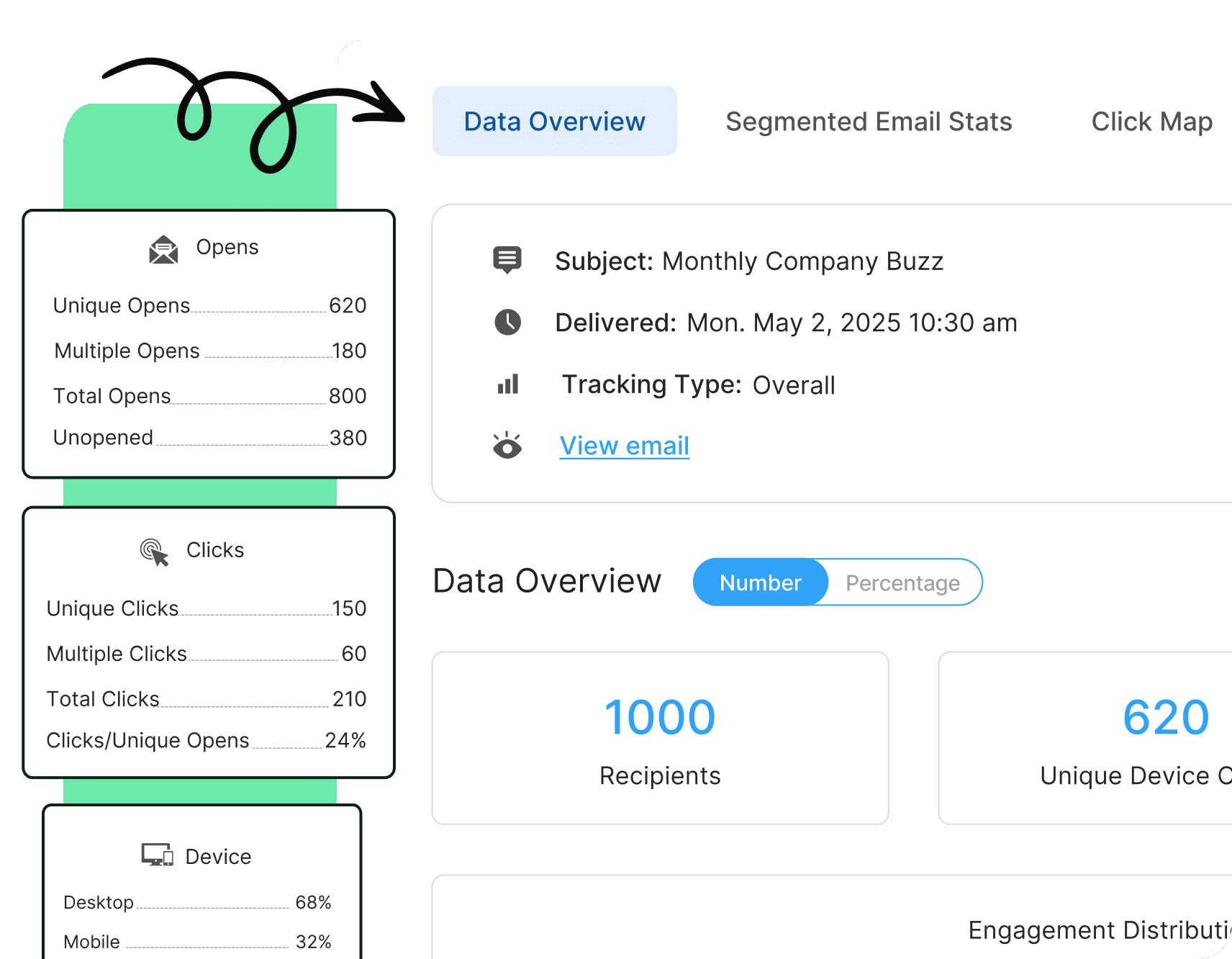

15. Let employee behaviour & engagement shape your internal email strategy
Your employees are telling you what’s working and what isn’t with every open, click, scroll, survey response, and ignored email. A behaviour-informed strategy means treating every send as both a communication and a data point, and building regular moments into your workflow to ask: What is the data telling us, and what should we do differently?
Behaviour signals come from many places. ContactMonkey’s email analytics offer plenty of insight you can use and apply to improve your internal email strategy:
- Which subject line formats consistently outperform others? That’s a repeatable lesson about how your specific workforce responds to framing.
- Which topics consistently drive the highest click-through rates? Your audience is telling you where they focus or are willing to engage more.
- Where do employees drop off in longer emails? Your content is too long or loses focus at a specific point.
- What do your rating question responses look like? Your employees are offering direct feedback and insight into your internal email content and structure.
One important caveat: Too much change can do more harm than good. There is value in having consistent bones and structure to work with. Engagement data should inform your strategy, not override your editorial judgment.
The best IC teams use data to get better at their craft, while anchoring in what employees genuinely need to feel informed, aligned, and engaged.
How ContactMonkey Helps You Execute Internal Email Best Practices
ContactMonkey simplifies internal communications by providing intuitive tools for creating, sending, and measuring internal email engagement. By combining robust analytics with powerful internal email design features, you can ensure your messages resonate with your team and drive engagement every time. Here’s what you can expect from an advanced internal comms platform like ContactMonkey:
- Drag-and-drop email builder: Easily create visually appealing layouts that highlight key points and action items without the need for coding skills.
- Real-time analytics: Track open rates, click-throughs, and other metrics to refine your strategy based on data-driven insights—an essential step in following internal email best practices.
- Audience segmentation and dynamic content: Send targeted messages to specific departments or groups, while personalizing emails based on job titles, locations, or past engagement. This ensures every employee sees content most relevant to them and saves you time by letting you send a single email, thanks to our dynamic content feature.
- Built-in surveys and polls: Foster two-way communication by embedding feedback tools directly into your emails, enabling you to gauge employee sentiment quickly.
- Flexible scheduling and automation: Plan your send times for maximum impact, ensuring consistent communication without manual effort.
Ready to elevate your internal communications and roll out these best practices? Book a demo with ContactMonkey today and experience the difference firsthand.