

We hosted an “Ask Us Anything: AI in Internal Communications” webinar, and we had more questions than we could answer live.
That’s a good problem to have. It means IC professionals are thinking seriously about what AI can and should do in their daily work, and they want real answers, not abstractions.
So here’s everything we didn’t get to address.
What is the future of AI in internal communications?
The Ask Us Anything webinar poll gave us a real-time read on where IC teams actually stand, and the picture is more advanced than most people assume. Half of respondents said they are already using AI regularly for content creation and quality checks. Another 35% are operating with organization-wide policy approval in place. Only one person in twenty described themselves as still exploring. This is not a profession in the early stages of curiosity. It is a profession in the early stages of scaling.
Where things are heading is more significant than where they are now.
The trajectory points toward AI that orchestrates the entire communication workflow rather than assists with individual tasks. That means tools that decide who needs to receive a message, when based on behavioral data, whether the content meets readability and compliance standards, and how to follow up with employees who did not engage. The workflow stops being something you rebuild every cycle and starts being something that keeps running, with you at the helm.
ContactMonkey is building toward that with a suite of five agents, two of which are live today. CoAuthor generates professional email layouts from conversational prompts. ConfidenceCheck reviews drafts before they go out, catching broken links, accessibility issues, and errors that spellcheck misses.
Coming next: the Curation Agent pulls content from internal systems so you stop chasing contributors. The Delivery Agent routes sends to the right channel at the optimal time for each employee segment. The Insights Agent surfaces what is working and feeds recommendations back into the next campaign.
At the center of all of it is the Agentic Orchestrator. This is not a chatbot you go ask questions. It knows your communications calendar, your audiences, and your goals, and coordinates the agents working around them. The practical version of this is starting a new quarter with a pre-loaded communications plan, with recommended sends, audiences, timing, and channels, so that execution begins before the planning work does.
You remain in control. The agents absorb the operational work. The part of the job that was never a good use of your time is the part that changes.
How are internal communicators actually using AI today?
The most common pattern we see is AI as a first draft engine. IC teams are using ContactMonkey’s Intelligent Copy Creation and CoAuthor to generate newsletter drafts, headline options, and email subject lines, and it’s not because the output is publication-ready, but because staring at a blank page is one of the biggest productivity drains in the profession.
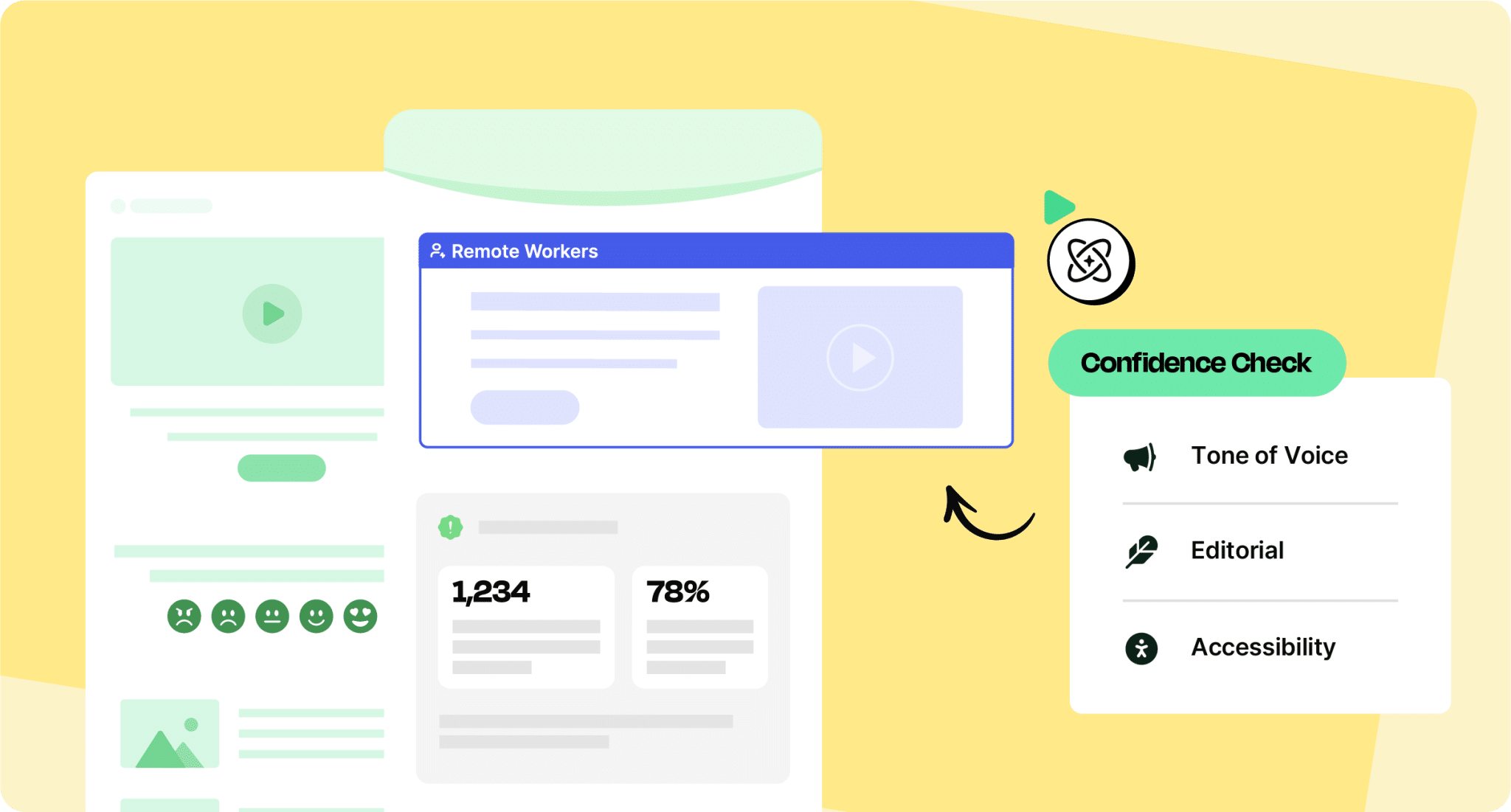
Beyond drafting, teams are using AI to repurpose content across channels, condense long leadership updates into digestible summaries, and translate executive communications into formats appropriate for frontline workers. In more mature organizations, AI is entering the editorial workflow itself through ConfidenceCheck: checking tone consistency, flagging jargon, and scanning for accessibility issues before content goes out.
What AI is not yet doing reliably for most teams is replacing the strategic judgment, stakeholder knowledge, and organizational context that experienced IC professionals carry. That gap is where your value as a communicator lives.
What are best practices for using AI in IC, and what prompts actually work?
The communicators getting the most value from AI treat it like a very fast, very capable junior writer who needs clear direction. Vague prompts produce vague results. The more context you give, the better the output.
Prompts that consistently produce useful results tend to follow this structure: explain the goal, define the audience, describe the tone, and specify any constraints. For example: “Write an internal email announcement for a benefits enrollment reminder. The audience is hourly manufacturing employees who primarily access communications on mobile. The tone should be warm and direct. Avoid jargon. Keep it under 150 words.”
Other high-value prompting patterns include asking AI to generate three headline options rather than one so you can choose or combine, asking it to rewrite a draft at a lower reading level, or asking it to anticipate the top three questions employees might ask after reading a message. That last prompt alone has replaced hours of stakeholder review prep for some teams.
On the best practices side: always edit the output. Always. AI does not know your culture, your leadership’s communication style, or the specific context that makes an announcement land well or poorly. It produces a scaffold. You apply the expertise.
You can also check out our Custom Check prompts, helping you establish editorial checks that are specific to your particular organization.
What are the KPIs for successful AI adoption?
This question is harder than it looks because “AI adoption” is not itself a business outcome. The metrics that matter are the ones that reflect the underlying goals: communications quality, reach, and team efficiency.
Useful leading indicators include time-to-publish per communication (is AI actually accelerating output?), open and read rates on AI-assisted content versus your baseline, and the number of revision cycles a piece requires before approval. If AI-assisted drafts require just as many revisions as manually written ones, something in your prompting or editing workflow needs adjustment.
At the team level, watch for qualitative signals: are communicators spending more time on strategy and stakeholder work because AI is absorbing repetitive drafting? That shift is harder to measure but often more meaningful than any single metric.
For ContactMonkey users specifically, the platform’s built-in analytics give you a direct read on engagement, including open rates, click rates, read time, and department-level breakdowns, which makes it possible to compare performance across content types and creation methods over time.
How can we use AI to help create reports and share data with stakeholders?
Most IC teams sit on rich engagement data and do very little with it beyond checking open rates and reporting the number back to whoever asked. AI can help turn that data into a narrative that leadership actually understands and acts on.
The workflow is straightforward today: export your analytics from ContactMonkey, bring the key figures into an AI tool, and prompt it to write a one-page summary for a specific audience, highlighting specific metrics and contextualizing them against a benchmark or previous period. What you get back is a readable draft you can refine, add organizational context to, and present to leadership in minutes rather than hours.
ContactMonkey’s analytics dashboard does a significant portion of the aggregation work already, pulling open rates, click maps, device breakdowns, and department-level engagement into a single view. The Analytics API lets you go further, connecting reporting tools like Power BI or Tableau to measure how communications tie to real business outcomes like policy acknowledgment, benefits enrollment, or event attendance.
Where this is heading is more significant. The Insights Agent, that will be part of ContactMonkey’s AI agents, will close the loop between performance data and your next campaign automatically. Rather than you exporting data, prompting an AI tool, and interpreting the output yourself, the Insights Agent will monitor your campaigns continuously, surface what is working, flag what is underperforming, and feed specific recommendations back into your workflow before the next send. The question shifts from “what happened?” to “what should I do next?” and the answer is already waiting for you.
Remember, leadership does not want to read a table. They want to know whether employees are reading communications, what is resonating, and what the team plans to do about it. That answer is getting easier to deliver.
How can AI help when we’re under-resourced and operationally constrained?
This might be the most universal challenge in the profession, and it’s the question underneath a lot of the other questions here. Most IC teams are running at capacity on production work, which leaves little time for the strategic thinking, listening, and relationship-building that makes communications actually effective.
AI does not fix under-resourcing. But it does shift the ratio. When drafting a newsletter takes 45 minutes instead of two hours because AI has handled the first pass, that time becomes available for something else. When AI can run a consistency check on a communications calendar instead of you manually reviewing 20 drafts, you recover hours in a week.
The way to frame this for leadership is not “AI will let us do more with less.” That framing sets up IC teams to absorb more volume without more resources. The better argument is that AI absorbs the production work that has historically crowded out strategic work, things like audience analysis, measurement, and change communication planning, and creates space to do the things that require human judgment.


How do you handle approval routing when your draft originated in ContactMonkey?
ContactMonkey has a built-in commenting feature that lets stakeholders leave feedback directly on a draft inside the platform, which means you do not always need to move content elsewhere to collect input. Reviewers can comment inline, and you can work through revisions without breaking out of your sending workflow.
Where teams do move content outside the platform, it is usually because a reviewer does not have ContactMonkey access or because the organization requires documented approval in a system like SharePoint or Notion for compliance reasons. In those cases, the workflow tends to be: draft in CM, share a copy for review in the external tool, make revisions in CM once approval is confirmed. It adds a step, but it keeps the canonical draft in the platform where it belongs.
What data exists on AI-written content performing well with internal audiences?
The honest answer is that the research specifically on internal communications AI performance is still thin. Most of the published data on AI content performance comes from marketing and external communications contexts, where the dynamics are quite different.
What ContactMonkey’s own platform data suggests is that the clarity of the content are the primary drivers of open and read rates, not whether AI was involved in producing them.
The practical takeaway is that AI is a production tool, not a quality guarantee. The communicator’s editorial judgment is still the variable that determines whether content actually resonates and moves employees.
How do you protect internal data when using AI tools?
This question requires coordination between IC, IT, and legal rather than individual judgment calls made at the point of drafting.
For IC teams: treat consumer AI tools the way you would treat a public forum. Do not enter anything you would not be comfortable making widely visible. When you need to use AI for sensitive content, use placeholder language in your prompt and replace it with the real information in your editing pass after the draft is returned.
When using AI features inside ContactMonkey specifically, your data is protected by a clear policy. ContactMonkey does not use customer data to train AI models without explicit permission. Queries submitted through ContactMonkey’s AI features are sent to AI providers solely for real-time processing and are not retained for model training under ContactMonkey’s contracts with those providers. You remain in control by reviewing and approving all AI-generated content before it goes out.
If you want to turn off AI features for your organization entirely, you can contact ContactMonkey support to do so. For the full details on how ContactMonkey handles AI data, visit contactmonkey.com/ai-policy.
What are the legal considerations for using AI to create content?
This is an area where IC teams genuinely need to involve their legal and compliance partners, and where the guidance is still evolving.
The practical takeaway is to treat AI for IC the same way you treat any other vendor tool: confirm what your enterprise agreement covers, establish clear guidelines for what information can and cannot be entered into AI tools, and involve legal in defining the boundaries before someone discovers them by accident.
Are there good use cases for AI in building audience personas for IC?
Yes, and this is an area where AI can genuinely accelerate work that most IC teams do informally or not at all.
The basic approach: compile what you know about a specific employee segment, including role, location, communication channel preferences, likely concerns, and level of proximity to leadership decisions, and ask AI to help you structure that into a persona document. AI is good at organizing qualitative inputs into coherent profiles and at prompting you to think about dimensions you may have missed.
The concept has proven out at scale in adjacent contexts. Air New Zealand’s customer service teams built AI personas trained on hundreds of thousands of pieces of customer feedback and complaints to pre-test service improvements before bringing them to human focus groups. As their Chief Digital Officer described it, ideas could be refined against virtual personas drawn from a much broader pool of perspectives before any human testing began. The parallel for IC is direct: why find out a message landed poorly after it reaches 10,000 employees when you can pressure-test it first?
ContactMonkey’s future Audience Preview feature will bring this logic into the IC workflow directly. Rather than manually imagining how a given audience might receive a message, Audience Preview reviews your content through trained AI personas before it goes out, letting you pressure-test a communication against a frontline worker, a skeptical manager, or a non-native English speaker and adjust based on what the persona flags.
The important caveat: AI-generated personas are only as good as the inputs behind them. If built from assumptions rather than real data or employee feedback, they risk reinforcing blind spots rather than challenging them.
How can we use AI to centralize communication and automate distribution?
Centralization and automation are two distinct problems, and it helps to treat them separately.
On centralization: the challenge most IC teams face is not that content lives in too many places. It is that there is no single source of truth for what is going out, when, and to whom. AI can help here by auditing your communications calendar, flagging gaps and overlaps, and identifying audiences who are over- or under-communicated to. ContactMonkey addresses this directly by giving IC teams one platform for drafting, scheduling, sending, and measuring, so you stop reconstructing the picture across multiple spreadsheets.
On automation today: AI is most valuable for the repeatable, rules-based parts of distribution. That includes onboarding sequences that trigger when a new hire joins, follow-ups to employees who did not open a critical message, and recurring newsletters scheduled at the optimal time for each recipient segment. ContactMonkey’s scheduling and segmentation features handle the execution. AI helps you design the logic and write the content that runs through it.
The future holds a different story though. Ryan Duguid, ContactMonkey’s CPO, describes the vision plainly: what if you had your own personal comms assistant that sent calls for content, reminded contributors of deadlines on a regular basis, and delegated requests when someone wasn’t available? And beyond that, what if it could send content out for review, collect feedback, and speed up the process of getting to final approval and send? Not doing the strategic work for you, but handling the assembly work that currently sits between your plan and your publish.
That is the future Delivery Agent is being built toward: an always-on workflow where the operational coordination happens around you, and you remain focused on the judgment calls that only a communicator can make.
How do I manage it when stakeholders start writing their own AI-drafted content?
This is one of the more nuanced operational challenges that has emerged as AI tools have become widely accessible. When a department head submits a contribution that was clearly generated by AI and lightly edited, the IC team inherits content that can be off-brand, generic, or structurally inconsistent with the rest of the communication.
The most practical response is to treat this as a prompting and briefing problem rather than a policing problem. If you give contributors a template prompt that includes your voice guidelines, audience parameters, and length constraints, the output they generate is far more likely to be usable. That shifts your role from rewriting to light editing, which is a more sustainable place to be.
The other lever is being explicit about your editorial standards at the intake stage. If contributors know that content needs to meet a specific reading level, tone, and structure before you will include it, they self-select into producing better inputs. You are not asking people to stop using AI. You are asking them to use it more responsibly before it lands in your queue.
How can AI help me scale without adding headcount?
The honest framing here is that AI does not replace headcount. It changes the ratio of what existing headcount can produce. A one-person IC team with strong AI workflows can produce the volume and quality that previously required two or three people, but only if the workflows are intentional and the tools are well-integrated.
The highest-leverage places to apply AI for scale are the tasks that repeat most frequently: drafting recurring newsletter content, reformatting long-form leadership updates for different channels, generating subject line options, and running pre-send quality checks. ContactMonkey’s ConfidenceCheck feature addresses that last piece directly. Removing even one manual review cycle per communication adds up meaningfully over the course of a year.
Where AI cannot scale you is in the relationship work, including the stakeholder conversations, the listening, and the judgment calls about tone in a difficult moment. That time stays fixed regardless of how good your tools are. The goal is to protect it by automating everything that does not require it.


Can AI help build an IC plan, and what are the tradeoffs?
Yes, and it is genuinely useful as a planning accelerator, with some important caveats.
AI is good at generating a structured starting framework: a quarterly communications calendar organized by theme, a channel matrix mapping content types to audiences, a draft stakeholder communication plan for a specific initiative. It can produce a reasonable first draft of any of these in minutes, which means you spend your planning time refining and pressure-testing rather than building from scratch.
The tradeoff is that AI has no organizational context (yet – as we explained as part of the future of ContactMonkey). It does not know that your CEO is about to announce a restructuring, that the operations team is burned out from a system migration, or that there is a cultural sensitivity around how a particular topic gets discussed. A plan that looks structurally sound can be strategically wrong if the context is missing. The communicator’s job is to bring that context in at the editing stage and to be willing to override the AI’s suggestions when organizational knowledge points in a different direction.
Used well, AI planning output is a scaffold. The expertise you bring to it is what makes it a plan.
How can AI enhance IC work beyond content creation?
Yes, and it is genuinely useful as a planning accelerator, with important caveats.
AI is good at generating structured starting frameworks: a quarterly communications calendar organized by theme, a channel matrix mapping content types to audiences, a draft stakeholder plan for a specific initiative. It can produce a reasonable first draft of any of these in minutes, so you spend planning time refining rather than building from scratch.
The tradeoff is that AI has no organizational context. It does not know that your CEO is about to announce a restructuring, that the operations team is burned out from a system migration, or that there is a cultural sensitivity around how a particular topic gets discussed. A plan that looks structurally sound can be strategically wrong if that context is missing. The communicator’s job is to bring it in at the editing stage and to override the AI’s suggestions when organizational knowledge points in a different direction.
That limitation is exactly what our Agentic Orchestrator is being built to close. The vision, as described in ContactMonkey’s product roadmap, is that instead of starting with a blank calendar, your year can be pre-loaded with recommended sends, the right topics, audiences, senders, and timing, so execution begins before the guesswork does. The Agentic Orchestrator knows your calendar, your audiences, and your goals, and orchestrates the workflow around them. The difference between AI-assisted planning today and the future is the difference between a tool that responds to prompts and an assistant that already knows what needs to happen next.
Used well today, AI planning output is a scaffold. The expertise you bring to it is what makes it a plan. The future closes the gap between the two.
How do I justify AI adoption to skeptical or conservative leadership?
This question comes up most often in industries with strong compliance cultures, including financial services, healthcare, government, and regulated manufacturing, where the instinct is to wait until risk is fully understood before moving.
The most effective framing is not about AI’s capabilities. It is about the operational cost of the status quo. If your IC team spends 240 hours per year on email execution alone, which is what our 2026 Global State of Internal Communications report found, that is a quantifiable cost. If AI tools reduce that by a third, the number is concrete and the risk conversation becomes more balanced.
The second argument is about control. Conservative organizations often resist AI because they imagine autonomous systems making decisions without oversight. The counter to that is showing them what actual IC AI tools look like in practice: a communicator writes a draft, an AI tool checks it for errors and accessibility issues before send, the communicator reviews the flagged items and decides what to act on. That is not autonomy. It is a very capable spellcheck with more context. Framing AI as an editorial safeguard rather than a content generator tends to land better with risk-averse leaders.
If your organization has a formal AI governance process, get IC’s use cases into it early. Being part of the approved use case library is far more sustainable than operating in a gray area.
What are the best practices for using ContactMonkey for internal communications?
A few things that consistently separate high-performing ContactMonkey users from average ones.
- Segment your distribution lists and keep them current. The platform’s analytics are most useful when you can compare engagement across meaningful groups, by department, location, role level, or whatever dimensions matter in your organization. Stale lists undermine that analysis.
- Use templates to enforce consistency. ContactMonkey’s template library lets you standardize the structure and design of recurring communications so that your newsletter always looks like your newsletter, regardless of who built it that week.
- Pay attention to send time data. The platform shows you when your employees are actually opening emails, and that data is worth acting on. A communications calendar built around your organization’s actual reading habits will consistently outperform one built around the communicator’s production schedule.
- Before every send, run ConfidenceCheck. It functions as your editorial safeguard, reviewing your draft for broken links, accessibility issues, off-brand language, tone inconsistencies, and errors that manual review consistently misses after hours of working on the same content. The communicators who get the most out of ContactMonkey treat ConfidenceCheck not as an optional final step but as a built-in part of the workflow, the same way a journalist would never file without a copy edit. It is the fastest way to send with confidence rather than anxiety.
- Finally, close the loop with leadership using the analytics export. The most common missed opportunity we see is IC teams collecting rich engagement data and never surfacing it to the stakeholders who funded the platform. A monthly one-page summary of communication performance, built in five minutes with the platform’s analytics and a quick AI-assisted narrative, goes a long way toward demonstrating the strategic value of the function.
The questions you brought to this webinar reflect exactly where the internal communications profession is headed. If you want to see how ContactMonkey’s AI features can work for your team, we’d love to show you – all you have to do is book a demo.