If your employee newsletter goes out through Salesforce Marketing Cloud, there’s a good chance nobody on the comms team chose it. Marketing bought it years ago, IT already approved it, and when leadership asked for something better than plain text emails to the all-staff list, it was the platform sitting right there. For a while, that works. The emails look polished, the platform handles big lists, and you’re using a tool the company already pays for.
That’s usually when the friction starts. A department head needs an update out by the afternoon, but the list has to reach the Marketing Cloud admin two days ahead so it can be cleaned and uploaded, and by the time it goes out the moment has passed. Somewhere along the way, an employee clicks the unsubscribe link in the footer and quietly drops off every newsletter after that, and when a leader asks which sites read the restructuring announcement, the report you pull was built to track campaign revenue.
What a lot of communicators in this spot don’t know is that internal communications software exists as its own category, built for the same kind of email you’re sending today and designed around employees. According to ContactMonkey’s Global State of Internal Communications Report 2026 (GSIC), 27% of the people doing internal communications work sit in marketing or corporate communications departments, so it’s no surprise that marketing platforms end up carrying so much internal email.
This guide covers the problems communicators run into with Salesforce Marketing Cloud, what to look for in an alternative, and how nine Salesforce Marketing Cloud alternatives compare, starting with the one built for internal communications.
What Is Salesforce Marketing Cloud?
Salesforce Marketing Cloud is Salesforce’s marketing platform for sending email, SMS and WhatsApp messages, building multi-step customer journeys, and personalizing campaigns with customer data. Salesforce now sells it in editions under the Marketing Cloud Next name, which runs on its Data 360 platform, alongside Marketing Cloud Engagement, the long-running email platform many organizations still use, and Account Engagement, the B2B automation product formerly called Pardot.
Everything in the platform is organized around customers. Contacts live in data extensions and Contact Builder, sends are classified as commercial or transactional for anti-spam compliance, and reporting is designed around journeys, conversions and campaign performance. That design works well for a marketing team with an admin or developer on hand. It’s also why internal communicators who inherit the platform tend to feel like they’re borrowing someone else’s tool.
How is Salesforce Marketing Cloud priced?
Salesforce prices Marketing Cloud per org, per month, billed annually, with separate editions for different levels of automation and AI. On top of the license, usage draws on pools of messaging, AI and data credits, and support beyond the standard plan is sold as a Success Plan priced as a percentage of license fees. Add-ons like personalization, loyalty management and marketing intelligence are quoted separately. Because the numbers change often and depend on your contract, the most reliable way to compare costs is to ask your Salesforce account team what your organization pays today, and how much of that spend goes to employee email.
Why Internal Comms Teams Send Employee Email From Salesforce Marketing Cloud
Most teams don’t pick Marketing Cloud for internal email so much as inherit it. The most common reason we hear is that it’s already paid for. When an organization has an enterprise Salesforce contract, adding employee email to a platform the company already licenses feels cheaper than buying something new, and procurement rarely pushes back. IT has already completed its security review, so nobody has to start that process again.
The second reason is structural. Plenty of internal comms work sits inside marketing or corporate communications, and the person writing the employee newsletter may share a team, a budget and a login with the people running customer campaigns. Some universities and health systems have rolled Marketing Cloud out campus-wide for internal and external audiences, with a central team managing sends for every department.
Sometimes it simply comes down to what people know. If the only email tools you’ve used are marketing platforms, it’s natural to assume that’s what every team uses for employee email. Internal communications tools built around Outlook, Gmail and HR data aren’t something most marketers come across, so they rarely come up when the decision gets made.
What is internal communications software?
Internal communications software is a category of tools built to create, send and measure messages to employees, such as employee newsletters, leadership updates, policy changes and pulse surveys. Platforms in this category send email from the systems your organization already runs on, pull audiences from HR and directory data, and report on whether employees read a message and how they responded. If you’re still new to internal comms or moving over from a marketing role, check out our internal communications glossary.
Salesforce Marketing Cloud can send an email to employees. What an internal comms platform adds is everything around that email that’s specific to a workforce, like sending without an opt-out, audiences that update when people join or move, and reporting by department or location. Teams who have used both usually notice the difference within their first few sends, and it’s the same set of differences that separate external marketing tools from internal email tools in general.
Take a self-guided tour of ContactMonkey
See how our key features can streamline your internal communications.
Take product tour

Is Salesforce Marketing Cloud Good for Internal Communications?
Whether Salesforce Marketing Cloud is good for internal communications depends on what you need internal email to do. It can send polished email to large lists, segment audiences if your data is set up for it, and keep everything inside a platform your company already pays for. For an organization that sends a handful of all-staff announcements a year and has a Marketing Cloud admin with time to spare, that can be enough.
It becomes a harder fit once internal email turns into a core channel, with weekly newsletters, leadership updates on short notice, change campaigns and a leadership team asking what’s working. Employee newsletters are treated as commercial email, lists sit outside your HR data, sends often run through someone else’s queue, and the reporting won’t tell you which teams read an update or how they felt about it. Marketing Cloud can still send the email, but every internal send takes more workarounds, more people and more time than it should.
If that second picture sounds like your team, the sections below cover the specific problems communicators run into and what to look for in a Salesforce Marketing Cloud alternative built for employee email.
The Biggest Problems With Salesforce Marketing Cloud for Internal Communications
Salesforce Marketing Cloud is a capable platform, and plenty of the communicators we talk to say so. The problems show up in the day-to-day work of internal email, and they look much the same across industries. These are the ones that come up most often with teams evaluating a switch.
You don’t control your own sends
In many organizations, Marketing Cloud is run by a central admin or marketing operations team, and internal communicators submit requests to them. It’s common for lists to go to that team two or three days before a send so they can be cleaned and uploaded, and sending a quick update to a custom group of 20 or 30 people often isn’t something the communicator can do on their own. For a newsletter planned weeks out, that lead time is manageable. For a leadership update that has to go out this afternoon, it’s a real problem.
Employees can unsubscribe from internal email
Salesforce’s own training material explains that commercial sends carry an unsubscribe link and a physical mailing address, and that a message won’t send until both are included. Most newsletters and announcements fall into that bucket by default. Teams can work around it with a transactional classification or a custom setup, but that takes an admin, and it leaves the comms team deciding how anti-spam rules apply to employee email.
The cost of getting it wrong shows up quietly. It isn’t unusual for someone senior, even a company president, to end up unsubscribed from internal email without ever meaning to, and from that point on they miss the updates their own team is sending. Account Engagement, Salesforce’s B2B marketing product, has the same problem, since internal sends there also go out with an unsubscribe link.
Internal emails look like they came from outside the company
Marketing Cloud sends from Salesforce’s sending infrastructure, so internal messages arrive the way outside bulk email does. Depending on how your mail system is set up, employees may see external sender banners, images that need a click to download, or newsletters filtered into a separate folder. IT can tune authentication and allowlisting to reduce this, which adds another team to every conversation about deliverability.
Employee data lives in a customer data platform
To send to employees, someone has to load employee records into Marketing Cloud as contacts, usually through file uploads or a custom integration with your HR system. Lists drift as people join, move and leave, and marketing teams aren’t always keen to have thousands of internal records sitting next to their customer data. When marketing teams move their own external email to a new platform, keeping employees out of it is often one of their requirements. Security teams tend to ask the same question from the other direction, about why employee data is stored in a marketing system at all.
Reporting is built for campaigns
Marketing Cloud reporting is designed to measure journeys, conversions and campaign return. Internal communicators need different answers, such as which departments or locations read an update, how long employees spent on it, and whether one group consistently ignores leadership email. Getting there in Marketing Cloud usually means custom data extensions, SQL queries or a request to the analytics team. That matters when leadership expects you to show which messages landed and which ones were missed.
Complexity adds up for small teams
Marketing Cloud assumes a marketing operations team, with people who know AMPscript, data extensions and Journey Builder. Internal comms teams rarely have that. GSIC 2026 found almost one in five internal communicators work as a one-person team, which leaves little room for a platform that needs a specialist to send a newsletter.
Signs It’s Time to Move Employee Email Off Salesforce Marketing Cloud
- You wait on another team to upload a list or schedule a send, even for urgent updates.
- Employees have unsubscribed from internal email, or IT is fielding questions about the unsubscribe footer.
- Leadership asks who read an announcement, and all you can report is an overall open rate.
- Your HR data and your Marketing Cloud lists don’t match, and someone spends hours each month reconciling them.
- Employee feedback lives in separate survey tools, so you can’t connect what people said to the email they were reacting to.
- Your Salesforce renewal is coming up, and someone has asked how much of that spend goes to internal email.
Is It Worth Switching From Salesforce Marketing Cloud?
Whether switching is worth it comes down to how much time and reach you’re losing today, and for most internal comms teams that’s more than it looks like on paper. GSIC 2026 estimates a single communicator spends 240 hours a year creating and sending emails. When each send also involves an admin queue or a manual list upload, those hours climb.
Reach is the other half of the decision. When employees can unsubscribe, emails get filtered into other folders, or lists miss new hires, important updates quietly go unread. Sending from your own inbox, without an unsubscribe link, to lists that match your HR data removes several of the reasons messages go missing. Across more than 255,000 campaigns in the Internal Email Benchmark Report 2026, internal emails averaged a 76% open rate and a 9% click rate, which gives you a realistic baseline for what good looks like after a switch.
If you need to make that case to leadership, the business case calculator estimates the hours and cost your team gets back. It’s also worth looking at what you’d stop paying for. Moving employee email off Marketing Cloud can lower the contact counts and credit usage on your Salesforce contract, which is a conversation to have with your account team before renewal.
What to Look for in a Salesforce Marketing Cloud Alternative for Internal Communications
Most email platforms can produce a good-looking newsletter, so design alone won’t tell you much. When you’re comparing alternatives for internal email, these are the questions that show whether a platform was built for employees or adapted for them.
| Question | What to look for |
| Can it send from Outlook or Gmail? | Sending through your own Microsoft 365 or Google Workspace environment means emails arrive from a sender employees recognize, without external banners or allowlisting requests. An Outlook integration that lets you build and send without leaving the inbox is usually what IT expects for internal mail. |
| Can you send without an unsubscribe link? | Required workplace updates should reach every employee, every time. Look for a platform that treats internal email as internal, with no opt-out footer and no risk of a leader dropping off your list by accident. |
| Does it sync with your HRIS? | Ask how the platform builds audiences. HRIS integrations with systems like Workday, ADP or Azure AD keep lists current without CSV exports, and they power audience segmentation by department, location or role using the same data HR already maintains. |
| What does it measure? | Open and click rates are a starting point. For internal email, you also want internal email analytics that include read time and engagement by employee group, plus feedback collected inside the email through pulse surveys, eNPS questions and emoji reactions. In the Internal Email Benchmark Report 2026, emails with embedded eNPS surveys averaged an 11% click rate, two points above the overall average. |
| How much help do you get? | Marketing Cloud support depends on the Success Plan you pay for. Ask any alternative who you’ll work with day to day, whether that person understands internal comms, and how long a typical switch takes. |
Wherever you are in the buying process, whether you’re researching internal comms platforms, comparing vendors side by side, or putting together a business case for leadership, our internal communications software buying guide has what you need for each stage.
Salesforce Marketing Cloud vs ContactMonkey
Salesforce Marketing Cloud and ContactMonkey can both send branded email to thousands of people. Here’s how they compare on the parts of the job that matter most to internal communicators.
| Feature | Salesforce Marketing Cloud | ContactMonkey |
| Built for | Marketing teams sending to customers and prospects | Internal comms and HR teams sending to employees |
| Where you build and send | Salesforce’s web-based builders, such as Email Studio and Journey Builder | Inside Outlook and Gmail, plus a web app |
| Sending infrastructure | Salesforce’s sending servers | Your own Outlook or Gmail environment, with a SendGrid option for high-volume sends |
| Unsubscribe link | Required on commercial sends | Not required for employee sends |
| Audience lists | Contacts loaded into data extensions by file upload or custom integration | Existing distribution lists plus 80+ HRIS integrations with nightly sync |
| Who sends | Often a central admin or marketing operations team | Licensed senders across comms, HR and leadership teams, with approval workflows |
| Analytics | Journey, conversion and campaign reporting | Opens, clicks, read time and device by department, location or any HRIS attribute |
| Employee feedback | Separate survey tools or custom builds | Pulse surveys, eNPS and emoji reactions inside the email |
| AI | Agentforce and Einstein features for campaign creation, scoring and send time | CoAuthor, ConfidenceCheck, Audience Preview and Insights Assistant |
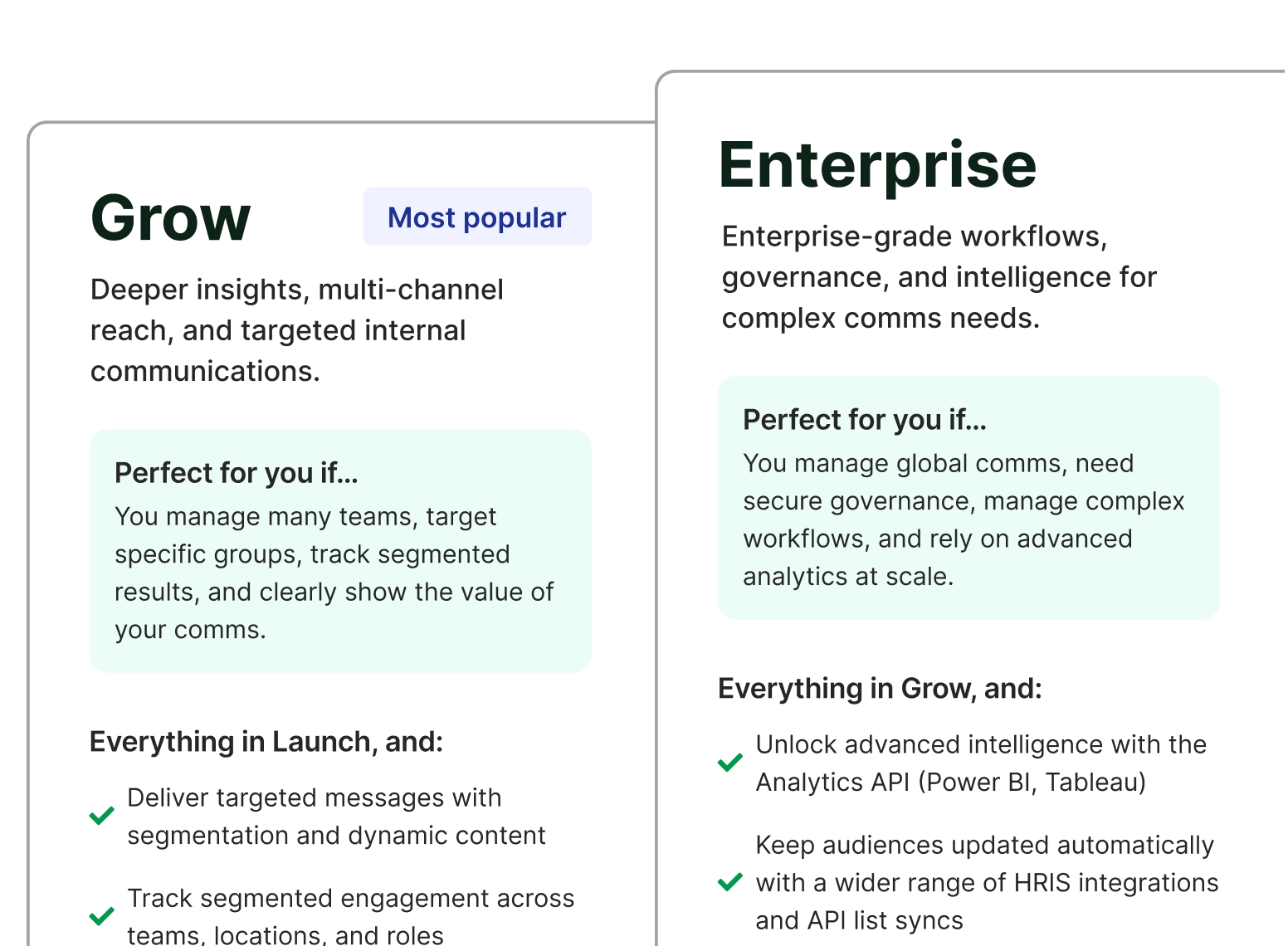
| Pricing model | Per org, per month, billed annually, plus credits and add-ons | Quote-based by organization and team across Launch, Grow and Enterprise plans |
| Support | Depends on your Success Plan | Named CSM and 24/5 live chat |
If your team runs customer journeys tied to CRM data, that’s where Marketing Cloud does its best work. For employee newsletters, leadership updates and change communications, ContactMonkey handles the same email work with the reach, audience data and feedback internal comms teams rely on.
9 Best Salesforce Marketing Cloud Alternatives for 2026
Most lists of Salesforce Marketing Cloud alternatives are written for marketers replacing a customer engagement platform, so they focus on ecommerce flows, lead scoring and ad integrations. We’ve included the platforms those lists cover most, because if your organization is rethinking Marketing Cloud across marketing and internal comms, your marketing colleagues will bring them up. ContactMonkey comes first because it’s built for the employee side of the email your team sends.
For each of the others, we’ve noted how it handles internal email so you know what you’d be signing up for. Teams leaving smaller platforms run into many of the same issues, which is why communicators who reach out to us are often comparing Mailchimp alternatives or Campaign Monitor alternatives at the same time.
1. ContactMonkey, the best Salesforce Marketing Cloud alternative for internal communications
ContactMonkey is an internal communications platform that works inside Outlook and Gmail, with a web app for browser-based sending. It covers the employee email work teams use Marketing Cloud for today, including newsletters, leadership updates, campaigns and recurring sends, and builds it around how internal comms teams work. You design emails in a drag-and-drop email template builder, send to the distribution lists IT already manages, and see results by department, location or any attribute in your HR data.

The biggest change for teams coming from Marketing Cloud is control. Communicators send their own emails from their own inbox without waiting on an admin queue, and approval workflows handle sign-off when a message needs a second set of eyes. Lists stay accurate through 80+ HRIS integrations, including Workday, that sync nightly, so new hires are included and leavers drop off without anyone exporting a CSV. For very large sends, a SendGrid option is available.
ContactMonkey’s AI focuses on the work before you hit send. CoAuthor drafts a full email from a prompt, ConfidenceCheck reviews it for broken links, accessibility issues, typos and your own rules, and Audience Preview shows how different employee groups are likely to read it. After the send, Insights Assistant answers questions about your results in plain language, and Journeys automates recurring sequences like onboarding or open enrollment.

Feedback is built into the email itself through pulse surveys, eNPS questions and emoji reactions, so you can see how employees felt about a message next to how many read it. Every account has a named customer success manager, and ContactMonkey is SOC 2 compliant, which helps with IT and security reviews. It’s email-first, so it works best alongside an intranet like SharePoint. Teams that run customer journeys in Marketing Cloud usually keep it for that work and move employee email over to ContactMonkey, which also keeps internal contacts out of their marketing database.

Best for internal comms and HR teams sending employee email from Marketing Cloud today who want control over their own sends, lists that match HR data, and reporting leadership can act on.

2. HubSpot Marketing Hub
HubSpot Marketing Hub is the marketing automation part of HubSpot’s CRM platform, covering email, landing pages, forms, social media and workflow automation. It’s one of the most common Salesforce Marketing Cloud alternatives for B2B companies that want an all-in-one platform their marketing team can run without a dedicated developer, and it’s generally easier to set up and manage day to day.
One thing to know before adding employees is that everyone you email through HubSpot’s marketing tools counts as a marketing contact, which affects your bill. Marketing emails also carry subscription preferences and an unsubscribe link, and reporting is framed around leads, deals and attribution. The Crohn’s & Colitis Foundation ran into these limits before moving internal email off HubSpot and Constant Contact.
Best for B2B teams replacing Marketing Cloud for customer marketing who want CRM, automation and content tools in one place.
3. Braze
Braze is a customer engagement platform built for consumer brands with mobile apps and large digital audiences. It sends email, push notifications, SMS, in-app messages and more from one platform, and its Canvas journey builder responds to customer behavior in real time. Brands with millions of app users often compare it directly with Marketing Cloud.
It’s designed for teams with engineering support that stream behavioral data from apps and websites, which is a lot of infrastructure for an employee newsletter. Workforce-specific reporting, like read time by department, and feedback tools such as embedded pulse surveys sit outside what Braze is built to do.
Best for consumer apps and digital-first brands that need real-time, behavior-triggered messaging across mobile and web.
4. Klaviyo
Klaviyo is an email and SMS marketing platform built for ecommerce, with deep integrations into Shopify and other online store platforms. Its strength is turning purchase and browsing data into automated flows, such as abandoned cart reminders, post-purchase follow-ups and product recommendations, with predictive analytics like customer lifetime value built in.
For internal communications, every employee you add becomes a billable profile on a platform designed to drive purchases, and the reporting centers on revenue per recipient.
Best for online retailers and direct-to-consumer brands replacing Marketing Cloud for lifecycle email and SMS.
5. Adobe Marketo Engage
Adobe Marketo Engage is a B2B marketing automation platform focused on lead management, nurture programs, account-based marketing and revenue attribution. It’s part of Adobe Experience Cloud and a common choice for enterprise B2B teams with long sales cycles that want marketing and sales closely aligned.
Like Marketing Cloud, it usually needs a trained admin to run day to day, and employees you load into it count toward the database size Adobe prices on. Marketo is very good at scoring and routing leads, which is a different problem from the ones internal communicators are trying to solve.
Best for enterprise B2B marketing teams that need lead scoring, account-based marketing and attribution, especially those already using Adobe products.
6. Iterable
Iterable is a cross-channel customer engagement platform for growth and lifecycle marketing teams. It handles email, SMS, push, in-app and web messaging, with a visual journey builder, experimentation tools and AI features that help choose the best channel and send time for each customer.
It’s typically used by consumer tech, media and subscription businesses that want flexible, data-driven journeys without building everything in-house. For internal email, you’d face the same trade-offs as with any customer engagement platform, including separate contact data, opt-out handling and reporting built around conversion.
Best for growth teams at consumer brands that want flexible journeys across several channels.
7. Oracle Responsys
Oracle Responsys Campaign Management is Oracle’s enterprise platform for high-volume, cross-channel consumer marketing, covering email, SMS, mobile push and web push. It’s built for large B2C brands with complex audiences and is one of the platforms most often weighed against Marketing Cloud at the enterprise level, especially by companies already running Oracle’s CX and data products.
Getting the most from Responsys often means working with Oracle Consulting or an implementation partner. Swapping one large enterprise marketing platform for another rarely makes employee email easier, since the same questions about opt-outs, sending domains and employee data come along with it.
Best for large consumer brands that need enterprise-grade campaign management and already work within the Oracle ecosystem.
8. ActiveCampaign
ActiveCampaign is a marketing automation platform for small and mid-sized businesses, combining email marketing, a visual automation builder and a built-in CRM. Teams often look at it when they want to step down from Marketing Cloud’s complexity and cost to something a small marketing team can run on its own.
Because pricing is based on the number of contacts in your account, adding your whole workforce raises your bill. Marketing emails include an unsubscribe option, and like the other marketing platforms here, ActiveCampaign sends from its own servers and reports by campaign.
Best for small and mid-sized marketing teams that want capable automation and a CRM without an enterprise implementation.
9. Brevo
Brevo, formerly Sendinblue, is a marketing platform that combines email, SMS, WhatsApp, a CRM and transactional email in one account. It’s popular with cost-conscious teams, and its plans are based on how many emails you send each month instead of how many contacts you store.
That can look appealing for internal email, but Brevo still expects every recipient to be an opted-in subscriber, so internal sends come with an opt-out footer, Brevo’s own sending servers and reporting by campaign. The free plan’s daily send cap also makes an all-staff email impractical for most organizations.
Best for small businesses that want affordable email, SMS and transactional messaging in one place.
Finding the Right Salesforce Marketing Cloud Alternative for Your Team
If you’re replacing Salesforce Marketing Cloud for customer marketing, each platform above fits a different kind of business, from HubSpot for B2B teams that want everything in one place to Braze and Klaviyo for consumer brands. When the email in question goes to your own employees, the decision gets a lot simpler.
ContactMonkey gives internal communicators the things Marketing Cloud makes hard, including sending from Outlook or Gmail on your own schedule, reaching every employee without an opt-out, keeping lists in sync with HR, and showing leadership who read what. Many teams keep Marketing Cloud for customer campaigns and move employee email over, which takes the comms team out of the admin queue and keeps internal contacts out of the marketing database. If you’d like to hear what that switch looks like from a communicator’s point of view, internal comms leader Alyssa Towns walks through her own workflow in her honest review of ContactMonkey.
Ready to move employee email off Salesforce Marketing Cloud? Book a demo to see how ContactMonkey helps your team send from Outlook or Gmail, reach every employee and measure what matters, or try CoAuthor free and build your first three emails with no commitment.
FAQ
What are the best Salesforce Marketing Cloud alternatives?
The best Salesforce Marketing Cloud alternatives in 2026 are ContactMonkey for internal communications, HubSpot Marketing Hub for B2B marketing, Braze and Iterable for cross-channel consumer engagement, Klaviyo for ecommerce, Adobe Marketo Engage for enterprise B2B automation, Oracle Responsys for large consumer brands, and ActiveCampaign and Brevo for small and mid-sized teams. The right choice depends on whether you’re sending to customers or to employees.
What is the best Salesforce Marketing Cloud alternative for internal communications?
ContactMonkey is the best Salesforce Marketing Cloud alternative for internal communications. It sends employee email from your own Outlook or Gmail without an unsubscribe link, syncs audiences with 80+ HRIS platforms, and reports opens, clicks and read time by department, location or role. It also includes pulse surveys, eNPS and emoji reactions inside the email, plus AI tools that draft and check emails before they go out.
Can you use Salesforce Marketing Cloud for internal communications?
You can use Salesforce Marketing Cloud for internal communications, and many organizations do because it’s already licensed. Internal teams often run into admin-managed lists with days of lead time, unsubscribe links on commercial sends, emails arriving from external servers, and reporting built around campaigns. Internal communications platforms like ContactMonkey send employee email from Outlook or Gmail and report engagement by employee group.
How much does Salesforce Marketing Cloud cost?
Salesforce Marketing Cloud is priced per org, per month, and billed annually, with higher editions adding more automation and AI features. Usage draws on messaging, AI and data credits, and add-ons and premium Success Plans cost extra. Most enterprise customers negotiate a custom contract, so the clearest figure is the one on your current Salesforce agreement.